
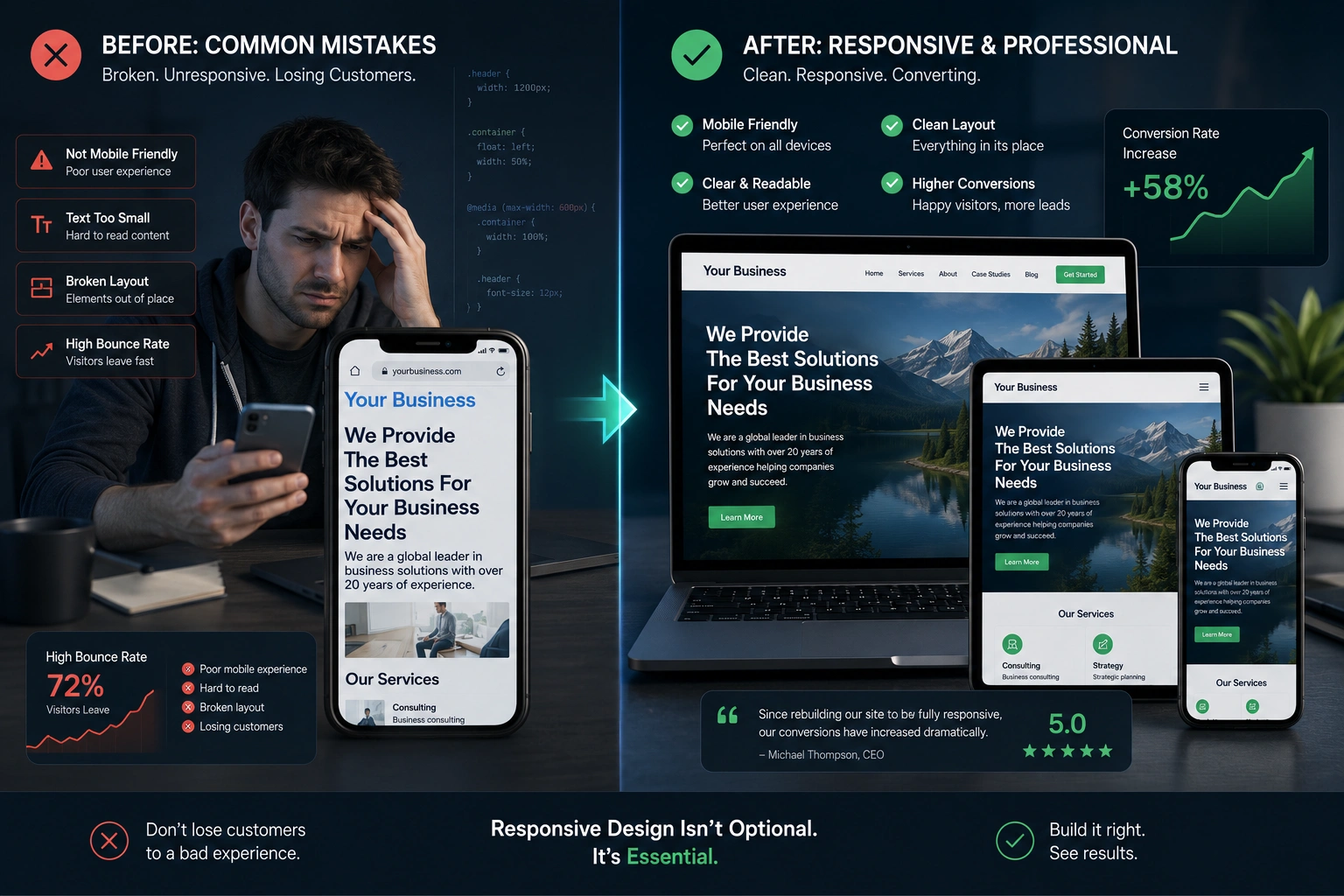
I’ve been building and fixing websites for years, and one truth stands out: most sites lose visitors not because of bad content, but because of avoidable technical mistakes. As someone who runs a websites design company and helps clients through website redesign services, I see the same issues repeatedly.
The good news? Most of these problems have straightforward fixes—especially when you prioritize responsive web design. In this post, I’ll walk through five common website mistakjes I encounter, why they hurt your business, and exactly how I fix them for clients.
Whether you’re a small business owner, freelancer, or running an online course platform, these insights come from real projects. Let’s dive in.
Why Non-Responsive Sites Are Losing You Money
Responsive web design isn’t a nice-to-have anymore—it’s essential. Google’s mobile-first indexing means your site is judged primarily on how it performs on phones.
I once audited a client’s site that looked perfect on desktop but was almost unusable on mobile. Bounce rate was over 70%. After a proper responsive overhaul, their time on site doubled and conversions improved significantly.
According to various industry reports, mobile traffic now accounts for more than half of all web visits. If your site forces users to pinch and zoom, you’re bleeding potential customers before they even read your offer.
Mistake 1: Ignoring Mobile Experience (The #1 Killer)
The most frequent issue I fix is non-responsive layouts. Text too small, buttons impossible to tap, horizontal scrolling—classic signs of a desktop-only site.
How I fix it:
I start with a mobile-first approach. This means designing for small screens first and then scaling up. Using flexible grids, media queries, and relative units (%, em, rem) instead of fixed pixels makes a huge difference.
For WordPress sites, I often switch to or customize themes that are built responsive from the ground up. Check out the flexible options on WordPress.org if you’re considering a refresh.
Mistake 2: Outdated Design That Hurts Credibility
An old-looking website screams “I haven’t updated this since 2015.” Visitors judge your professionalism within seconds.
I worked with a local service business whose site had flashy animations from the early 2010s. Their inquiry rate was low. A clean website redesign with modern typography, generous whitespace, and fast loading times turned things around.
Pro tip: Focus on clarity over creativity. Your visitors want to understand what you do and how to contact you quickly.
Mistake 3: Slow Loading Speeds
Large images, too many plugins, and unoptimized code are common culprits. Every extra second of load time increases bounce rates.
In one website redesign services project, I reduced load time from 8 seconds to under 2 seconds. The client saw immediate traffic recovery from Google.
Tools like PageSpeed Insights help identify issues, but real fixes involve proper image compression, lazy loading, and clean code—areas where an experienced developer shines.
Mistake 4: Poor Navigation and User Flow
Confusing menus, buried contact forms, and unclear calls-to-action frustrate users. I’ve seen sites where the main service page was three clicks deep.
Fixing this involves logical information architecture. I map user journeys and simplify navigation. For e-commerce or course sites, clear paths to purchase or enrollment are critical.
Mistake 5: Not Testing Across Devices and Browsers
What looks good on your laptop might break on an Android tablet or older iPhone. Cross-device testing catches these surprises.
Step-by-Step: How I Redesign a Problematic Website
Here’s my practical process when a client needs website redesign services:
- Audit – I review analytics, run speed tests, and check mobile usability.
- Goal Setting – Understand business objectives. More leads? Better conversions? Brand refresh?
- Wireframing – Create simple layouts focused on responsive web design principles.
- Development – Build with clean code, whether in WordPress, Webflow, or custom solutions.
- Testing – Real device testing + user feedback.
- Launch & Monitor – Soft launch, then track performance.
This structured approach consistently delivers better results than random tweaks.
Real-World Example: From Frustrating to Converting
A coaching client came to me with a beautiful but broken site. On mobile, their course signup buttons were hidden behind poor responsive web design. Desktop looked fine, but most of their traffic was mobile.
After redesigning with proper breakpoints and improving form UX, their course enrollment rate increased by over 40% in the first month. The difference wasn’t flashy new features—it was fixing the basics well.
Common Troubleshooting Tips for Website Owners
- Images not scaling? Use max-width: 100%; height: auto; in CSS.
- Menu collapsing badly on mobile? Check your hamburger menu implementation.
- Slow on mobile data? Optimize images and enable browser caching.
- Contact form not working on phones? Test with actual devices, not just browser resize.
If you’re running a Shopify store or Thinkific/Kajabi site, many of these platforms handle responsiveness better out of the box, but custom tweaks are often still needed.
Comparison: Before and After Responsive Redesign
| Aspect | Before Redesign | After Responsive Fix |
| Mobile Load Time | 6–12 seconds | Under 3 seconds |
| Bounce Rate | 65–80% | 35–50% |
| Conversion Rate | Low | 1.5–3x improvement |
| Google Ranking | Dropping | Stable or improved |
These numbers come from multiple client projects. The pattern is clear.
FAQ: Answering Your Questions About Website Fixes
What is responsive web design exactly?
It’s a development approach that makes your website adapt smoothly to any screen size—phone, tablet, laptop, or desktop—using flexible layouts and media queries.
How much does a professional website redesign cost?
It varies widely depending on complexity. Simple refreshes start lower, while full custom builds with advanced functionality cost more. The key is focusing on ROI through better user experience.
How long does it take to fix these mistakes?
For most small to medium sites, I can deliver significant improvements in 2–4 weeks. Larger projects take longer but deliver bigger results.
Should I use a page builder or hire a developer?
Page builders work for simple sites, but for optimal performance and custom responsive web design, working with an experienced developer usually yields better long-term outcomes.
Can I fix responsiveness without rebuilding everything?
Often yes. Many issues can be resolved by updating CSS, optimizing images, and adjusting key templates. A full redesign is better when your design also feels outdated.
How do I know if my site needs redesign services?
Check your analytics. High bounce rates, low mobile conversions, or outdated appearance are strong signals.
Ready to Fix Your Website for Good?
The biggest mistake is doing nothing. A well-implemented responsive web design combined with thoughtful website redesign services can transform your online presence from a liability into your best salesperson.
If your site is costing you visitors and opportunities, let’s talk. I help businesses through my websites design company Digital Wind IT and you can learn more about my approach on my personal site.
Drop a comment below with your biggest website frustration—I read and reply to them all. Or reach out if you’re ready for a proper audit and fix.
Your website should work as hard as you do. Let’s make that happen.






