
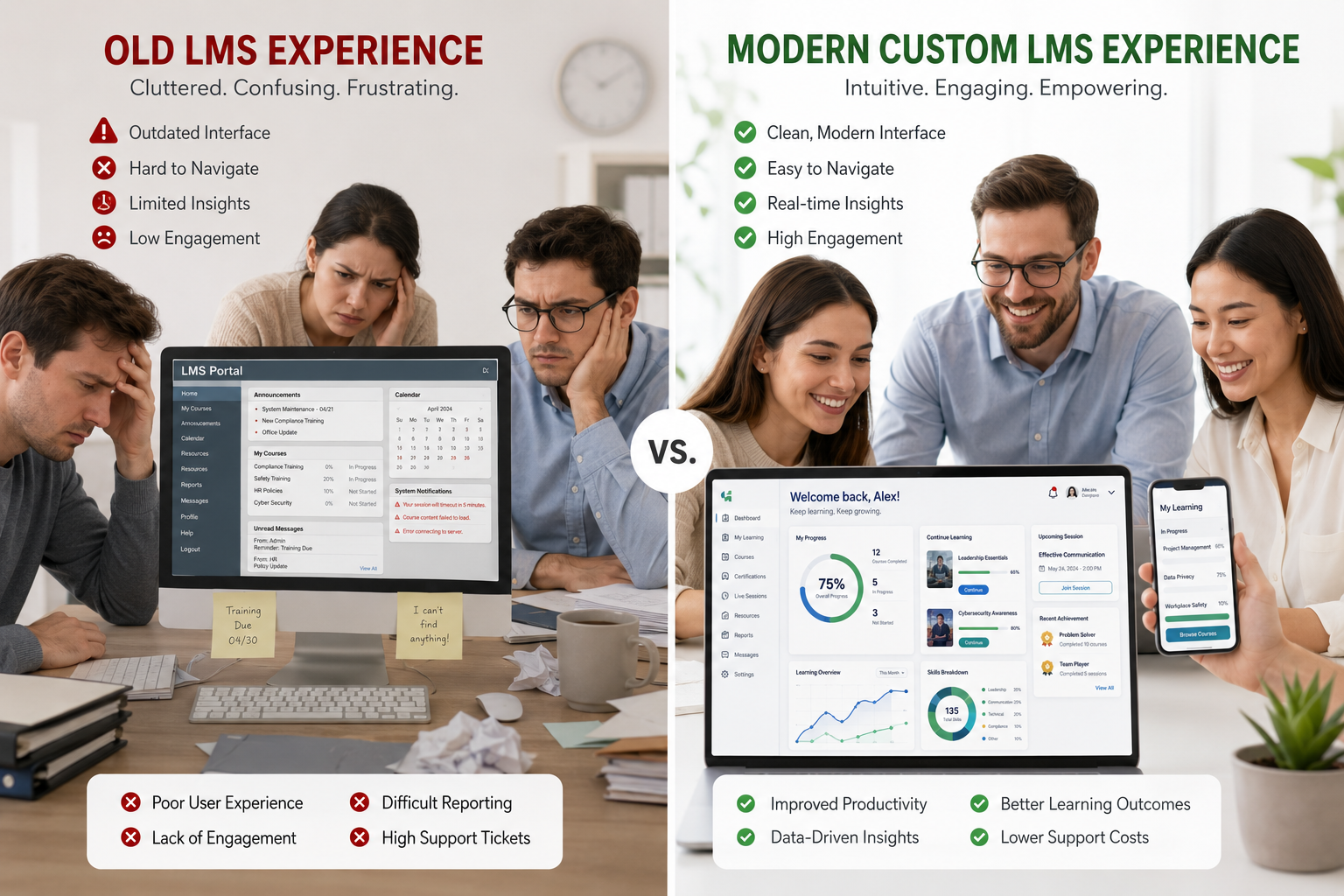
Running a business means constantly evaluating your tools. Your learning management system is one of the most important ones if you care about employee development. Yet many companies stick with outdated platforms far longer than they should.
I’ve helped dozens of organizations audit and improve their training systems. The pattern is clear: sticking with an old LMS quietly costs time, productivity, and talent. In this article, I share five practical signs it’s time to upgrade your learning management system — plus what to do next.
If your current setup feels clunky or limiting, you’re not alone. Let’s walk through the red flags and how a modern or custom solution can fix them.
1. Low User Adoption and Engagement
When employees avoid the system or complete training only because it’s mandatory, you have a problem. Old LMS platforms often have dated interfaces, poor mobile support, and boring content formats.
People today expect learning experiences as smooth as their favorite apps. If your completion rates are low or managers constantly chase people for training, it’s a strong sign the platform is holding you back.
In one client project, switching from a legacy system doubled engagement within two months simply because the new interface felt intuitive.
2. Lack of Integration with Your Other Tools
Your learning management system shouldn’t live in isolation. If you’re manually exporting reports, copying user data between HR software, or struggling with single sign-on, it’s time for an upgrade.
Modern systems integrate seamlessly with tools you already use. This saves hours every week and gives leadership accurate, real-time insights.
From my experience at Digital Wind IT, poor integration is one of the fastest ways training efforts lose momentum.
3. Inability to Deliver Personalized Learning Paths
One-size-fits-all training doesn’t work well anymore. If you can’t easily create role-specific paths, adaptive learning, or track individual skill gaps, your LMS is outdated.
Today’s best learning content management systems use data to recommend relevant modules. A sales rep and a developer should not go through identical training.
This limitation often becomes obvious during rapid growth or when introducing new tools and processes.
4. Poor Analytics and Reporting Capabilities
You can’t improve what you can’t measure. Old systems often provide basic completion reports but little insight into actual learning effectiveness or behavior.
If you struggle to answer questions like “Are skills actually improving?” or “Where are the biggest knowledge gaps?”, it’s time to upgrade.
Better analytics help justify training budgets and prove ROI to leadership — something every growing company needs.
5. Limited Mobile Access and Modern Content Support
Your team works from different locations and devices. If your learning management system isn’t fully responsive or struggles with video, interactive content, and microlearning, employees will disengage.
In 2026, expecting people to sit at a desktop for training is unrealistic. A modern LMS supports learning on the go with offline options and push notifications.
Comparison Insight: Generic platforms likeThinkific or LearnWorlds are great for external courses. For internal corporate needs, a tailored or upgraded LMS usually outperforms on flexibility and data control.
Real-World Example of an LMS Upgrade
A mid-sized manufacturing client came to me frustrated with their 8-year-old system. Training compliance was barely met, new hires took too long to ramp up, and managers hated the reporting.
After upgrading to a more capable, partially custom learning management system, they cut onboarding time by 45%, improved compliance scores, and received positive feedback from employees for the first time. The investment paid for itself within one year through productivity gains.
Step-by-Step: How to Evaluate and Upgrade Your LMS
Here’s a practical process I recommend:
- Audit Current Usage — Survey employees and managers. Track actual usage metrics for 2–4 weeks.
- List Pain Points and Requirements — Categorize must-have vs nice-to-have features.
- Research Options — Compare off-the-shelf upgrades versus custom development.
- Calculate Total Cost — Include time saved, productivity gains, and reduced risk — not just subscription fees.
- Run a Pilot — Test the new system with one department before full rollout.
- Plan Content Migration and Training — Don’t underestimate change management.
- Measure Success — Set clear KPIs and review after 3 and 6 months.
This methodical approach reduces risk and delivers better results.
Common Mistakes When Upgrading Your Learning Management System
- Choosing based only on price instead of fit.
- Ignoring employee input during selection.
- Rushing the migration and losing important historical data.
- Failing to train administrators and managers on new features.
- Underestimating the need for ongoing content updates.
Avoid these by working with experienced partners who understand both technology and real training outcomes. Feel free to explore options through my work.
FAQ: Upgrading Your LMS
How do I know if upgrading is worth the investment?
Look at hidden costs of your current system — lost productivity, low retention, and compliance risks. Most companies see clear ROI within 6–12 months.
What’s the difference between upgrading and switching to a custom LMS?
Upgrading often means moving to a better packaged platform. A custom learning management system is built or heavily tailored to your exact processes.
How long does an LMS upgrade usually take?
Simple migrations take 1–3 months. More complex custom solutions typically take 3–6 months with phased rollout.
Will employees resist the change?
Resistance usually comes from poor communication. Involve them early, highlight benefits, and provide proper training.
Can a small business afford to upgrade its learning management system?
Yes. Many modern platforms offer scalable pricing, and the efficiency gains often outweigh costs quickly.
Time to Take Action on Your Learning Management System
If several of these signs sound familiar, your current LMS is likely costing you more than you realize. Upgrading to a modern, capable learning management system — or moving toward a custom solution — can transform how your team learns and performs.
Don’t let outdated technology hold your people back. Explore better options at Digital Wind IT or reach out through my site to discuss what makes sense for your business.The right learning content management system doesn’t just deliver training — it builds a stronger, more capable team. Make the upgrade when the signs are clear.






