
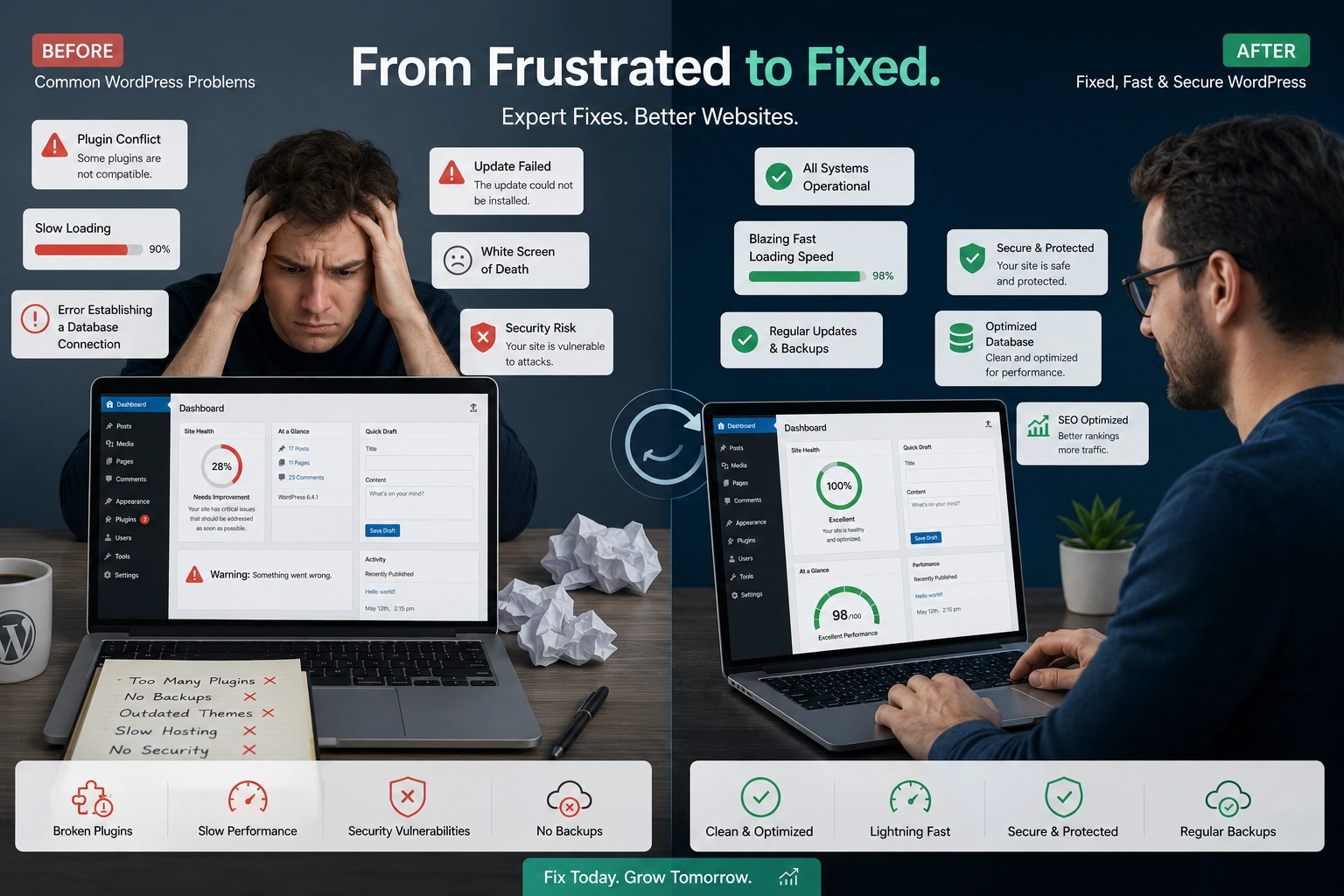
I’ve built and rescued dozens of WordPress websites over the years. Most clients come to me after months of frustration — slow loading times, random crashes, or security scares that kill their momentum. The truth is, WordPress is incredibly powerful, but small mistakes early on create big headaches later.
As a WordPress developer, I’ve seen the same five issues repeatedly. In this post, I’ll walk you through them, explain why they hurt your site, and show exactly how I fix them. If you’re a beginner or intermediate user managing your own WordPress website, this will save you time, money, and stress.
Why Most WordPress Websites Struggle
A WordPress website gives you flexibility and control that many other platforms don’t. But that freedom comes with responsibility. Without proper setup and ongoing care, even a beautiful site can lose visitors, rank poorly, or become vulnerable.
I’ve fixed sites that lost 70% of their traffic due to one overlooked mistake. The good news? Most issues are preventable or easily correctable when you know what to look for.
The 5 Most Common WordPress Mistakes Beginners Make
1. Choosing the Wrong Theme or Over-Relying on Page Builders
Many new users pick flashy themes packed with features they’ll never use. Or they install heavy page builders and end up with bloated code.
The impact: Slow load times and maintenance nightmares.
How I fix it: I start by auditing the theme. If it’s too heavy, I switch to a lightweight, well-coded option or create a custom child theme. Then I remove unnecessary builder elements and write clean custom CSS where needed. This often improves speed by 30-50% immediately.
2. Installing Too Many Plugins (and Bad Ones)
Plugins are addictive. Need a feature? There’s a plugin for that. But every extra plugin adds database queries and potential conflicts.
The impact: Site slowdowns, security holes, and update conflicts that break functionality.
How I fix it: I review every plugin, deactivate and delete the unnecessary ones, and replace multiple plugins with single lightweight solutions or custom code. For example, combining contact form, email marketing, and analytics into fewer tools.
3. Ignoring Performance Optimization
Default WordPress setups are rarely fast. Unoptimized images, no caching, and render-blocking scripts make pages feel sluggish.
The impact: Higher bounce rates and poor search rankings.
How I fix it: I implement a full optimization routine — image compression, caching plugins configured correctly, CDN setup, database cleanup, and minification. I also enable lazy loading and defer non-critical JavaScript.
4. Weak Security Practices
Using “admin” as username, simple passwords, and skipping regular updates is surprisingly common.
The impact: Hack attempts, malware, and complete site takeovers.
How I fix it: I enforce strong credentials, install a solid security plugin with proper rules, enable two-factor authentication, and set up regular automated backups with offsite storage. I also limit login attempts and monitor suspicious activity.
5. Neglecting Proper SEO Structure from Day One
Many owners focus only on content while ignoring permalinks, meta tags, sitemaps, and schema.
The impact: Search engines can’t understand or rank the site effectively.
How I fix it: I configure clean permalinks, install and properly set up an SEO plugin, create XML sitemaps, and add structured data where it makes sense. Internal linking strategy and content hierarchy get special attention too.
How a Professional WordPress Developer Fixes These Issues Step-by-Step
Here’s my typical rescue process when a client hands over a troubled WordPress website:
- Full Audit — I use tools to check speed, security, plugin conflicts, and broken elements.
- Backup Everything — Always create a complete backup before changes.
- Cleanup Phase — Remove bloat, update everything, and fix conflicts.
- Optimization — Speed, security hardening, and SEO foundation.
- Testing — Thorough cross-browser and mobile testing.
- Documentation & Training — I hand over a simple maintenance guide so the owner isn’t lost again.
This systematic approach turns a problematic site into a reliable, high-performing one.
Real-World Example: From Slow and Broken to Fast and Secure
One client ran an online course platform on a WordPress website that took 8+ seconds to load. They had 47 plugins active, including three different page builders. The site kept crashing during traffic spikes.
I cut the plugins down to 12 essential ones, switched to a performant theme, implemented proper caching and a CDN, and optimized the database. Load time dropped to under 2 seconds. Within weeks, their bounce rate halved and course sign-ups increased. The best part? They no longer panicked every time they needed to update something.
DIY vs Hiring a WordPress Developer: When to Make the Call
You can handle small tweaks yourself using good resources. But when your business depends on the site — revenue, leads, reputation — professional help pays for itself quickly.
A good WordPress developer brings experience across hundreds of sites, catches problems you’d miss, and builds for long-term scalability. Compare that to months of trial-and-error that frustrates both you and your visitors.
For learning resources, the official WordPress.org documentation remains one of the best starting points.
Common Troubleshooting Tips for WordPress Issues
- White screen of death? Increase memory limit in wp-config.php and check error logs.
- Plugin conflict? Deactivate all plugins and reactivate one by one.
- Site hacked? Restore from clean backup, change all passwords, and scan thoroughly.
- Slow after update? Clear all caches and check for outdated plugins/themes.
Regular maintenance beats emergency fixes every time.
FAQ: Common WordPress Questions
How often should I update my WordPress website?
At minimum, check for updates weekly and run major updates after a quick backup and staging test.
Can I fix WordPress speed issues without coding?
Yes, many improvements come from good plugins and settings, but deeper gains usually need some custom work.
Is it worth hiring a WordPress developer for a small site?
If the site is important to your business, absolutely. The time and frustration saved is worth it.
What’s the biggest security risk for most WordPress sites?
Outdated core, themes, and plugins — especially those from unreliable sources.
How do I know if my site has been hacked?
Unexpected redirects, new admin users, strange code in files, or sudden traffic drops are common signs.
Should I switch from WordPress to another platform?
Rarely. Most issues can be solved by better development and maintenance rather than migrating.
Final Thoughts: Build Your WordPress Website Right
Running a successful WordPress website isn’t about avoiding every possible mistake — it’s about knowing how to fix them quickly and prevent the costly ones. The difference between a frustrating site and a smooth, growing asset often comes down to experience and attention to the fundamentals.
If your site feels slow, unreliable, or hard to manage, you don’t have to struggle alone. Reach out to me at Shihab Morshed or explore more practical guides at Digital Wind IT.
I help business owners turn their WordPress websites into reliable engines for growth. Let’s make yours one of them.






