
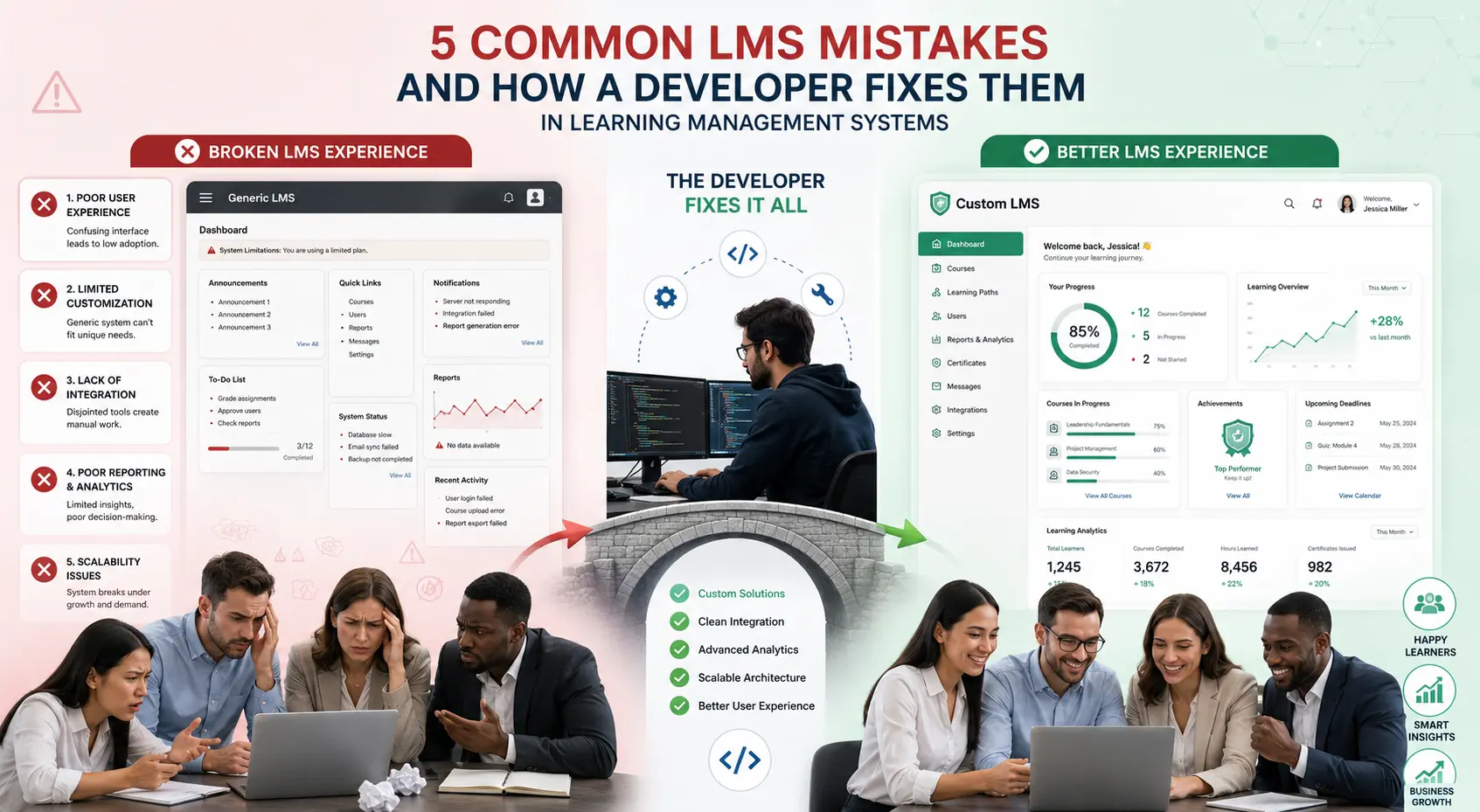
Implementing a learning management system should improve training outcomes, but too often it becomes a source of frustration. Low adoption, wasted budget, and missed deadlines are common results when businesses rush the process or choose the wrong approach.
Having helped many companies rescue and rebuild their training platforms, I’ve seen the same mistakes repeated. The good news? Most of these issues are fixable — especially with the help of an experienced LMS developer.
Here are five of the most common LMS mistakes and exactly how a skilled developer can correct them.
1. Choosing a Generic Platform That Doesn’t Fit Your Needs
Many companies pick popular off-the-shelf tools thinking “good enough” will work. Later they discover rigid templates, missing features, or expensive workarounds.
How a Developer Fixes It: A custom LMS developer builds or heavily tailors the system around your specific workflows, branding, and goals. Instead of forcing your processes into the software, the software adapts to you.
2. Poor User Experience Leading to Low Adoption
Even the best content fails if the interface is clunky, confusing, or not mobile-friendly. Employees avoid the system, completion rates drop, and training efforts fail.
How a Developer Fixes It: Professional LMS developers prioritize intuitive design, clean navigation, and mobile optimization from day one. They involve actual users during testing to ensure the platform feels natural and easy to use.
3. Lack of Proper Integration with Existing Systems
When the LMS doesn’t talk to your HR, CRM, or authentication tools, you end up with duplicate data entry and inaccurate reporting.
How a Developer Fixes It: An experienced developer creates seamless API integrations, automated user syncs, and real-time data flow. This eliminates manual work and keeps all systems consistent.
Comparison Insight: While platforms like Thinkific or LearnWorlds offer basic integrations, they often require third-party tools. A custom learning management system enables deeper, more reliable connections tailored to your tech stack.
4. Inadequate Planning for Content and Long-Term Maintenance
Businesses often focus heavily on the initial launch but underestimate the effort needed to keep content fresh and the system running smoothly.
How a Developer Fixes It: Good developers build easy-to-use content authoring tools for non-technical admins and plan clear maintenance processes. They also design scalable architecture that grows without constant expensive updates.
5. Ignoring Change Management and Training for Users
Launching a new LMS without proper communication, manager support, or user training is one of the fastest ways to fail.
How a Developer Fixes It: Developers with real implementation experience help create adoption strategies, admin training sessions, and phased rollouts. They can even build in-app guidance and help features that reduce resistance.
Real-World Example of Fixing LMS Mistakes
One client came to me after spending significant money on a popular platform that nobody was using. The interface was confusing, integrations were broken, and content was outdated. Within six months of working with a proper LMS developer, we rebuilt the system with custom features, smooth HR integration, and strong mobile support. Completion rates jumped from 31% to 84%, and the company finally started seeing real value from their training investment.
Step-by-Step: Avoiding LMS Mistakes Before They Happen
- Define Clear Requirements — Document your exact needs, not just “we need training software.”
- Involve Stakeholders Early — Get input from HR, IT, department heads, and end users.
- Choose the Right Partner — Select a developer with proven LMS experience in your industry.
- Plan for Adoption — Build change management into the project timeline.
- Start with a Pilot — Test with one team before full company rollout.
- Build in Flexibility — Ensure the system can evolve as your business grows.
This process helps you avoid most common pitfalls from the beginning.
Common Mistakes When Hiring an LMS Developer
- Picking the cheapest quote instead of the best fit
- Not checking relevant portfolio examples
- Skipping the discovery and requirements phase
- Failing to agree on post-launch support upfront
If you’re recovering from any of these issues, feel free to explore recovery and new development options at Digital Wind IT.
FAQ: Common LMS Mistakes
What is the most expensive LMS mistake?
Choosing the wrong platform or developer usually costs the most due to wasted time, low ROI, and the need to rebuild later.
Can these mistakes be fixed without starting over?
Yes. Many issues can be resolved through heavy customization and redevelopment on an existing base.
How do I know if my current LMS has these problems?
Look at low usage rates, frequent complaints, manual workarounds, and difficulty generating reports.
Is a custom LMS the only way to avoid these mistakes?
Not always, but it significantly reduces risk for companies with unique or growing needs.
How long does it take to fix a problematic LMS?
It depends on severity, but most rescues take 2–6 months with a focused development team.
Don’t Let These LMS Mistakes Hold You Back
The difference between a struggling learning management system and a highly effective one often comes down to avoiding these common mistakes. An experienced LMS developer doesn’t just build software — they help you implement a solution that actually delivers results.
If your current training platform is underperforming or you’re planning a new implementation, take time to learn from others’ mistakes. Visit Digital Wind IT for expert development support or reach out through my site to discuss your specific situation.A well-built custom LMS is a powerful investment. Make sure yours succeeds by addressing these issues early






