
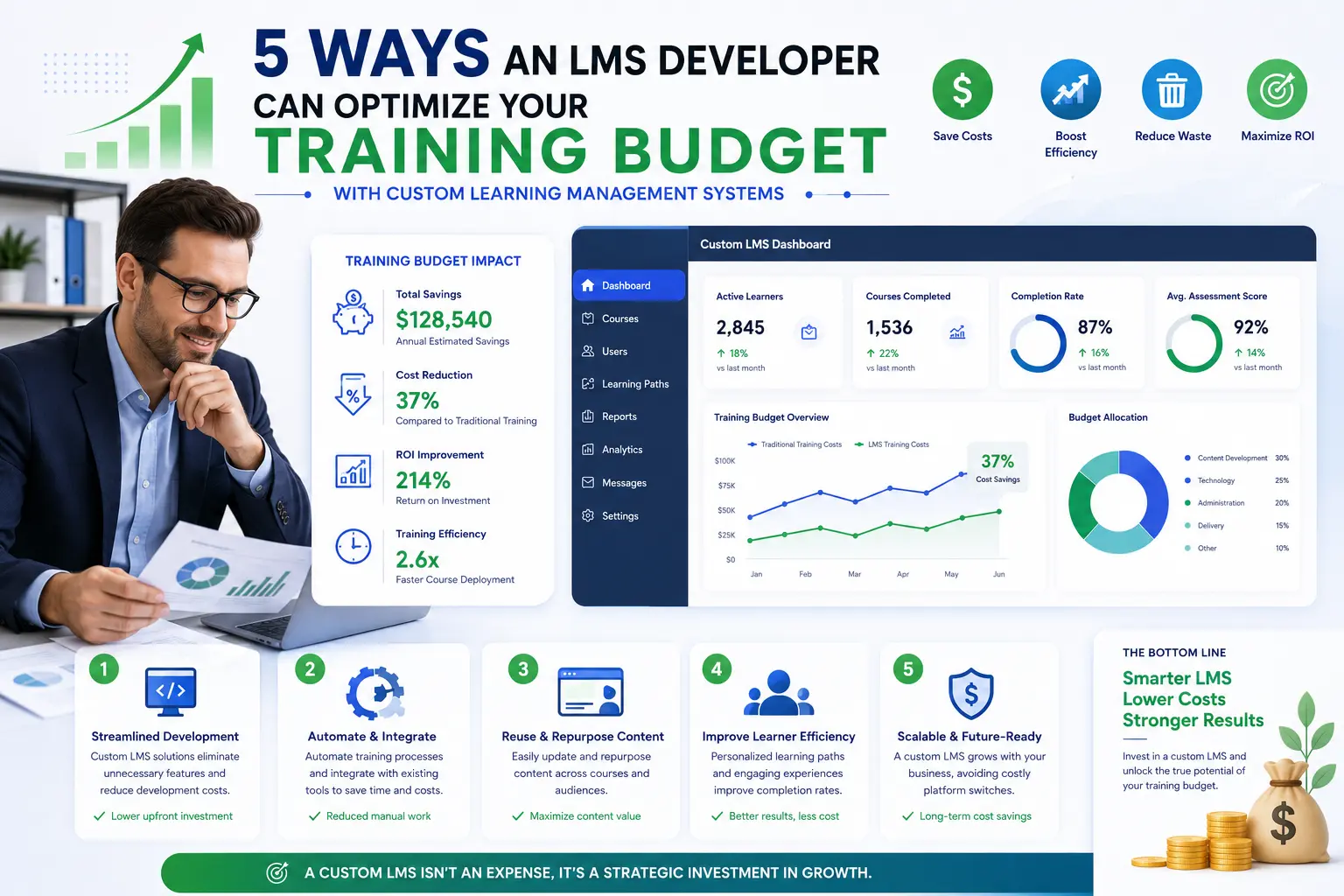
Training budgets are under constant pressure. Many companies waste money on expensive platforms, low completion rates, and inefficient processes.
After working with numerous businesses on their training systems, I’ve seen how hiring the right LMS developer can dramatically reduce costs while improving outcomes. A custom learning management system often delivers much better value than generic platforms over time.
Here are 5 powerful ways a professional LMS developer helps optimize your training budget.
1. Eliminating Expensive Recurring Subscription Fees
Most off-the-shelf LMS platforms charge per user or per month. As your team grows, these costs add up quickly.
How a Developer Helps: A custom LMS requires higher upfront investment but removes ongoing per-user licensing fees. After the initial build, you can scale from 50 to 500 employees without your monthly bill increasing significantly.
2. Reducing Administrative and Manual Work
HR and L&D teams often spend countless hours manually enrolling users, chasing completions, and generating reports.
How a Developer Helps: An experienced LMS developer automates repetitive tasks — user provisioning, course assignments, reminders, and reporting. This saves hundreds of administrative hours every year.
Comparison Insight: Platforms like Thinkific and Kajabi work well for smaller course businesses, while LearnWorlds offers good features. However, a custom learning management system provides deeper automation tailored to your exact workflows.
3. Improving Completion Rates and Reducing Wasted Training
Low completion rates mean you’re paying for training that employees never finish.
How a Developer Helps: Developers design intuitive interfaces, personalized learning paths, and gamification features that boost engagement. Higher completion rates mean you get more value from every dollar spent on content creation.
4. Enabling Content Reuse and Easy Updates
Creating training content is expensive. Many companies duplicate effort when policies or products change.
How a Developer Helps: A well-built custom LMS includes powerful authoring tools and smart content management. Update a module once and it reflects across all languages or departments instantly — saving significant time and money.
5. Delivering Measurable ROI and Better Business Outcomes
Many training investments fail to show clear results, making future budgets harder to secure.
How a Developer Helps: Professional developers build strong analytics and reporting that link training directly to business metrics (onboarding speed, error reduction, sales performance). This makes it easier to prove value and justify continued investment.
Real-World Budget Optimization Example
A mid-sized manufacturing client was spending over $45,000 annually on a popular LMS platform with mediocre results. After partnering with an LMS developer, they moved to a custom solution. In the first two years, they saved approximately $62,000 in licensing and admin costs while increasing training completion rates from 41% to 83%. The system continues to deliver strong ROI years later.
Step-by-Step: Working with an LMS Developer to Optimize Budget
- Audit Current Spending — Calculate total training costs including platform fees, content creation, and admin time.
- Define Clear Goals — Identify which areas (onboarding, compliance, upskilling) need the biggest improvements.
- Choose the Right Developer — Look for someone experienced in cost-efficient, scalable solutions.
- Start with High-Impact Features — Prioritize automation and usability first.
- Plan Phased Development — Roll out in stages to manage budget and show early wins.
- Measure Results — Track savings and improvements quarterly.
This approach ensures maximum return on your investment.
Common Budget Mistakes to Avoid
- Choosing the cheapest developer instead of the most efficient solution
- Focusing only on upfront cost rather than 3-year total ownership
- Underestimating ongoing content maintenance expenses
- Sticking with expensive platforms too long due to fear of change
If you’re looking to optimize your current setup, feel free to explore efficient development options at Digital Wind IT.
FAQ: LMS Developer and Training Budget Optimization
Is a custom LMS always cheaper long-term?
For most growing companies, yes — especially after 18–24 months.
How much can I realistically save?
Many clients see 30–60% reduction in total training technology costs over three years.
Can I optimize budget without a full custom LMS?
Yes. A good developer can significantly improve an existing platform through customization and automation.
What’s the biggest budget saver?
Usually automation of admin tasks combined with removing recurring licensing fees.
How do I calculate LMS ROI?
Compare total costs against time saved, improved performance, reduced errors, and higher productivity.
Optimize Your Training Budget Strategically
Hiring a skilled LMS developer is not an expense — it’s a strategic investment that reduces waste and maximizes the impact of every training dollar.
Instead of continuously paying for tools that don’t quite fit, build a learning management system that works efficiently for your unique needs and scales affordably as you grow.
Ready to make your training budget work harder? Visit Digital Wind IT for custom development solutions or connect with me at Shihab Morshed to discuss how we can optimize your training spend.
The smartest companies don’t just spend on training — they invest wisely with the right systems and expertise.






