
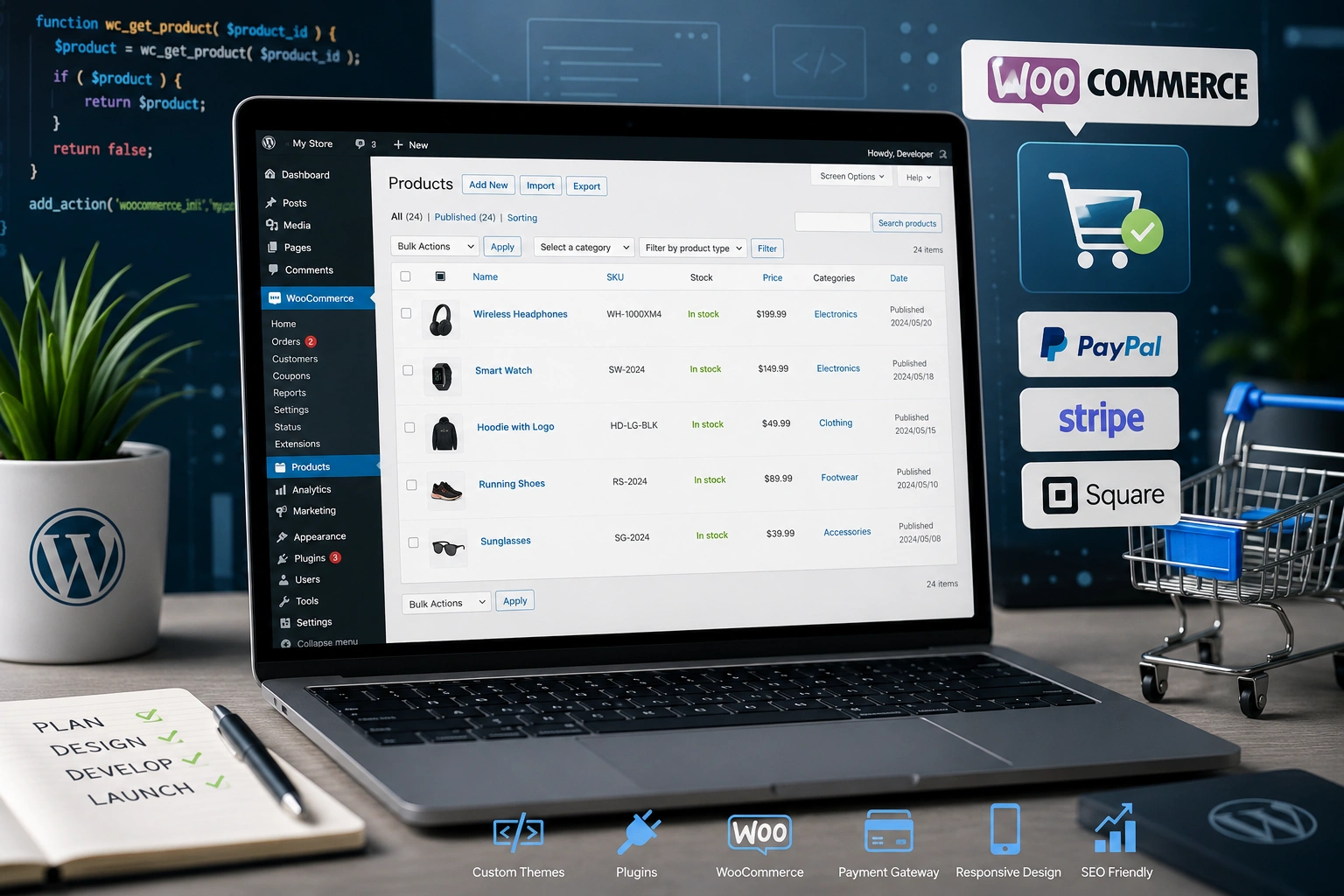
I’ve spent years building and optimizing WordPress websites for clients who started with simple blogs or service pages and later needed to start selling online. Turning a regular site into a fully functional online store isn’t as hard as it sounds—especially when you have a WordPress developer who knows the right tools and approaches.
In this guide, I’ll show you how an experienced WordPress developer approaches website development, customization, and integrations that deliver real business results. Whether you’re building a new website, improving an existing one, or adding advanced functionality, you’ll gain practical insights based on real client projects. No fluff—just proven solutions and best practices from a professional WordPress developer.
Why Add E-Commerce to Your Existing WordPress Website
Most of my clients already have a solid WordPress website with good content and traffic. They don’t want to start from scratch on a new platform. That’s where a WordPress developer shines. We can layer powerful shopping features directly onto what you’ve already built.
The biggest advantage? Full ownership and flexibility. Unlike hosted platforms that lock you in, a WordPress website with e-commerce gives you control over design, data, and future customizations. I’ve seen businesses grow from a few products to complex catalogs without losing their brand voice or SEO progress.
The Power of WooCommerce: The Go-To Solution for WordPress Developers
When clients ask me how to add shopping features, I almost always recommend WooCommerce. It’s the official e-commerce plugin for WordPress, powering millions of stores worldwide.
As a WordPress developer, I love WooCommerce because it’s open-source and infinitely extendable. You get core features like product management, cart, checkout, and payments right out of the box—then we add custom touches as needed.
Comparison Insight: In my experience, WooCommerce on a WordPress website often outperforms Shopify for businesses that value SEO and content marketing. WordPress sites tend to rank better for blog-driven traffic, and you avoid monthly platform fees that add up quickly. However, Shopify wins for absolute beginners who want zero maintenance. For most of my intermediate clients, the control of WooCommerce wins out.
Real Business Impact: From Content Site to Revenue Machine
One client—a fitness coach with a popular blog on his WordPress website—came to me after hitting a plateau. We integrated e-commerce so he could sell workout plans and merchandise. Within six months, the store contributed over 40% of his income.
The key wasn’t just adding products. It was strategic integration: seamless navigation between blog posts and shop pages, personalized recommendations, and automated email flows for abandoned carts. This turned casual readers into paying customers.
Step-by-Step: How a WordPress Developer Integrates E-Commerce
Here’s the exact process I follow for most projects. It typically takes 1-2 weeks depending on complexity.
- Preparation and Backup – Always start with a full backup of the WordPress website. I use reliable plugins for this to avoid any data loss.
- Install WooCommerce – Go to Plugins > Add New, search for WooCommerce, install, and activate. The setup wizard guides you through store location, currency, and basic pages.
- Theme and Design Alignment – Choose or customize a theme compatible with WooCommerce. I often use lightweight options and build custom layouts with page builders for product pages that match the site’s existing style.
- Add Products and Categories – Create simple, variable, or grouped products. I pay special attention to high-quality images, detailed descriptions, and SEO-optimized titles.
- Payment and Shipping Setup – Integrate gateways like Stripe or PayPal. Configure shipping zones, rates, and tax rules based on the client’s location and audience.
- Performance and Security Optimization – Add caching, optimize images, implement SSL, and set up security plugins. This step is crucial—slow stores kill conversions.
- Testing and Launch – Thorough testing on mobile and desktop, including checkout flows. I always run test orders before going live.
This structured approach ensures the integration feels native to the original WordPress website.
Common Mistakes and Troubleshooting Tips
Even experienced users run into issues. Here are the ones I see most often and how to fix them:
- Performance Slowdown: Too many plugins or unoptimized images. Solution: Use a good caching plugin and compress all product photos. Test speed regularly with tools like GTmetrix.
- Checkout Abandonment: Complicated forms or unexpected costs. Fix by enabling guest checkout and showing clear shipping info early.
- Plugin Conflicts: New extensions breaking the site. Always test on a staging environment first.
- Poor Mobile Experience: Many themes aren’t fully responsive. I prioritize mobile-first design since most shoppers browse on phones.
- Neglecting Updates: Outdated WooCommerce or WordPress core creates security risks. Schedule regular maintenance.
In one project, ignoring image optimization caused load times over 8 seconds. After fixes, conversions jumped significantly.
FAQ: Integrating E-Commerce on WordPress
Do I need coding skills to add e-commerce to my WordPress website?
Basic setups work without code using WooCommerce. For custom features like unique checkout flows or integrations, a WordPress developer makes the process smoother and more tailored.
How much does it cost to integrate e-commerce?
The core tools are free. Expect costs for hosting upgrades, premium themes/extensions, and developer time if you hire help. Many of my clients stay under $500 for a solid basic store.
Can I migrate an existing store to WordPress?
Yes. I’ve helped move products and orders from other platforms. Proper planning prevents data loss.
Is WooCommerce secure for selling online?
Absolutely, when properly configured. Regular updates, strong hosting, and security plugins keep things safe.
How does it affect my existing SEO?
Done right, it boosts SEO by adding fresh product pages and content. Maintain clean URLs and optimized descriptions.
What if I want advanced features like subscriptions or memberships?
WooCommerce extensions handle this well. A developer can also build custom solutions when needed.
Ready to Turn Your WordPress Website Into a Revenue Generator?
Adding e-commerce features doesn’t have to be overwhelming. With the right approach, a WordPress developer can transform your site into a powerful sales channel while preserving everything that makes it unique.
If you’re ready to take the next step, visit my services at Shihab Morshed or explore more digital solutions at Digital Wind IT. Let’s build something that grows with your business. What’s your biggest challenge with adding online sales? Feel free to reach out—I’d love to hear about your project.






