
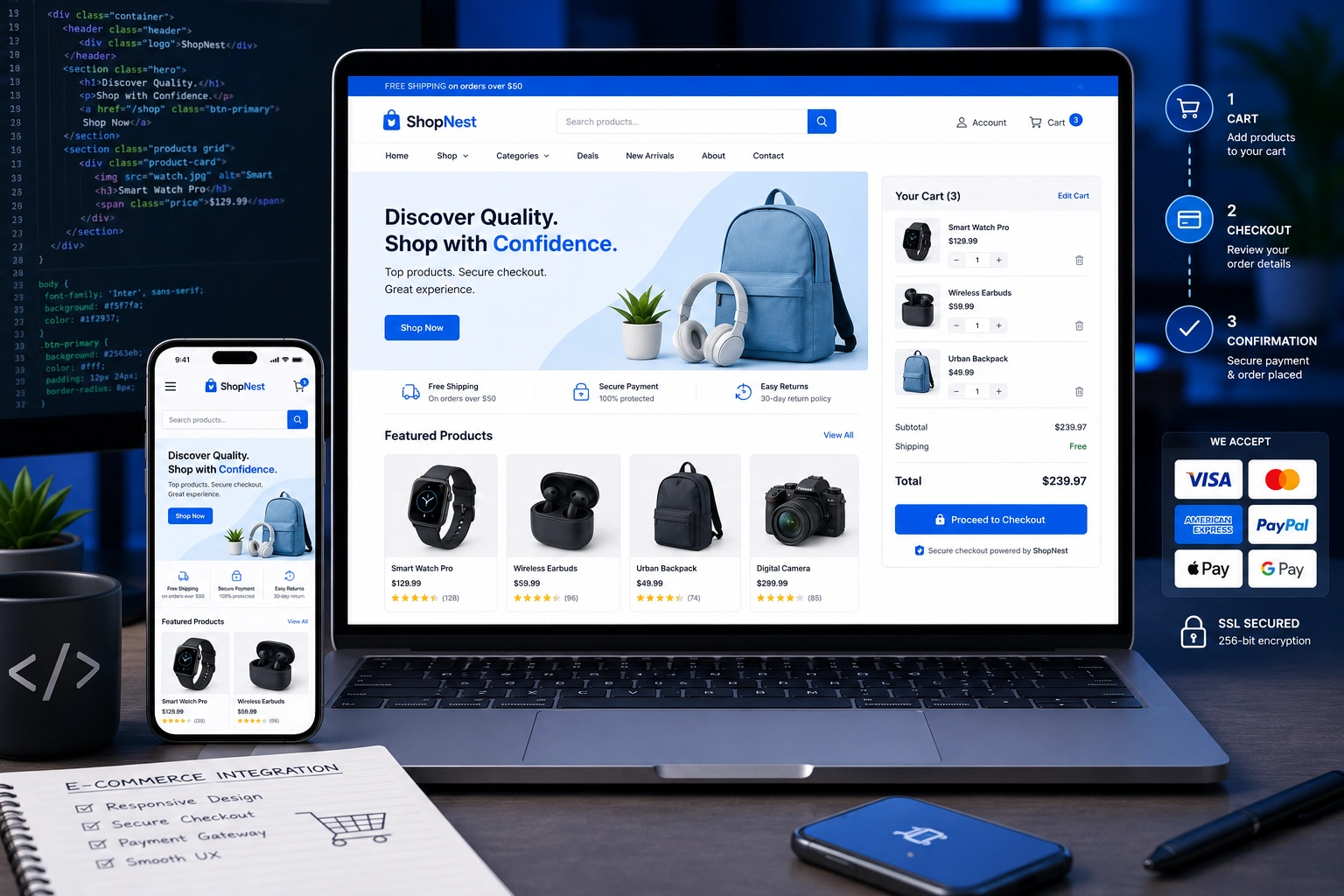
When I started building websites over a decade ago, most clients just wanted a simple online presence. Today, almost every business owner asks the same question: “Can we add shopping to this site without breaking the design?” The answer is yes — if you approach it thoughtfully.
As a web developer who has helped dozens of small businesses and creators launch their stores, I’ve seen what works and what leads to abandoned carts and frustrated users. In this post, I’ll walk you through integrating e-commerce the right way while keeping your responsive web design intact and user-friendly.
Whether you’re running a personal brand or working with a websites design company for a full website redesign services project, these strategies will help you turn visitors into buyers.
Why Responsive Web Design Matters More Than Ever for E-Commerce
Mobile shopping isn’t a trend anymore — it’s the default. Over half of all online purchases now happen on phones. If your store isn’t optimized for every screen size, you’re losing sales before the checkout page even loads.
Responsive web design ensures your product images, navigation, and checkout forms adapt smoothly across devices. I remember one client who came to me after their old site looked broken on mobile. After a proper redesign focused on responsiveness, their conversion rate jumped 42% in the first month.
The key isn’t just making things “fit” on small screens. It’s about creating an experience that feels fast, intuitive, and trustworthy no matter how someone visits your site.
Business Impact: Turning Your Site into a Revenue Machine
Adding e-commerce isn’t just about installing a plugin. It’s about aligning your design, user flow, and business goals.
I’ve worked with service providers who started selling digital downloads and physical products on the same site. One photography client used website redesign services to combine his portfolio with a print store. Within six months, product sales covered his entire monthly operating costs.
The real power comes when your responsive web design supports the entire customer journey — from browsing on a phone during lunch break to completing checkout on a laptop at home.
How to Integrate E-Commerce: Step-by-Step Guide
Here’s the exact process I follow with clients. It works whether you’re using WordPress, Webflow, or custom code.
1. Choose the Right Platform
Decide between self-hosted and hosted solutions. For most of my clients, I recommend WordPress with WooCommerce because it gives full control while staying flexible.
If you want something more hands-off, Shopify is excellent for pure e-commerce, especially if you need strong inventory management.
2. Plan Your Site Architecture
Map out your pages: homepage, shop, product categories, single product, cart, and checkout. Keep navigation simple. On mobile, use a clean hamburger menu and sticky add-to-cart buttons.
3. Design with Mobile-First in Mind
Start designing for the smallest screen. This forces you to prioritize what really matters — product images, key details, and clear calls-to-action. Then scale up to larger screens.
4. Implement Technical Integration
- Install and configure your e-commerce plugin or platform
- Set up secure payment gateways (Stripe and PayPal are my go-tos)
- Optimize product pages with high-quality images and fast loading
- Add schema markup for rich snippets in search results
5. Test Thoroughly Across Devices
Use real devices, not just browser tools. Check loading speed, form usability, and checkout flow. I always test on at least an iPhone, Android phone, and tablet.
For a deeper dive into platform options, check my services at Shihab Morshed.
Common Mistakes and How to Avoid Them
I’ve made most of these mistakes myself, so you don’t have to.
Mistake 1: Ignoring Mobile Checkout Experience
Long forms and tiny buttons kill conversions. Solution: Use one-page checkout and large, thumb-friendly buttons.
Mistake 2: Heavy Product Images
Beautiful photos are essential, but unoptimized ones destroy speed. Always compress images and use modern formats like WebP.
Mistake 3: Poor Navigation on Desktop and Mobile
Too many menu items overwhelm users. Keep top-level categories limited and use filters effectively.
Mistake 4: Skipping Speed Optimization
E-commerce sites with too many plugins load slowly. Audit regularly and remove unnecessary bloat. Tools like GTmetrix help identify issues.
Another frequent issue I see is mismatched branding. Your store design should feel like a natural extension of your existing site, not an obvious third-party add-on.
Real-World Example: DigitalWind IT’s E-Commerce Launch
A few months ago, I helped the team at DigitalWind IT integrate a service marketplace into their existing site. We used a custom approach with responsive web design principles.
We focused on fast-loading service cards, clear pricing tables, and a seamless booking flow. The result? Their new e-commerce section now generates consistent revenue while maintaining the clean, professional feel of their main site.
This project reinforced something I tell every client: good integration feels invisible to the user. They just enjoy shopping without noticing the technical work behind it.
Comparison: WooCommerce vs Shopify for Responsive Sites
| Aspect | WooCommerce + WordPress | Shopify |
| Design Control | Very High | High (with limits) |
| Cost | Lower ongoing | Subscription-based |
| Mobile Responsiveness | Depends on theme | Excellent out-of-box |
| Learning Curve | Moderate | Easier for beginners |
| Best For | Custom needs | Quick launch |
Choose based on your technical comfort level and long-term goals. For many of my clients needing full customization, WordPress wins. For speed-to-market, Shopify shines.
FAQ
How long does it take to add e-commerce to an existing site?
For most small to medium sites, I complete a clean integration in 2–4 weeks, including testing and training.
Do I need to redesign my entire website?
Not always. Many times we can integrate e-commerce smoothly into your current responsive web design. A partial redesign often does the job.
What’s the best platform for beginners?
WooCommerce on WordPress or Shopify. Both have excellent documentation and large communities.
How much does professional e-commerce integration cost?
It varies widely depending on complexity. Simple integrations start around $1,500–$3,000, while full custom stores with membership features run higher.
Will adding e-commerce slow down my site?
It can if not done properly. With good optimization practices, your site can actually perform better after a focused website redesign services project.
Can I sell both physical products and digital downloads?
Absolutely. Modern platforms handle both seamlessly, with automatic delivery for digital items.
Ready to Make Your Website Sell?
Integrating e-commerce into a solid responsive web design is one of the smartest moves you can make for your business. It turns your site from a digital brochure into a 24/7 revenue generator.
If you’re serious about growing online, let’s talk. Whether you need full website redesign services or targeted help with your online store, I’m here to help you build something that works.
Visit my site or reach out through DigitalWind IT to get started.
What’s your biggest challenge with adding shopping to your website? Drop a comment below — I read and reply to every one.






