I’ve been building and maintaining WordPress websites for years, and one truth stands out: most site owners only think about security after something goes wrong. By then, it’s often too late—traffic drops, clients lose trust, and recovery takes weeks.
A secure WordPress website isn’t just a nice-to-have. It’s the foundation that lets you focus on growing your business instead of fighting fires. In this post, I’ll share why security matters more than ever, common risks I see every month, and exactly how a skilled WordPress developer makes a real difference.
Whether you’re running a small blog, an online store, or a client portal, these insights come from hands-on work with dozens of sites. Let’s get into it.
The Growing Risks Facing Every WordPress Website
WordPress powers over 43% of the web, which makes it a massive target. In 2025 alone, researchers tracked over 11,000 new vulnerabilities in the ecosystem—most in plugins.
Hackers don’t need fancy skills anymore. Automated tools scan thousands of sites daily looking for outdated software, weak logins, or misconfigurations. One successful breach can lead to malware injection, spam links across your pages, or stolen customer data.
I once helped a local business whose site got hit via an old plugin. Their homepage was replaced with a fake pharmacy ad overnight. Google flagged it, rankings tanked, and they lost weeks of sales. That experience taught me how fast things can spiral.
The cost isn’t just technical. Downtime damages reputation. Clients wonder if you’re professional. Search engines penalize compromised sites. For many small businesses, a single serious hack can feel like starting over.
Why Regular Maintenance Isn’t Enough—You Need a WordPress Developer
You can handle basic updates yourself, but true WordPress security goes deeper than clicking “Update Now.” This is where an experienced WordPress developer earns their keep.
A good developer doesn’t just fix problems—they design layers of protection that work together. They understand server-level hardening, custom configurations, and how different plugins interact without creating new holes.
From my experience, self-managed sites often miss subtle issues like outdated database prefixes, weak file permissions, or plugins that haven’t been updated in months but still run in the background. A WordPress developer spots these during audits and fixes them proactively.
I link to my main site here for more on my approach: Shihab Morshed. For broader services and case studies, check Digital Wind IT.
Core Benefits of Professional WordPress Security
Working with an expert delivers peace of mind and practical advantages:
- Faster threat detection and response: Security plugins alone miss context. A developer sets up proper monitoring and knows when to act.
- Better performance: Secure sites often run cleaner with optimized code and removed bloat.
- Compliance readiness: If you handle customer data, professional setup helps meet basic privacy expectations.
- Long-term savings: Preventing one major hack usually pays for expert help many times over.
I’ve seen sites recover quickly under expert guidance versus owners struggling with generic support tickets for days.
Step-by-Step: How a WordPress Developer Secures Your Site
Here’s the practical process I typically follow when hardening a WordPress website:
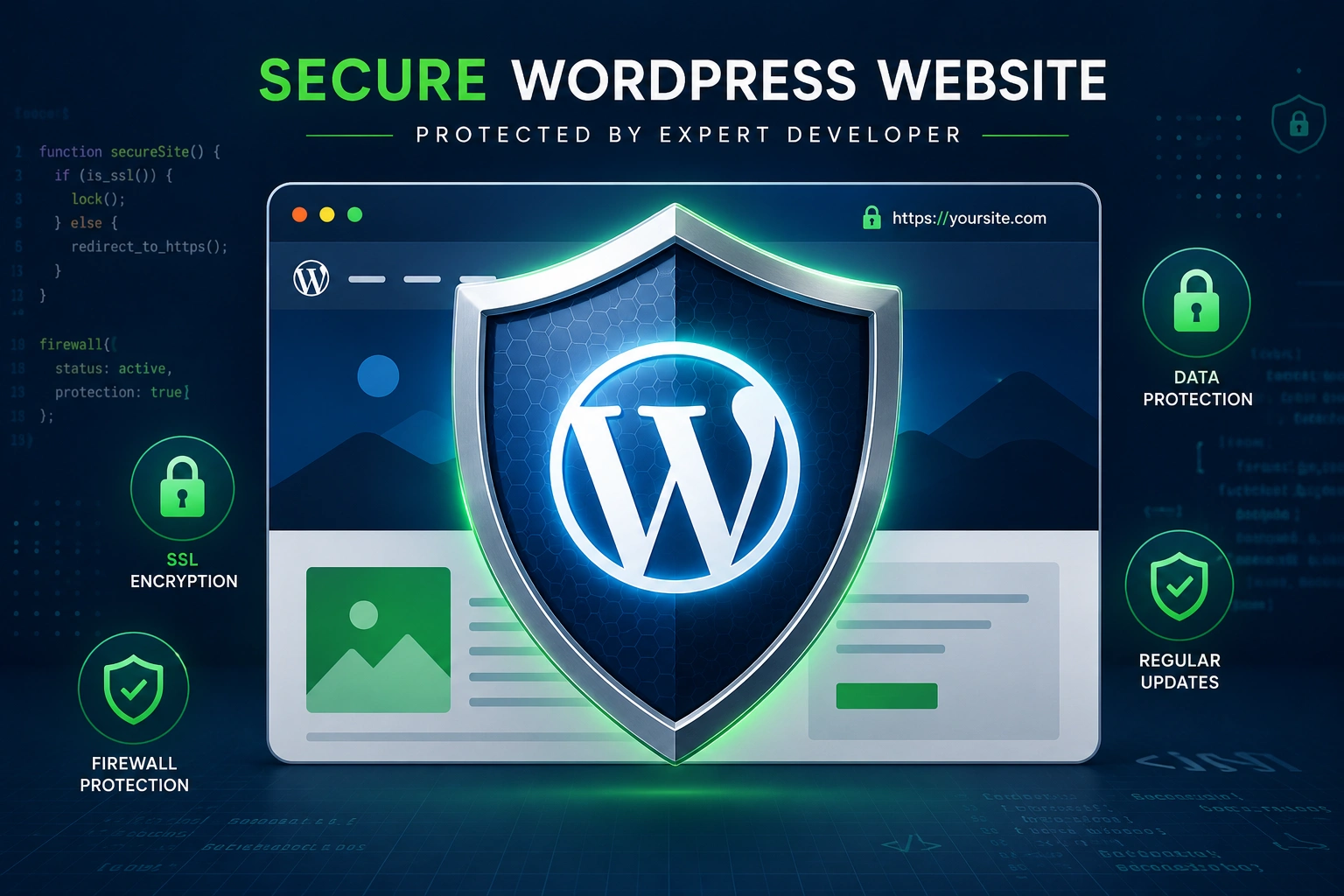
- Full Audit: Scan for vulnerabilities, outdated components, suspicious files, and weak configurations. I check everything from core to obscure plugins.
- Update and Clean: Bring WordPress core, themes, and plugins current. Remove anything unused or from untrusted sources. Nulled themes are an instant red flag.
- Strengthen Access: Enforce strong passwords, implement two-factor authentication (2FA) for all users, limit login attempts, and change the default admin username.
- Server and File Hardening: Set proper permissions (usually 644 for files, 755 for directories), update database table prefixes, and enable security headers.
- Add Protection Layers: Install and configure a reputable security plugin (like Wordfence or Sucuri), set up regular malware scans, and enable a Web Application Firewall (WAF) where possible.
- Backup Strategy: Configure automated, off-site backups with easy restore options. Test restores regularly—many people skip this until it’s too late.
- Ongoing Monitoring: Set alerts for suspicious activity and schedule periodic reviews. Security isn’t one-and-done.
This structured approach has saved multiple client sites from potential disasters.
Common Mistakes and Troubleshooting WordPress Security Issues
Even careful owners make these errors:
- Ignoring plugin updates: The biggest culprit. Many vulnerabilities come from plugins, not WordPress core.
- Using “admin” as username: It’s the first thing brute-force attacks try.
- Weak or reused passwords: One breach can affect multiple accounts.
- Installing too many plugins: Each adds potential risk. Quality over quantity.
- Skipping backups or testing them: A backup you can’t restore is useless.
If your site suddenly slows down, shows strange redirects, or you see unfamiliar admin users, act fast. Disconnect from the internet if possible, restore from a clean backup, change all passwords, and scan thoroughly. This is another area where calling a WordPress developer early prevents bigger headaches.
FAQ: WordPress Security Questions Answered
How often should I update my WordPress website?
As soon as reliable updates appear—ideally within days for security releases. Enable automatic updates for minor versions and review major ones carefully.
Can a free security plugin protect my site completely?
Good plugins help a lot, but they work best alongside proper configuration and developer oversight. No single tool is 100% foolproof.
What’s the biggest WordPress security risk in 2026?
Outdated plugins and themes remain the top vector. Supply chain attacks on popular extensions are also rising.
Should I hire a WordPress developer even for a small site?
If your site makes money or holds important data, yes. A one-time audit and setup often pays for itself quickly.
How do I know if my site has been hacked?
Look for unexpected changes, new files, slow performance, or warnings in Google Search Console. Regular scans help catch issues early.
Is WordPress inherently insecure?
No. The core is solid when maintained properly, as confirmed by the official team. Most problems come from how it’s configured and extended.
For deeper technical guidance, the official WordPress Security resources are excellent starting points.
Secure Your WordPress Website Before It’s Too Late
A secure WordPress website gives you freedom to create, sell, and connect without constant worry. The threats are real and growing, but the solutions are straightforward when handled by someone who does this daily.
If you’re tired of wondering whether your site is vulnerable or you’ve already faced issues, let’s talk. As a WordPress developer, I help clients lock down their sites properly and keep them running smoothly.
Reach out through my site or explore services at Digital Wind IT. Protecting your online presence is one of the smartest investments you can make.
What security step will you tackle first? Drop a comment below—I read and reply to them.