
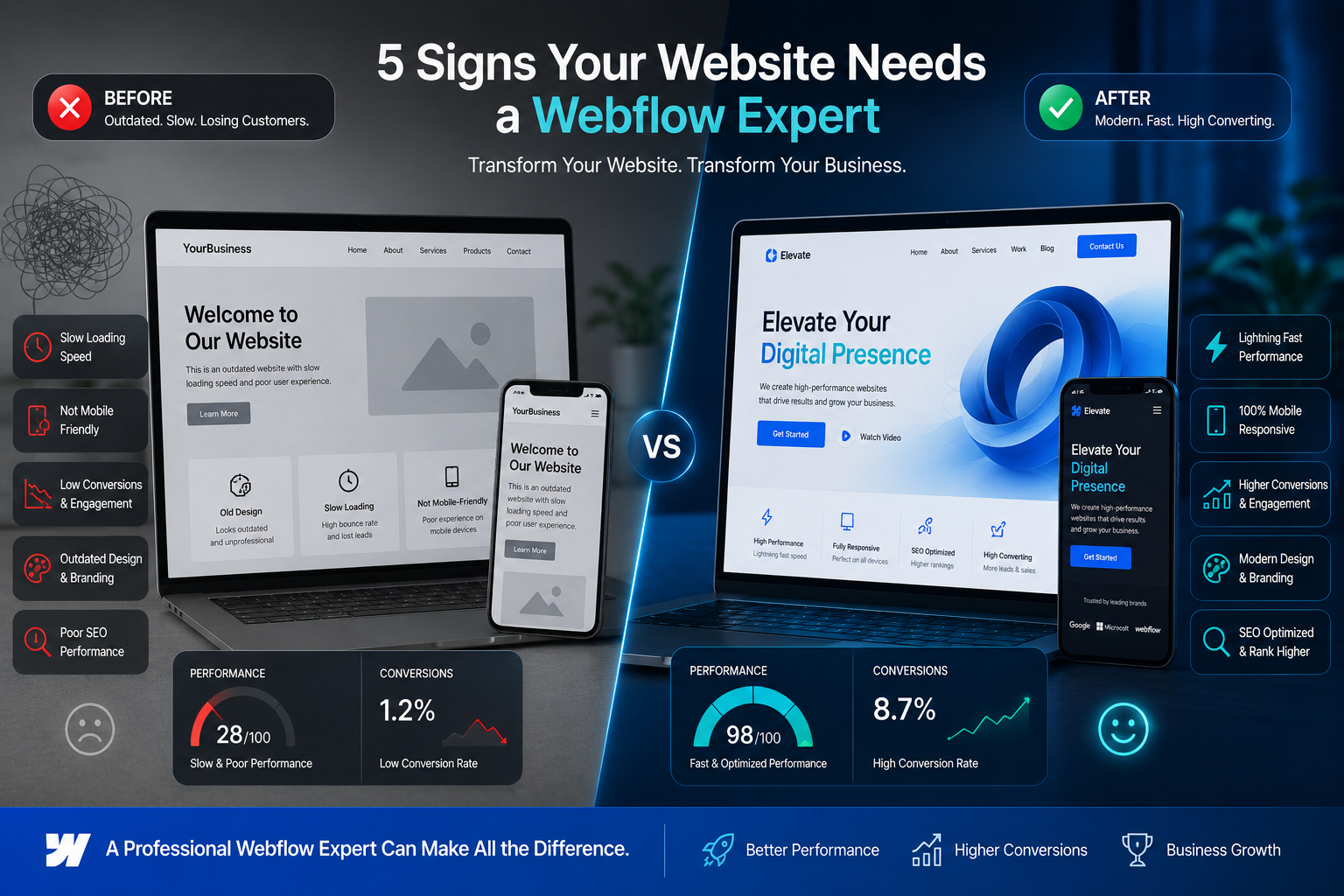
I’ve spent years helping businesses move from clunky, hard-to-manage websites to smooth, high-performing ones. Many started on WordPress or custom builds that worked okay at first but eventually held them back. If your site feels stuck, you might need a Webflow expert.
In this post, I’ll walk through five clear signs it’s time to bring in a Webflow developer or Webflow agency. I’ll share what I’ve seen in real projects, practical fixes, and why switching often delivers better results without the usual headaches.
Whether you’re a solopreneur, small business owner, or growing team, these insights come from hands-on experience. Let’s get into it.
What Is a Webflow Expert and Why Does It Matter?
A Webflow expert is someone who masters the platform’s visual design tools, clean code output, built-in hosting, and advanced features like interactions and CMS. Unlike general web designers, they build fast, responsive sites that scale without constant plugin updates or security worries.
From my work, the biggest difference shows up in maintenance and performance. Clients who switched often report easier updates and stronger results. If you’re still fighting with your current setup, this might be the shift you need.
Sign 1: Your Site Loads Slowly and Hurts User Experience
Slow websites kill conversions. If your pages take more than 3 seconds to load, visitors bounce—Google notices too.
I once worked with a client whose WordPress site had dozens of plugins for basic features. Load time was over 6 seconds on mobile. After migrating to Webflow, we cut it to under 2 seconds with clean code and optimized hosting.
Webflow experts know how to leverage built-in performance tools, smart asset handling, and CDN integration. No more plugin bloat.
Sign 2: Design Feels Outdated or Hard to Update
Does your site look like it’s from 2015? Or maybe updates take forever because every change requires a developer?
Modern users expect smooth animations, perfect mobile views, and intuitive navigation. A Webflow developer excels here because the platform gives pixel-perfect control without fighting theme limitations.
One client hated how rigid their old template was. We rebuilt it in Webflow, adding custom interactions that made the site feel alive. Their bounce rate dropped noticeably within weeks.
Sign 3: Poor Mobile Experience and Responsiveness Issues
Over half of web traffic is mobile. If your site breaks on phones or requires zooming, you’re losing customers.
Webflow’s responsive design tools make it straightforward to create breakpoints that actually work. A good Webflow agency tests across devices and ensures everything flows naturally.
In my experience, sites built from scratch in Webflow rarely need the frantic mobile fixes common on older platforms.
Sign 4: You’re Limited by Plugins, Maintenance, and Security Risks
WordPress powers a huge chunk of the web, but that comes with plugin conflicts, update fatigue, and security patches.
I’ve seen sites crash after a routine update because two plugins didn’t play nice. With Webflow, much of that disappears. The platform handles hosting, security, and core updates.
A data point I’ve observed across projects: clients save significant time and money on maintenance after switching. One business reported cutting yearly upkeep costs by thousands while improving site reliability.
Sign 5: Low Conversions and Difficulty Tracking Real Results
Beautiful design means nothing if visitors don’t take action. If your forms don’t convert, analytics feel confusing, or you can’t easily test changes, it’s time for help.
Webflow experts build with conversion in mind—clean CTAs, fast forms, and easy integration with tools like Google Analytics or CRM systems. They also implement proper schema and SEO foundations from the start.
Real-World Example: From WordPress Struggle to Webflow Success
Take Sarah, a course creator I helped. Her original WordPress site looked decent but loaded slowly, broke on some devices, and was nightmare to update. She was losing potential students who got frustrated.
We migrated to Webflow, redesigned with her brand in mind, and added a clean CMS for her courses. Results? Load times improved dramatically, she updated content herself in minutes, and sign-ups increased by over 40% in the first two months. The site now feels professional and trustworthy—exactly what her audience needed.
Webflow vs WordPress: A Quick Practical Comparison
Many ask me about Webflow vs WordPress. Here’s the honest take from projects I’ve done:
- WordPress shines for heavy blogging or when you need endless plugins. But it often requires more ongoing work.
- Webflow wins for design freedom, speed, and lower maintenance. It outputs clean code and includes hosting, which reduces headaches.
Neither is universally better, but for most service-based businesses and personal brands wanting a polished, fast site with less tech hassle, Webflow often proves the smarter long-term choice.
Step-by-Step: How to Decide If You Need a Webflow Expert
Not sure where to start? Follow these steps:
- Audit your current site — Use tools like Google PageSpeed Insights and GTmetrix. Note load times and mobile scores.
- Check user feedback — Look at analytics for high bounce pages or heatmaps showing confusion.
- List pain points — Are updates slow? Does design limit your growth? Security worries?
- Explore Webflow — Head to webflow.com and play with their designer. See if the visual approach clicks.
- Talk to experts — Reach out for a consultation. A good Webflow developer will assess your needs honestly.
If several signs match, professional help usually pays off quickly.
Common Mistakes and Troubleshooting When Considering a Switch
Many rush into redesigns without clear goals and end up disappointed. Avoid these pitfalls:
- Hiring only on price instead of proven experience.
- Expecting a designer to also handle complex custom functionality without checking their developer skills.
- Skipping proper migration planning (content, SEO redirects, etc.).
- Ignoring ongoing support needs after launch.
Troubleshooting tip: Start small. Some clients test with a new landing page in Webflow before full migration. This reduces risk and shows real results fast.
If you’re on WordPress, common issues like plugin conflicts or theme bloat often resolve best by moving to a cleaner platform rather than patching endlessly.
FAQ: Your Webflow Questions Answered
How much does hiring a Webflow expert cost?
It varies by project scope. Simple sites start lower, while complex custom builds with CMS and integrations cost more. Expect value through faster performance and reduced long-term maintenance.
Can I learn Webflow myself or should I hire a developer?
Beginners can handle basic sites, but for professional results, branding, and advanced features, a Webflow agency or experienced developer saves time and avoids costly mistakes.
Will switching to Webflow hurt my SEO?
Done right, it usually helps. Clean code, fast loading, and proper structure benefit rankings. Work with someone who understands SEO implementation.
Is Webflow good for e-commerce or service businesses?
Excellent for both. It integrates well with tools and handles membership/content sites effectively. Many creators use it alongside platforms like Kajabi or Thinkific for their main web presence.
How long does a Webflow redesign take?
Typical projects run 4-8 weeks depending on complexity. A good expert keeps you updated with clear milestones.
What if my current site is on WordPress?
Migration is common and doable. A skilled Webflow developer handles content transfer and 301 redirects to preserve SEO value.
Ready to Give Your Website the Expert Touch It Deserves?
Recognizing these signs is the first step toward a better online presence. A Webflow expert can turn your site from a maintenance burden into a powerful business asset—faster, more beautiful, and easier to manage.
If these issues sound familiar, let’s talk. Visit my site at shihabmorshed.com or explore services at digitalwindit.com to see how we can help elevate your website.
Don’t let an underperforming site hold your business back. The right Webflow developer makes all the difference.






