I’ve spent years building and optimizing WordPress websites for small businesses and growing brands. What I see in 2026 is clear: the platform is more powerful than ever, but also more complex. The days of slapping together a basic site with a free theme and calling it done are long gone. If you want your online presence to actually drive revenue, compete in search, and scale without constant headaches, a skilled WordPress developer isn’t a luxury — it’s a necessity.
In this post, I’ll walk you through why expert help matters right now, what a good developer brings to the table, and how to make smart decisions for your business. No hype, just practical insights from someone who’s done the work.
The State of WordPress in 2026: Still Dominant, But Evolving Fast
WordPress powers over 43% of all websites on the internet. That’s not just a number — it means hundreds of millions of sites rely on it for everything from simple blogs to massive e-commerce stores.
Yet the platform has changed. Full Site Editing (FSE), block themes, AI-assisted tools, and hybrid headless setups are now standard. Performance demands are higher than ever, with Core Web Vitals directly impacting rankings. Accessibility requirements are stricter, and security threats keep evolving.
Trying to keep up with all this yourself as a business owner usually leads to frustration or a site that underperforms. That’s where a WordPress developer comes in. They turn the platform’s flexibility into a real competitive advantage instead of a maintenance burden.
Core Benefits of Working with a WordPress Expert
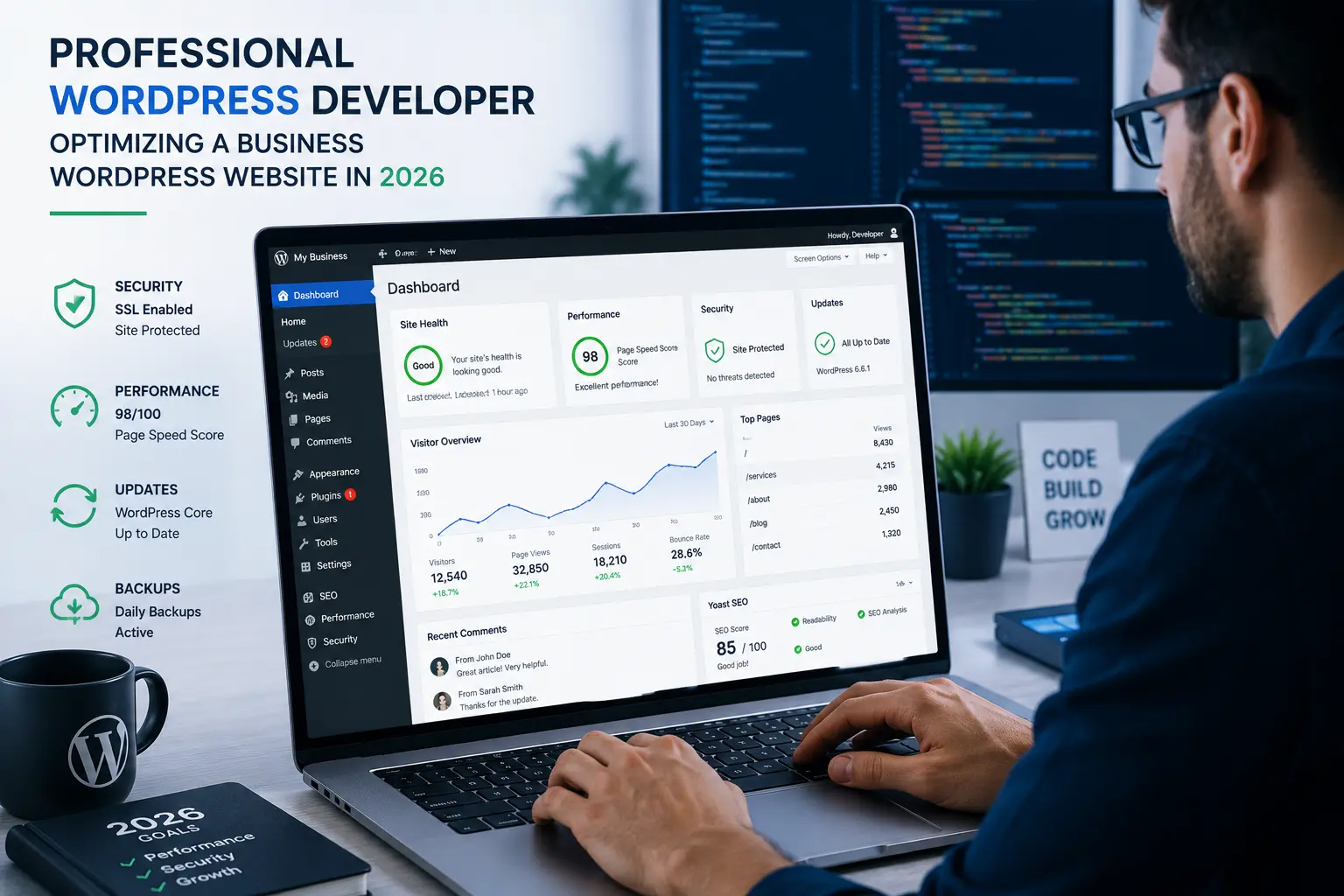
A professional WordPress developer does far more than install plugins. Here’s what you actually gain:
- Speed and Performance: They optimize everything from image handling to database queries so your site loads fast on mobile. In 2026, slow sites lose visitors and rankings quickly.
- Custom Functionality: Need unique features like membership portals, advanced booking systems, or personalized user experiences? Off-the-shelf plugins often fall short or create conflicts. Custom development ensures clean, maintainable code.
- Security and Maintenance: Regular updates, hardening against attacks, and proactive monitoring prevent downtime and data breaches.
- SEO Foundation: Proper structure, schema markup, fast loading, and clean code help you rank better long-term.
I’ve seen businesses double their organic traffic after a proper optimization pass because the fundamentals were finally solid.
How a Strong WordPress Website Drives Business Growth
Your WordPress website is often the first (and sometimes only) impression customers have of your brand. In 2026, it needs to do more than look good — it needs to convert.
Businesses using well-built WordPress sites with WooCommerce routinely outperform those on restrictive platforms when it comes to ownership and customization. You control your data, design, and future changes instead of being locked into a vendor’s rules.
Real-world example: One client I worked with ran an online course business. Their old site was built on a drag-and-drop builder that limited integrations and slowed down as content grew. We migrated to a custom WordPress website with optimized membership features. Within six months, their conversion rate improved by 35% and they reduced hosting costs significantly because the site was lighter and faster.
Data insight: WordPress holds roughly 60%+ of the CMS market, far ahead of Shopify or Webflow in overall flexibility for content-heavy or hybrid needs.
Step-by-Step: How to Work Effectively with a WordPress Developer
Hiring help doesn’t have to be complicated. Follow these steps:
- Define Clear Goals — List what you want: faster load times, better mobile experience, specific features, or full redesign. Be specific about your business objectives.
- Review Their Portfolio — Look for recent projects similar to yours. Check for performance scores, mobile responsiveness, and clean design.
- Discuss Maintenance — Ask about ongoing support packages. A great WordPress developer offers both build and long-term care.
- Set Milestones — Break the project into phases with clear deliverables and timelines.
- Test Thoroughly — Before full launch, test on different devices and run security scans.
This structured approach saves time and money.
For ongoing needs, check resources on my site at https://shihabmorshed.com/ or explore services at https://digitalwindit.com/.
Common Mistakes to Avoid (And How to Fix Them)
Many businesses I talk to make the same errors:
- Relying Too Heavily on Page Builders: They create bloated code that hurts performance. A developer can achieve better results with cleaner block-based or custom approaches.
- Ignoring Updates: Outdated plugins and themes are the top cause of security issues. Schedule regular maintenance.
- Poor Hosting Choices: Cheap shared hosting often fails under traffic. Invest in managed WordPress hosting.
- Copy-Paste Themes Without Customization: Generic designs hurt branding and conversions.
Troubleshooting tip: If your site feels slow, start by running a free performance audit (tools like PageSpeed Insights). A developer can then address root causes like unoptimized images, render-blocking resources, or plugin conflicts.
FAQ: Answering Your Questions About WordPress Experts in 2026
Do I really need a WordPress developer if I can use AI builders?
AI tools help with content and basic setups, but they can’t replace deep technical knowledge for performance, security, and custom features on a production WordPress website.
How much does hiring a WordPress developer cost?
It varies widely. Simple customizations might start a few hundred dollars, while full builds with complex functionality can range higher. Focus on value and ROI rather than the lowest bid.
What’s the difference between WordPress and platforms like Shopify or Webflow?
WordPress offers unmatched flexibility and ownership. Shopify excels at pure e-commerce, while Webflow is great for design-heavy sites. Many businesses choose WordPress for its ecosystem and scalability.
How do I maintain my WordPress site after launch?
Regular updates, backups, security monitoring, and occasional content audits. Many developers offer monthly maintenance plans.
Is WordPress still secure in 2026?
Yes — when properly managed. A skilled developer implements best practices that keep most threats at bay.
When should I switch from another platform to WordPress?
If you need more control, better SEO potential, or custom features that your current tool restricts.
Ready to Build a Better WordPress Website?
The truth is simple: In 2026, a properly built and maintained WordPress website remains one of the smartest investments for most businesses. It gives you control, scalability, and the ability to grow without starting over.
If your current site feels limiting, slow, or outdated, it’s time to talk to a WordPress developer who understands both the technical side and real business needs.
Reach out through https://digitalwindit.com/ or visit https://shihabmorshed.com/ to see how we can help strengthen your online presence. Don’t let another year go by with a site that’s holding your business back.