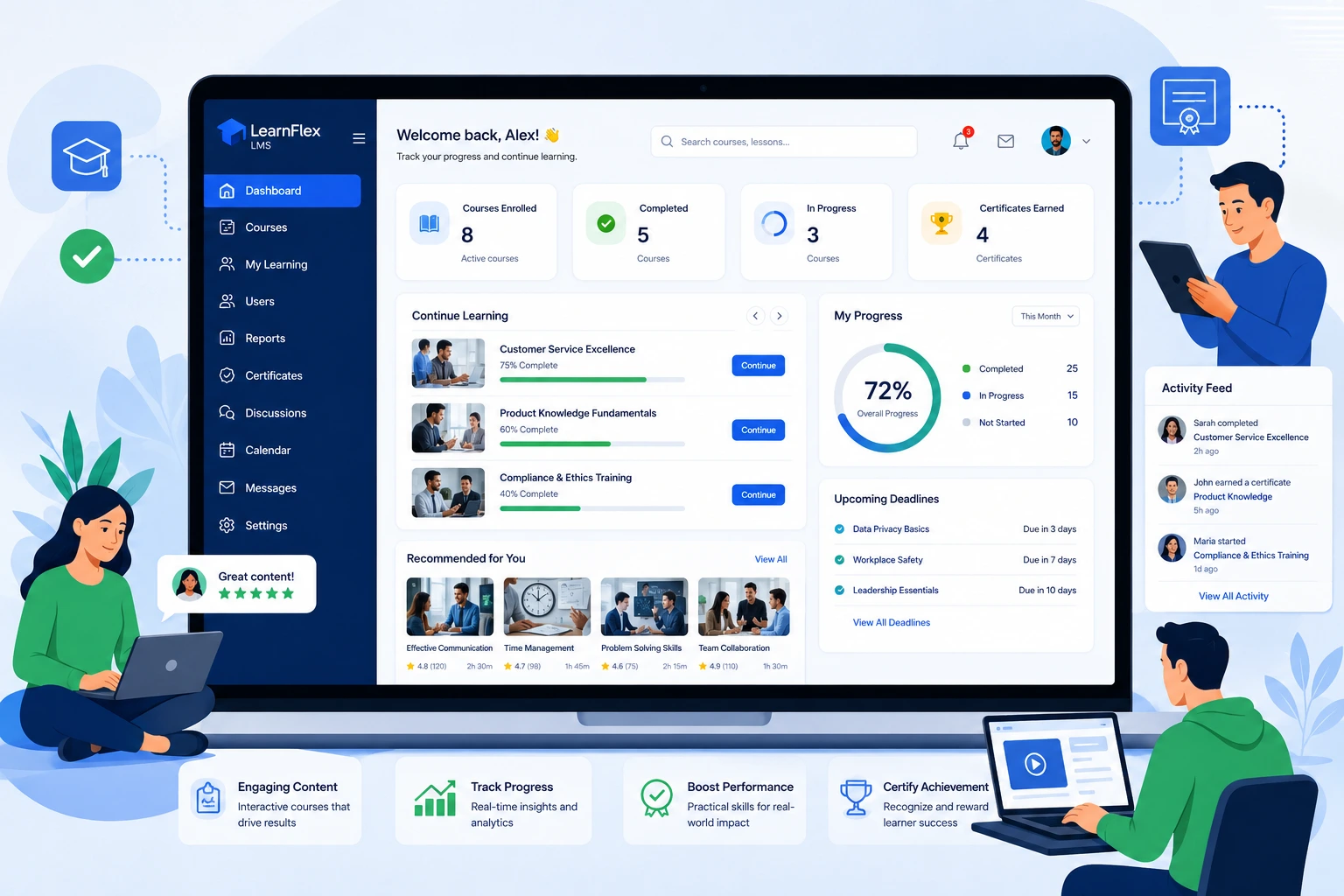
Over the years working with businesses on their digital learning setups, I’ve seen the same pattern repeat. Companies invest heavily in product development but struggle when it comes to helping customers actually use what they built. Generic training videos and PDFs only go so far. That’s where a custom LMS makes a real difference.
A learning management system (LMS) tailored to your needs goes beyond basic course hosting. It becomes an extension of your product experience, guiding customers from onboarding to advanced usage. In this post, I’ll share practical insights from building and implementing these systems, including how they boost engagement, reduce support tickets, and improve retention.
If you’re running SaaS, software, or service-based businesses, this guide will help you understand why off-the-shelf solutions sometimes fall short and how a learning content management system built around your customers delivers better results.
What Makes a Custom LMS Different from Standard Platforms
Most businesses start with ready-made learning management systems like Thinkific or LearnWorlds. These are excellent for quick starts. But as your customer base grows or your product becomes more complex, limitations appear — rigid templates, limited branding, or features that don’t quite fit your workflow.
A custom LMS is built or heavily customized to match your exact processes. You control the user journey, integrate deeply with your existing tools (CRM, analytics, billing), and create learning paths that align perfectly with your product features.
From my experience, the biggest advantage is flexibility. You can embed interactive simulations of your software, trigger lessons based on actual user behavior in your app, or even white-label the entire academy to feel like a natural part of your brand.
Key Benefits of Using a Custom LMS for Customer Training
The real value shows up in outcomes. Here’s what I’ve observed across different projects:
- Higher engagement and completion rates: Personalized paths keep customers moving forward instead of dropping off after the first module.
- Reduced support load: Well-trained customers ask fewer basic questions. One client saw a 35% drop in support tickets after rolling out targeted training modules.
- Better product adoption: Customers who complete training use more features and stick around longer.
- Data-driven improvements: A good LMS gives you insights into where customers struggle, letting you refine both training and your product.
Compared to generic platforms, custom setups often deliver stronger ROI because every element serves your specific customer journey.
How a Custom LMS Impacts Business Growth and Monetization
Customer training isn’t just a cost center — it’s a growth driver. Businesses using effective customer training LMS approaches see improvements in retention and lifetime value.
For example, one software company I worked with integrated their custom LMS with user analytics. New customers received automated learning recommendations based on their usage patterns. Within six months, they reported higher upsell rates because trained users understood the value of premium features better.
Data backs this up. Companies investing in customer education often see measurable returns through lower churn and increased revenue. A tailored learning management system makes it easier to track these connections directly.
This approach also opens new monetization possibilities, such as premium training certifications or advanced workshops for power users.
Step-by-Step Guide to Implementing a Custom LMS
Here’s a practical process I’ve used successfully:
- Define clear goals — Decide what success looks like. Is it faster onboarding, fewer support tickets, or higher feature adoption? Get input from customer success, product, and support teams.
- Map your customer journey — Identify key moments where training adds value — right after signup, during feature rollout, or before renewals.
- Choose your foundation — Decide between building from scratch, extending WordPress with LMS plugins, or heavily customizing a platform like LearnWorlds. For many clients, a hybrid approach works best.
- Design content and paths — Create short, actionable modules. Mix videos, quizzes, interactive demos, and downloadable resources. Make them mobile-friendly.
- Integrate and test — Connect with your CRM, authentication system, and analytics. Run a pilot with a small group of customers and gather feedback.
- Launch, measure, and iterate — Track completion rates, feedback, and business metrics. Update content regularly as your product evolves.
This structured rollout helps avoid common pitfalls and delivers results faster.
Common Mistakes to Avoid with Customer Training LMS
Even good intentions can backfire. Here are issues I’ve seen repeatedly:
- Overloading content: Packing too much information into one course overwhelms learners. Keep modules focused and bite-sized.
- Ignoring mobile users: Many customers access training on phones. Test thoroughly on different devices.
- Set-it-and-forget-it approach: Training content must stay current. Schedule regular reviews.
- Poor integration: If the LMS feels disconnected from your main product, adoption suffers. Seamless single sign-on is essential.
- Focusing only on completion rates: Numbers look good, but real success comes from behavior change and business impact.
Addressing these early saves time and improves results.
FAQ: Custom LMS and Customer Training
What is a custom LMS exactly?
A custom learning management system is a training platform built or modified specifically for your business needs, rather than using a generic tool out of the box.
How does a custom LMS improve customer retention?
By delivering relevant, timely training that helps customers succeed with your product, you build confidence and reduce frustration that often leads to churn.
Is a custom LMS expensive to build?
It depends on scope. Starting with customizable platforms can be more affordable than full custom development. Many businesses see payback within the first year through efficiency gains.
Can I integrate a custom LMS with my existing tools?
Yes. Strong integrations with CRMs, analytics, and your main application are one of the biggest advantages of custom solutions.
How do I measure the success of my customer training program?
Track completion rates, support ticket reduction, feature usage, Net Promoter Score (NPS), and retention metrics. The best LMS platforms provide detailed analytics.
What’s the difference between LMS and learning content management system?
An LMS focuses on delivering and tracking learning, while a learning content management system emphasizes creating, organizing, and reusing content assets. Many modern platforms combine both.
Wrapping Up: Make Customer Training Work Harder for You
A well-designed custom LMS transforms customer training from a nice-to-have into a strategic advantage. It helps your users get more value from your product while giving you valuable insights to improve your business.
If you’re ready to take your customer education to the next level, I can help evaluate options and build something that fits your needs perfectly. Feel free to reach out through my site or explore more of my work on digital solutions at Digital Wind IT. Let’s discuss how we can make learning work better for your customers