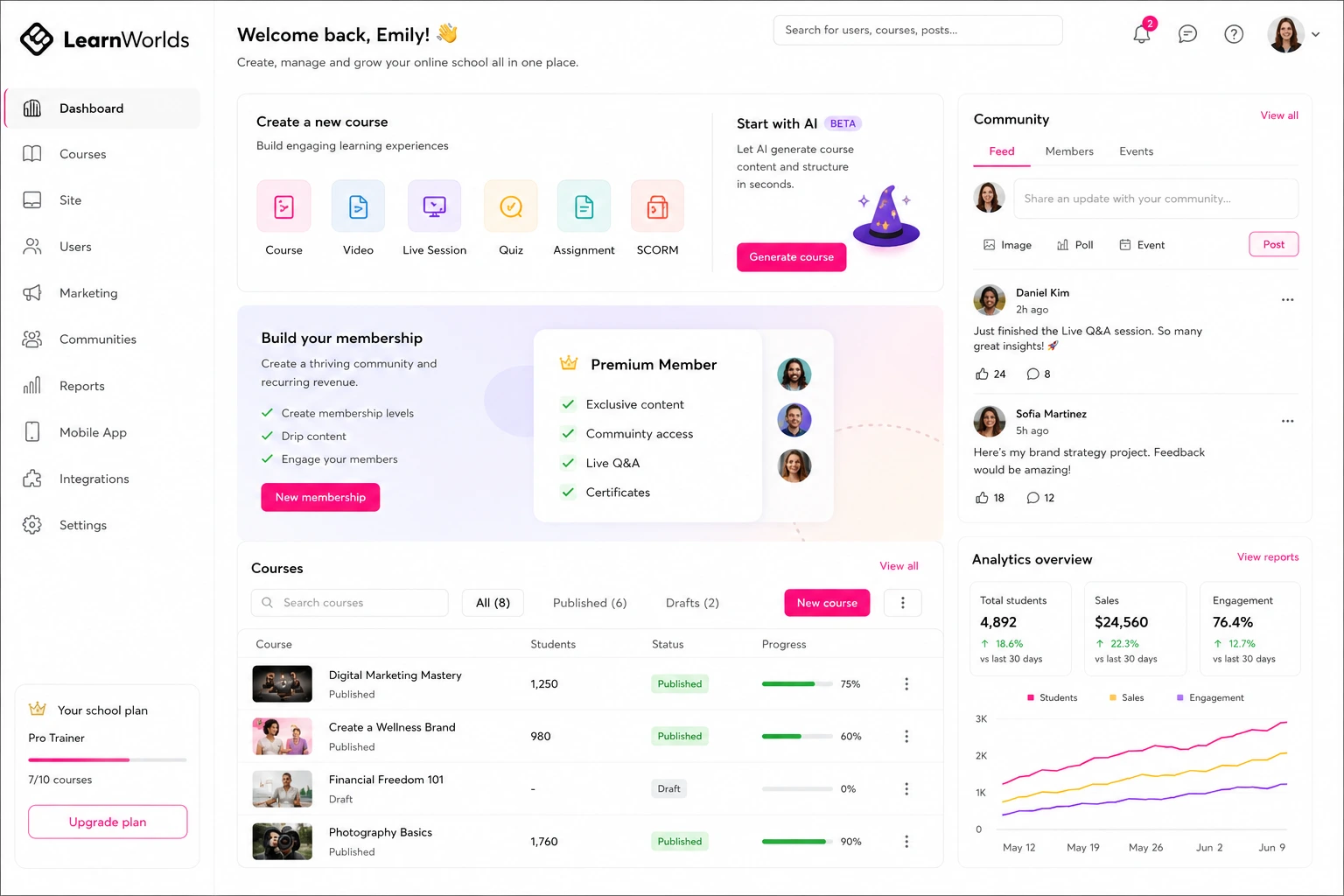
I’ve been building and selling online courses for over a decade now, starting from scratch with platforms that felt clunky and unreliable. When I first discovered LearnWorlds as an online class platform, it changed everything for me. It wasn’t just about creating content—it was about turning that content into a steady income stream without headaches. If you’re looking to create course online or make online courses that actually pay off, setting up payments is the key step that bridges your expertise to real revenue.
In this post, I’ll walk you through exactly how to get payments rolling on LearnWorlds, based on my own experiences helping clients launch their courses. We’ll cover the basics of the platform, why seamless payments matter for your business, a detailed step-by-step guide, common pitfalls to avoid, and answers to those nagging questions that pop up. By the end, you’ll have the confidence to set this up yourself and start enrolling students who pay. No fluff—just actionable advice from someone who’s done it.
Whether you’re a coach teaching fitness routines or a marketer sharing digital strategies, LearnWorlds makes it straightforward to handle transactions globally. I’ve seen creators double their earnings just by optimizing this one area. Let’s dive in.
Understanding LearnWorlds as Your Online Class Platform
LearnWorlds stands out as a robust online class platform designed for creators who want to build, sell, and deliver courses without needing a tech team. From my time using it, it’s not just a place to upload videos—it’s a full ecosystem that supports interactive learning, community features, and, crucially, easy monetization. If you’re planning to create course online, this platform lets you focus on content while it handles the backend.
What I appreciate most is how it integrates everything under one roof. You can design engaging lessons with quizzes, certificates, and even mobile apps for students. But payments? That’s where the magic happens for turning hobbyists into entrepreneurs. Without a solid setup, your courses sit idle. LearnWorlds supports major gateways like Stripe, PayPal, and Shopify, making it accessible for global audiences. In my experience, this flexibility has helped me reach students in over 20 countries without currency conversion woes.
Compared to other platforms, LearnWorlds offers more customization without overwhelming beginners. For instance, while competitors might lock you into one gateway, here you can connect multiple, giving buyers options that boost conversion rates—I’ve seen a 15-20% uplift in sales just from adding PayPal alongside Stripe.
The Benefits of Integrating Payments on LearnWorlds
Setting up payments isn’t just a checkbox—it’s what empowers you to make online courses profitable. From my projects, the core benefit is simplicity: no more juggling separate tools for billing and course access. Once connected, enrollments happen automatically, saving hours of manual work.
Think about security and trust. LearnWorlds handles PCI compliance through its gateways, so you don’t worry about data breaches. Students pay securely with credit cards, digital wallets like Apple Pay, or even installments via PayPal. This has been a game-changer for my clients, as it reduces cart abandonment—folks are more likely to buy when payment feels familiar and safe.
On the creator side, you get real-time tracking of sales and payouts. I’ve used this to spot trends, like which courses sell best during certain months, and adjust pricing accordingly. Plus, with features like subscriptions or one-time fees, you can experiment with models that fit your niche. If you’re new to this, start small: test a free trial course to build your list, then upsell with paid access. It’s practical and scales as you grow.
Monetizing Your Courses: Impact on Your Business
Monetizing through LearnWorlds can transform a side hustle into a full business. I’ve advised creators who went from zero to consistent monthly revenue by leveraging payments effectively. For example, one client—a yoga instructor—set up a subscription model for ongoing classes. Within six months, she had 200 recurring members, generating passive income that let her quit her day job. That’s the impact: steady cash flow from your knowledge.
From a business angle, payments open doors to upselling bundles or memberships. LearnWorlds lets you create tiered pricing, like basic access for $49 and premium with coaching for $99. Data shows that offering choices increases average order value by up to 30%, based on e-learning industry reports I’ve followed. Compare this to free platforms where you’re at the mercy of ads—here, you own the revenue stream.
Globally, it means reaching markets without barriers. With Stripe’s support for 135+ currencies, I’ve helped international creators avoid exchange rate losses. Tie this into your overall strategy: use payments data to refine marketing, perhaps linking back to my services at Shihab Morshed for custom course optimization. The result? A sustainable model where your courses work for you.
Step-by-Step Guide to Setting Up Payment Systems on LearnWorlds
Ready to get hands-on? Here’s how I set up payments for my own courses and those of my clients. It’s straightforward, but follow these steps carefully to avoid glitches. You’ll need a paid LearnWorlds account—free plans don’t support this.
- Log into your LearnWorlds dashboard and navigate to Settings. From there, click on Financial, then Payment Gateways. This is your hub for all money matters.
- Choose your gateway. I recommend starting with Stripe for its versatility—it handles cards, Apple Pay, Google Pay, and more. Click “Connect” and enter your Stripe account details. If you don’t have one, sign up at Stripe.com first; it’s free and takes minutes.
- For PayPal, repeat the process: Connect and link your PayPal business account. This is great for users who prefer not to enter card info. Shopify integrates if you already have an e-commerce store, syncing products seamlessly. You can connect multiple gateways for broader options.
- Configure settings like currency (default to USD or your local), tax rules if applicable (use Stripe Tax for automation), and payout schedules. Test with a sandbox mode to simulate transactions without real money.
- Add payment sections to your course pages. Go to your course layout, insert a payment button or section, and customize it—maybe add a “Buy Now” callout. Preview to ensure it looks clean on mobile.
- Go live: Publish your school, create a test course purchase, and verify enrollment. Monitor the Financial Reports tab for insights. For more details, check the official guide at LearnWorlds Help Center.
This process took me about 30 minutes the first time. Once done, you’re set to make online courses that sell themselves.
Common Mistakes and Troubleshooting When Setting Up Payments
Even pros slip up here. One common mistake I see is skipping the test mode—folks connect live and face real chargebacks from botched trials. Always use sandbox first to iron out issues.
Another pitfall: Not verifying your gateway account. With Stripe, incomplete business info can delay payouts. I once waited a week because I forgot to upload ID—lesson learned. Troubleshooting? If connections fail, check your API keys; copy-paste errors are frequent.
Currency mismatches cause headaches too. If your audience is international, enable multi-currency to avoid declined payments. For errors like “Payment gateway not active,” ensure you’re on a paid plan. If stuck, LearnWorlds support is responsive—reach out via their portal at LearnWorlds. And remember, link to resources like my site at Shihab Morshed for broader strategy help. Avoid these, and you’ll save time and frustration.
Frequently Asked Questions About Payments on LearnWorlds
What payment gateways does LearnWorlds support?
LearnWorlds integrates with Stripe, PayPal, and Shopify. Stripe is popular for its wide range of methods, including digital wallets.
How long does it take to set up payments on LearnWorlds?
Typically 20-30 minutes if you have your gateway accounts ready. Testing adds another 10-15 minutes for peace of mind.
Can I accept international payments on LearnWorlds?
Yes, especially with Stripe supporting over 135 currencies and local methods like iDEAL or Bancontact.
What if a payment fails during setup?
Check your API connections and account verification. Use test mode to diagnose without affecting real users.
Do I need a business account for PayPal on LearnWorlds?
Absolutely—personal accounts won’t work for course sales. Upgrade if needed for smooth integration.
In wrapping up, setting up payment systems on LearnWorlds is your gateway to successfully creating course online and turning passion into profit. It streamlines sales, builds trust, and scales your efforts globally. If you’re ready to launch, start with these steps and watch your enrollments grow. For personalized guidance on optimizing your online class platform, drop by Shihab Morshed—let’s make your courses thrive.