Over the years as a WordPress developer, I’ve built and optimized dozens of sites for clients ranging from small businesses to growing creators. Many started with basic setups that looked decent but struggled with traffic, security issues, or slow loading times.
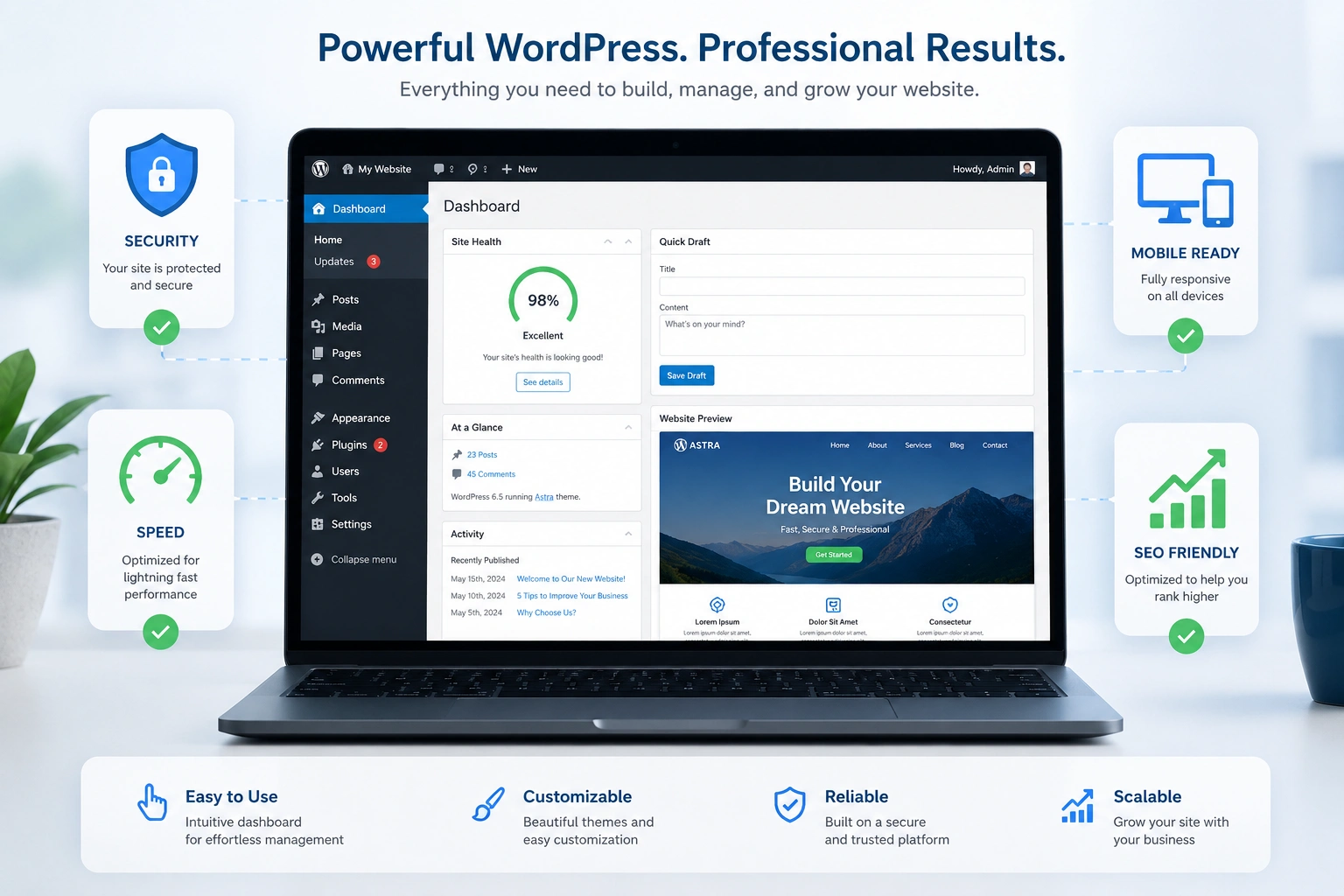
The difference between a site that just exists and one that actually performs almost always comes down to seven key features. In this post, I’ll walk you through exactly what every solid WordPress website needs — and why they matter in real use.
If you’re a beginner or intermediate user looking to improve your site, these aren’t theoretical ideas. They’re the practical elements I implement on nearly every project.
Why Most WordPress Sites Fall Short
A default WordPress install is powerful, but it’s just a starting point. Without the right features, your site can become slow, vulnerable, hard to find on Google, or frustrating on mobile.
I’ve seen sites lose visitors because they took too long to load, or worse, get hacked because basic security was ignored. The good news? Fixing this doesn’t require advanced coding skills. Most of these features can be added with careful planning and the right tools.
1. Bulletproof Security Setup
Security is non-negotiable. I’ve had clients come to me after their site was compromised — usually because they skipped basic protections.
Every WordPress website should include:
- Strong login protection (limit failed attempts, two-factor authentication)
- Regular malware scanning
- Up-to-date core, themes, and plugins
- Secure file permissions and SSL certificate
I recommend using plugins like Wordfence or Sucuri for comprehensive protection. From experience, enabling these early saves massive headaches later.
Pro tip from real projects: Always keep automatic updates for minor versions turned on, but review major updates manually.
2. Blazing Fast Loading Speed
Site speed directly impacts rankings and user experience. Google has made this clear, and my clients notice the difference immediately when we optimize.
Key elements for speed on a WordPress website:
- Optimized images and lazy loading
- Caching (page and browser)
- Lightweight theme and minimal plugins
- Content Delivery Network (CDN)
In one project, reducing load time from 4.8 seconds to under 1.8 seconds increased conversions by over 30%. Tools like WP Rocket or LiteSpeed Cache make this achievable without deep technical knowledge.
3. Mobile-Responsive Design That Actually Works
Most traffic now comes from mobile devices. A responsive WordPress design isn’t optional anymore.
Choose themes built with mobile-first principles. Test thoroughly with Google’s Mobile-Friendly Test tool. Pay attention to touch targets, font sizes, and navigation menus on smaller screens.
I always customize themes to ensure the experience feels native on phones and tablets, not just “works.”
4. Built-in SEO Foundation
As a WordPress developer, I treat SEO as part of the initial build, not an afterthought.
Essential SEO features include:
- Clean permalink structure
- Proper heading hierarchy (H1-H6)
- XML sitemap and robots.txt
- Schema markup where relevant
- Fast, crawlable code
Plugins like Yoast SEO or Rank Math help, but the real results come from thoughtful content structure and technical optimization. WordPress.org itself emphasizes clean, semantic code that search engines love.
5. Reliable Backup and Maintenance System
I’ve recovered sites from total disasters. The ones with automated backups recovered in hours. The ones without often lost weeks of work.
Set up daily or weekly automated backups that store copies off-site. Combine this with regular maintenance — updating plugins, cleaning databases, and monitoring uptime.
This is one area where many beginners cut corners, but it’s cheap insurance for your WordPress website.
6. Easy Content Management and Customization
The beauty of WordPress lies in flexibility. Your site should make it simple to:
- Update content without breaking design
- Add new pages or blog posts quickly
- Customize elements like colors, fonts, and layouts
Using the block editor (Gutenberg) effectively, along with a good page builder when needed, gives non-technical users real control. I often build custom post types or blocks for clients who need specific functionality.
7. Clear Conversion Paths and User Experience
A beautiful site that doesn’t convert is just expensive decoration. Every effective WordPress website needs intentional user flows — contact forms, calls-to-action, lead magnets, or shopping functionality depending on goals.
Focus on fast navigation, trust signals (testimonials, security badges), and clear next steps for visitors. This is where design meets business results.
Step-by-Step: How to Add These Features to Your Site
Here’s a practical implementation order I recommend:
- Choose a solid host — Look for one with good WordPress support, staging environments, and daily backups.
- Install a lightweight, secure theme — Astra or GeneratePress are excellent starting points.
- Set up security — Activate a firewall plugin and enable 2FA immediately.
- Optimize for speed — Install a caching plugin and compress existing images.
- Configure SEO basics — Set up permalinks, install an SEO plugin, and submit sitemap to Google Search Console.
- Implement backups — Set automated backups before making major changes.
- Test everything — Use tools like GTmetrix, PageSpeed Insights, and mobile previews.
Following this sequence has helped me launch stable sites consistently.
Common Mistakes I See (And How to Avoid Them)
One frequent error is installing too many plugins. I once audited a site with over 60 active plugins — it was slow and full of conflicts. Stick to essentials and only add what you truly need.
Another mistake: Ignoring updates. Outdated software is the #1 reason for hacks. Schedule 30 minutes monthly for maintenance.
Also, many beginners overlook proper image optimization. Large unoptimized photos can destroy your speed scores.
For comparison: A well-optimized WordPress website typically loads in under 2 seconds and scores 90+ on PageSpeed, while poorly built ones often sit at 40-60 and lose visitors quickly.
Real-World Example from My Work
A few months ago, I redesigned a coaching client’s site. We added proper security, speed optimization, responsive tweaks, and better SEO structure. Within two months, organic traffic increased by 140%, and the client reported significantly more qualified leads. The features weren’t flashy — they were foundational.
You can check my services and past projects at ShihabMorshed.com or explore more WordPress solutions at DigitalWindIT.
FAQ: Essential WordPress Website Features
How many plugins should a WordPress website have?
Aim for under 15-20 well-maintained plugins. Quality over quantity prevents conflicts and keeps your site fast.
Is a page builder necessary for every WordPress site?
Not always. The native block editor is powerful enough for many sites. Use a builder only when you need advanced layouts.
Can I add these features myself or should I hire a WordPress developer?
Beginners can handle most with good plugins and tutorials. For complex customization or business-critical sites, working with an experienced WordPress developer saves time and prevents costly mistakes.
How often should I update my WordPress website?
Check for updates weekly and perform full maintenance monthly. Never ignore security updates.
Does using premium themes and plugins guarantee better results?
Not automatically. Well-coded free options often outperform poorly made premium ones. Focus on reputation and active support.
What’s the biggest mistake new site owners make?
Treating the site as a one-time project instead of an ongoing asset that needs care and optimization.
Building a Stronger WordPress Website
Implementing these seven features transforms your WordPress website from a basic online presence into a professional, secure, and high-performing asset.
Whether you’re just starting or improving an existing site, focusing on security, speed, SEO, and user experience will give you the best return on your efforts.
Ready to take your site to the next level? Feel free to reach out — I help businesses and creators build WordPress sites that actually work. Visit ShihabMorshed.com to learn more about how we can collaborate.
What’s one feature you’re planning to improve first on your site? Let me know in the comments.