
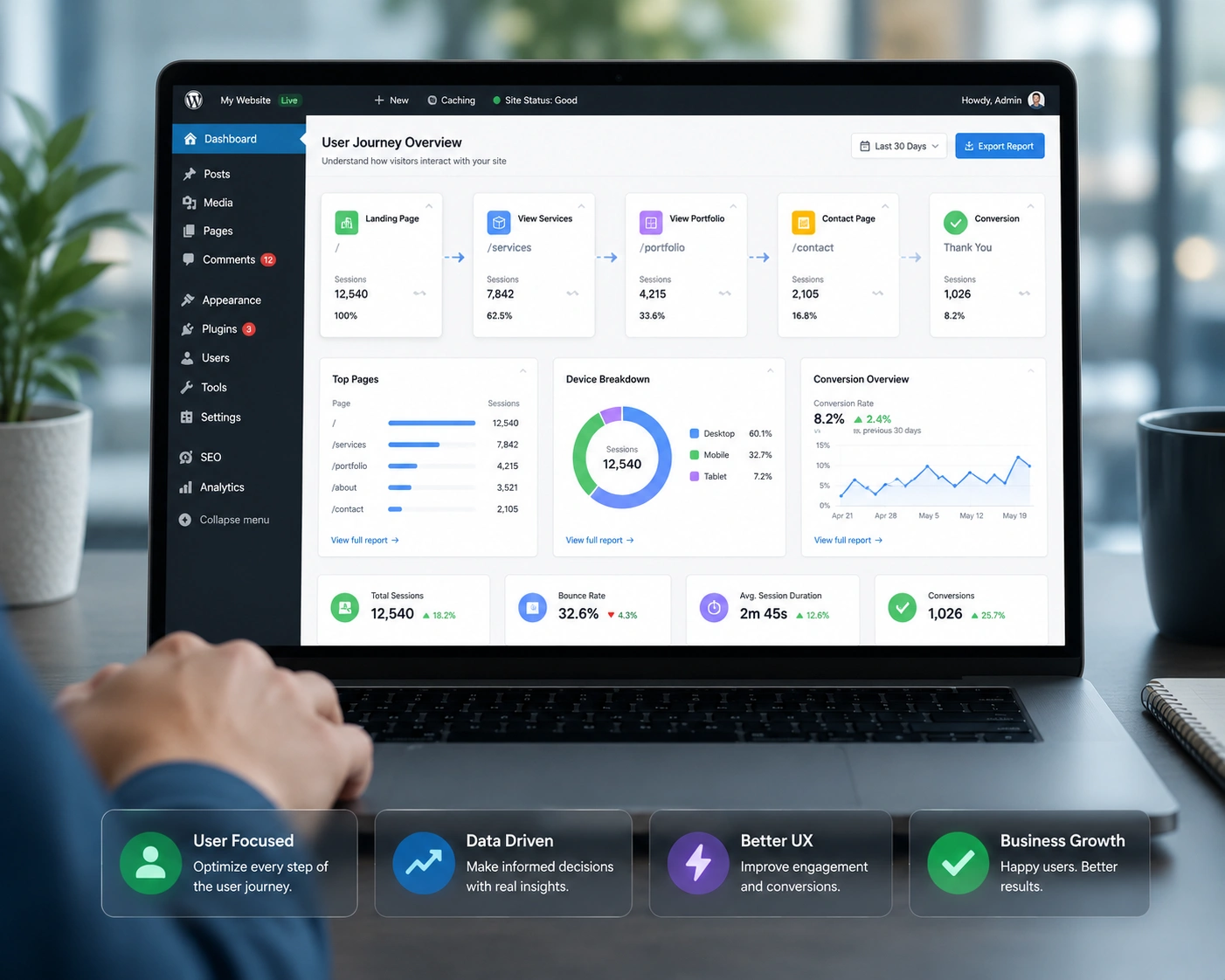
I’ve spent years building and fixing WordPress websites for clients who started with clunky sites that frustrated visitors. The difference a good WordPress developer makes is night and day. It’s not just about prettier buttons or faster pages — it’s about creating an experience that feels effortless so people actually stick around, explore, and take action.
If you’re running a blog, online store, or service site on WordPress, user experience (UX) decides whether someone becomes a loyal reader or customer — or bounces in seconds. In this post, I’ll share what I’ve learned from real projects about the role of a WordPress developer in making that happen.
You’ll walk away with clear ideas you can apply yourself or use to brief a developer effectively.
What Does User Experience Mean for a WordPress Website?
User experience covers everything a visitor feels while interacting with your site: how fast it loads, how easy it is to find things, whether it works on their phone, and if the design builds trust.
A slow, confusing WordPress website loses people before they even read your content. Good UX keeps them reading, clicking, and converting.
From my experience, most beginners focus on looks first. But a WordPress developer knows UX starts with solid foundations — clean code, smart structure, and thoughtful interactions.
How a WordPress Developer Directly Improves UX
A skilled WordPress developer goes far beyond installing themes and plugins. They shape the entire user journey.
They optimize site speed by cleaning code, compressing images properly, and choosing the right hosting. I’ve seen load times drop from 8 seconds to under 2 seconds, which dramatically reduces bounce rates.
They build intuitive navigation. Instead of overwhelming menus, they create clear paths that guide visitors naturally. Custom post types, tailored search, and logical category structures make finding content feel simple.
Mobile responsiveness is non-negotiable. A good developer ensures the site adapts perfectly across devices, using responsive design and testing thoroughly.
They also focus on accessibility — things like proper heading structure, alt text, keyboard navigation, and color contrast. This not only helps users with disabilities but improves SEO too.
WordPress.org itself emphasizes these principles in their themes and best practices.
The Business Impact of Better WordPress UX
Great UX isn’t just nice to have — it directly affects your bottom line.
Sites with strong user experience see higher time on page, more pages per session, and better conversion rates. One client I worked with doubled their lead generation after we streamlined their service pages and improved form usability.
Compare that to a generic template site: visitors get lost in bloated sidebars, slow animations, and unclear calls-to-action. The difference shows in analytics.
In competitive niches, a polished WordPress website helps you stand out. Visitors subconsciously trust professional, smooth experiences more. This builds authority faster and supports long-term growth.
Step-by-Step: How a WordPress Developer Optimizes UX
Here’s a practical process I follow on most projects:
- Audit the current site — I use tools to check speed, mobile usability, and common friction points. Heatmaps (when available) reveal where people click or drop off.
- Define user goals — Talk to the site owner about what visitors should do: read articles, book calls, buy products. Every design decision ties back to these goals.
- Improve core performance — Optimize images, implement caching, minify CSS/JS, and choose lightweight themes or custom builds.
- Redesign navigation and layout — Simplify menus, create clear hierarchies with headings, and use whitespace effectively.
- Add smart interactions — Custom features like smooth scrolling, progress indicators, or personalized recommendations without overwhelming the user.
- Test and iterate — Real user testing or A/B tests, then refine based on feedback.
This structured approach consistently delivers measurable improvements.
Real-World Example from My Work
A few months back, I helped a coach who had a beautiful but slow WordPress website. His homepage took forever to load on mobile, and the booking form was buried. Visitors loved his content but rarely booked.
I rebuilt key sections with a lightweight custom theme, optimized images, and redesigned the flow so the call-to-action appeared naturally after value-driven sections. We added clear testimonials and trust signals.
Results? Load time dropped by over 70%, mobile experience improved significantly, and booking inquiries increased by 140% in the first month. The site now feels professional and trustworthy — exactly what his audience needed.
Common UX Mistakes on WordPress Websites (and How to Fix Them)
Even experienced users make these errors. Here are the ones I see most often:
- Too many plugins: They slow everything down and create conflicts. Solution: Keep only essentials and use custom code where possible.
- Poor mobile experience: Desktop looks great, but mobile is cramped or broken. Always test on real devices.
- Cluttered layouts: Overloaded sidebars, too many popups, or competing calls-to-action. Simplify ruthlessly.
- Ignoring accessibility: Missing alt texts, low contrast, or non-semantic HTML. Tools like WAVE help spot issues quickly.
- Slow or broken search: Default WordPress search often disappoints. Custom search or better filtering makes a big difference.
Fixing these doesn’t require a complete redesign. A WordPress developer can target the biggest pain points first for quick wins.
FAQ: WordPress Developer and User Experience
What is the main role of a WordPress developer in UX?
They combine technical skills with user-centered design to create fast, intuitive, and accessible websites that help visitors achieve their goals easily.
Do I need a developer if I use a premium theme?
Premium themes help, but customization, optimization, and ongoing improvements usually require a WordPress developer to truly excel in user experience.
How much does better UX impact conversions?
Studies and my own projects show significant lifts — often 50-200% in key metrics like form submissions or sales when UX friction is removed.
Can a beginner improve WordPress UX without coding?
Yes, start with good hosting, caching plugins, image optimization, and clean themes. For advanced results, bring in a developer.
How do I choose the right WordPress developer?
Look for experience with custom development, portfolio examples focused on UX, and someone who asks about your users’ needs, not just design preferences. Check my work at Shihab Morshed or services through Digital Wind IT.
Ready to Improve Your WordPress Website?
A talented WordPress developer does more than build sites — they craft experiences that turn visitors into fans and customers. Whether you’re starting fresh or optimizing an existing WordPress website, focusing on UX pays off in every metric that matters.
If your site feels slow, confusing, or outdated, don’t wait. Small targeted changes can make a huge difference. Feel free to reach out if you need help auditing your site or planning improvements. Let’s build something your visitors actually love using.






