
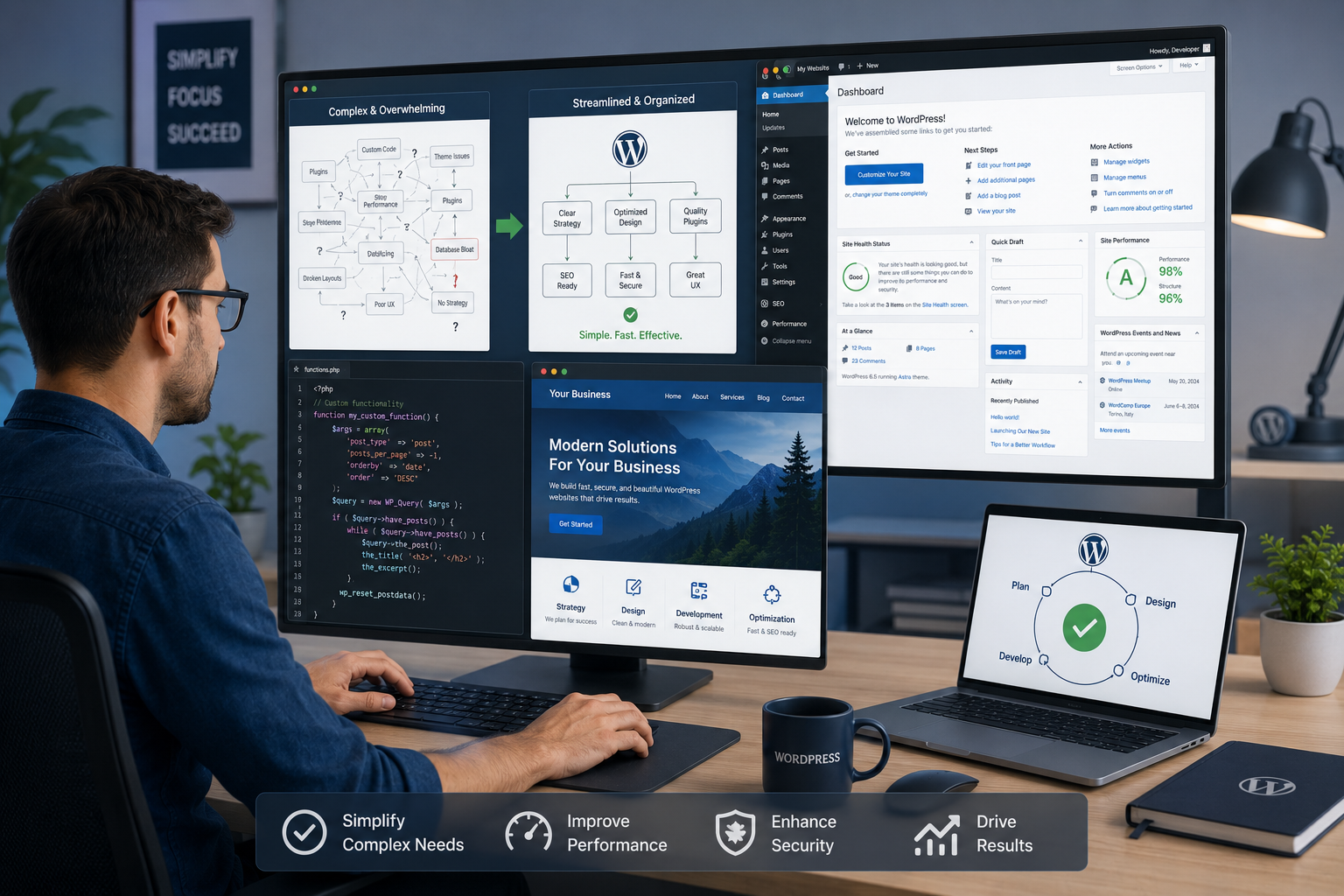
I’ve spent years building and fixing WordPress websites for clients who started with big dreams and ended up with tangled plugins, slow loading times, and features that just wouldn’t work together. The truth is, most people don’t need another complicated tool. They need someone who can cut through the noise and make their WordPress website actually do what they want.
As a WordPress developer, I’ve seen the same pattern repeatedly. Entrepreneurs and small teams try to piece everything together themselves. Six months later, they’re stuck with a site that’s hard to update, expensive to maintain, and not delivering results. That’s where an experienced developer makes all the difference.
In this post, I’ll share what I’ve learned from real projects: how a good WordPress developer turns complex requirements into clean, maintainable solutions that grow with your business.
Why Most WordPress Websites Become Complex
It usually starts simple. You install WordPress, add a nice theme, and a few plugins. Then comes the need for membership features, custom booking systems, advanced search, or e-commerce integrations. Before you know it, your site has 40+ plugins fighting with each other.
The problem isn’t WordPress itself. WordPress.org powers over 40% of the web for good reason — it’s flexible. But flexibility without proper architecture leads to bloat, security issues, and performance problems.
I’ve taken over sites where updating one plugin would break the entire checkout process. In one memorable case, a client had three different form plugins running simultaneously because different team members had installed their favorites over the years.
How a WordPress Expert Cuts Through the Complexity
A skilled WordPress developer approaches projects differently. Instead of throwing more plugins at problems, we focus on clean solutions that serve your specific needs.
We evaluate whether a requirement truly needs a heavy plugin or if it can be handled with custom code, existing core features, or a lightweight solution. This approach keeps your site faster, more secure, and easier to manage long-term.
For example, instead of installing five marketing plugins, we might build a simple custom dashboard that pulls everything together. The result? Less maintenance and better performance.
Real Impact on Your Business
When your WordPress website runs smoothly, everything else gets easier. Your team can update content without fear of breaking things. Customers enjoy faster load times and intuitive navigation. You spend less money on emergency fixes.
One client came to me with a membership site that was losing sign-ups because of confusing user flows and constant downtime. After a focused rebuild, their conversion rate improved significantly, and they could finally focus on creating content instead of firefighting technical issues.
The financial benefit is clear too. A well-built site reduces hosting costs through better optimization and cuts down on developer hours needed for ongoing maintenance.
Step-by-Step: Working with a WordPress Developer
Here’s how the process typically works when you bring in an experienced WordPress developer:
- Discovery & Audit – We start by reviewing your current site, goals, and pain points. This includes checking performance, security, plugin conflicts, and content structure.
- Requirements Mapping – Together we define exactly what you need. I often help clients simplify their feature list by focusing on what will actually move the needle for their business.
- Architecture Planning – This is where the magic happens. We design a clean structure using custom post types, taxonomies, and efficient code patterns instead of plugin overload.
- Development & Testing – I build in stages with regular reviews so you can provide feedback early. Everything gets tested across devices and user scenarios.
- Training & Handover – You get clear documentation and a training session so your team can manage day-to-day tasks confidently.
- Ongoing Support – Optional maintenance plans keep everything running smoothly as WordPress and plugins evolve.
This structured approach prevents the chaos that comes from rushed implementations.
Common Mistakes and How to Avoid Them
From experience, here are the pitfalls I see most often:
- Plugin Overload: More plugins don’t mean more features. They often mean more problems. A good developer knows when to code a custom solution instead.
- Ignoring Performance: Fancy animations and heavy themes look nice until your bounce rate skyrockets. We prioritize speed from day one.
- Poor Mobile Experience: Many sites work on desktop but frustrate mobile users. Testing across real devices is non-negotiable.
- Skipping Security Basics: Using outdated plugins or weak passwords invites trouble. Regular audits and proper hardening make a huge difference.
- No Clear Content Strategy: Beautiful design means nothing if visitors can’t find what they’re looking for. Information architecture matters.
If you’re currently facing any of these, you’re not alone. Most of my clients come to me exactly because of these issues.
When to Hire a WordPress Developer vs DIY or Other Platforms
Not every project needs a developer. Simple brochure sites can work fine with good themes and page builders. But as soon as you need custom functionality, user accounts, complex data handling, or serious performance requirements, professional development pays for itself quickly.
Compared to platforms like LearnWorlds or Thinkific that excel at specific use cases (like online courses), WordPress Website offers unmatched flexibility for unique business needs. The trade-off is that you need the right expertise to manage that flexibility.
Frequently Asked Questions
How much does it cost to hire a WordPress developer for a complex site?
It varies widely based on scope. A full custom rebuild might range from a few thousand to tens of thousands, but the return comes through better performance, fewer ongoing issues, and higher conversions. I always provide clear quotes after understanding your specific needs.
How long does it take to simplify an existing messy WordPress website?
For most mid-sized sites, we can deliver significant improvements in 4-8 weeks. Complex migrations or full rebuilds take longer, but we prioritize quick wins first.
Can a developer help if I’m already using a lot of plugins?
Absolutely. Often the first step is auditing and consolidating plugins, then replacing critical functionality with more efficient code where it makes sense.
Will changing developers disrupt my current site?
With proper planning and staging environments, we minimize risk. I always create backups and test thoroughly before making changes live.
What’s the difference between a WordPress developer and a designer?
Designers focus on visuals and user experience. Developers handle the technical implementation, custom functionality, performance, and long-term maintainability. Many projects benefit from both.
Ready to Simplify Your WordPress Website?
Building and maintaining a WordPress website doesn’t have to feel overwhelming. With the right WordPress developer on your side, you can have a powerful, custom site that serves your business goals without constant headaches.
If you’re tired of fighting with your current setup or planning something more ambitious, I’d love to help. Visit my site or check out our services at Digital Wind IT to see how we approach these challenges.
What’s the biggest challenge you’re facing with your WordPress site right now? Feel free to reach out — I’m happy to share some initial thoughts.






