
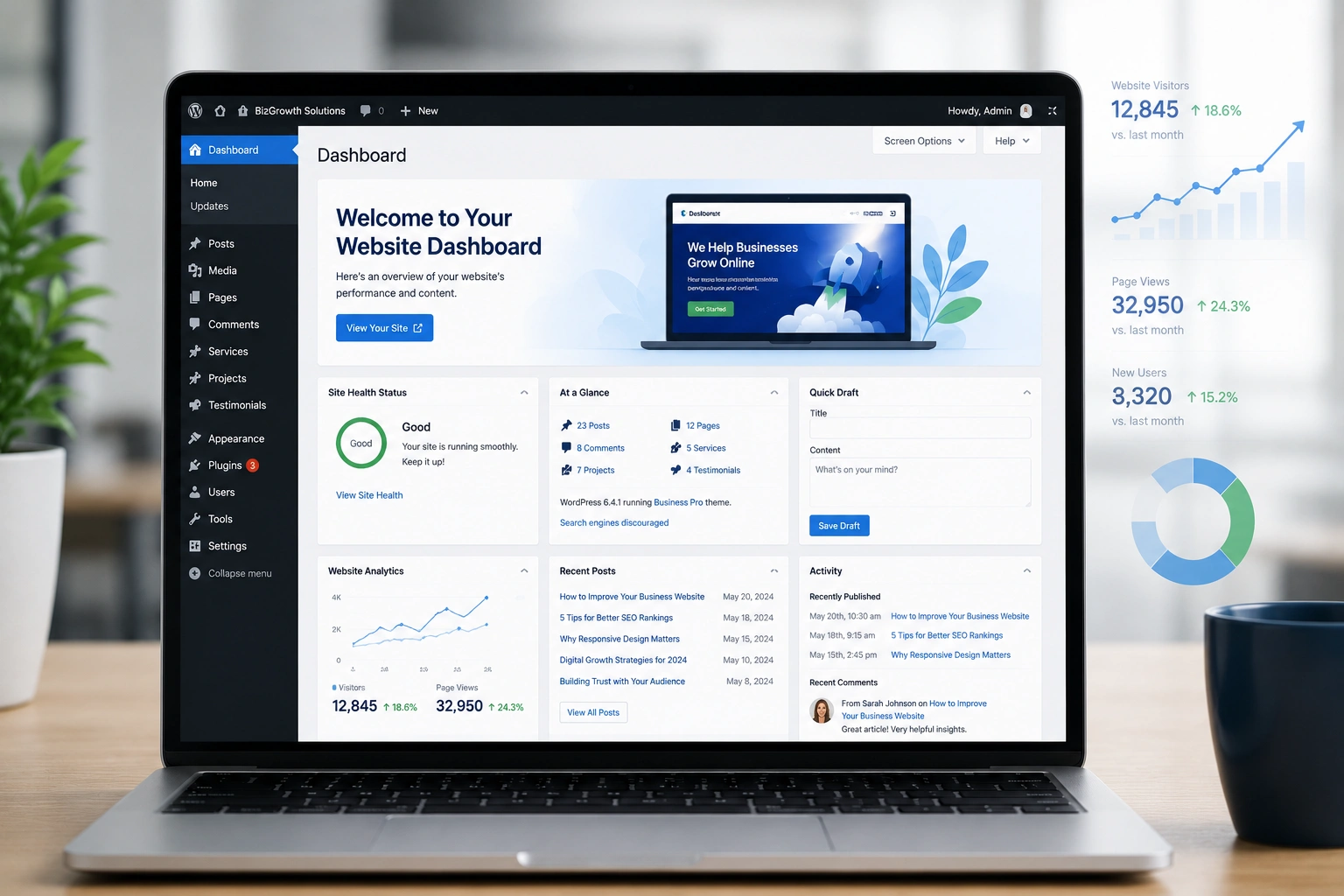
I’ve spent years building websites for small businesses, freelancers, and growing brands. Time after time, WordPress comes out on top. It’s not just because it powers over 43% of the web. It’s because it actually works for real businesses that need to move fast, stay in control, and keep costs reasonable.
If you’re thinking about launching or redesigning your business site, this post will walk you through exactly why a WordPress website is usually the smartest choice — and how to make it work for you.
What Makes a WordPress Website Stand Out in 2026
The web has changed a lot. We now have drag-and-drop builders, AI tools, and specialized platforms. Yet most serious businesses still choose WordPress.
The reason is flexibility. A good WordPress developer can turn it into almost anything — a simple brochure site, a full e-commerce store, a membership platform, or a complex web app. You’re never locked into someone else’s vision of what your business should look like.
I remember one client who started with a basic site on another platform. After six months they outgrew it and wanted custom features. The migration was painful and expensive. Switching to WordPress earlier would have saved them months of frustration.
WordPress.org itself reports that it powers everything from personal blogs to major news sites like BBC America and Microsoft News. That range tells you how capable it really is.
Core Benefits Every Business Owner Should Know
Total Ownership and Control
With WordPress, you own your data. You can export everything, move hosts, or even bring the site in-house. Try doing that easily on many SaaS platforms.
Massive Ecosystem of Themes and Plugins
There are thousands of professional themes and over 60,000 plugins in the official directory. Need SEO tools, speed optimization, booking systems, or analytics? There’s usually a solid solution.
SEO-Friendly by Nature
WordPress websites rank well when properly built. Clean code, fast loading with good hosting, proper structure — these are all straightforward. I’ve seen clients jump from page 3 to page 1 after a solid optimization pass.
Cost-Effective Scaling
You can start small and grow without rebuilding. Many businesses begin with a free theme and basic plugins, then invest in custom development as revenue grows. This beats paying high monthly fees from day one.
How a WordPress Website Drives Real Business Results
One of my recent projects was for a local consulting firm. They needed a professional presence, lead capture forms, case studies, and a simple booking system. We built it on WordPress in about three weeks.
Within four months they reported a 340% increase in inbound leads compared to their old static site. The difference wasn’t magic — it was a clean, fast WordPress website that converted visitors effectively and was easy for them to update without calling a developer every time.
Compare that to platforms like Shopify or Kajabi. Those are excellent for very specific use cases (pure e-commerce or online courses). But for most service businesses, agencies, coaches, and hybrid models, WordPress gives better balance between power and flexibility.
Step-by-Step: How to Launch Your WordPress Website
Here’s the practical process I follow with clients:
- Choose Reliable Hosting Pick a host that specializes in WordPress (SiteGround, Cloudways, or Kinsta are popular for good reason). Good hosting affects speed and security more than anything else.
- Install WordPress Most quality hosts offer one-click installation. Do it.
- Select a Solid Theme Start with something lightweight and SEO-friendly like Astra, GeneratePress, or Kadence. Avoid bloated multipurpose themes unless you really need all those features.
- Essential Plugins Install: Rank Math or Yoast for SEO, a security plugin (Wordfence or Solid Security), caching (WP Rocket or LiteSpeed Cache), and a backup solution.
- Design and Content Create clear pages: Home, About, Services, Contact. Use a page builder like Elementor or Gutenberg blocks for layout. Keep it simple and focused on your customer’s needs.
- Optimize for Performance and SEO Compress images, enable caching, set up proper permalinks, create an XML sitemap, and submit to Google Search Console.
- Test and Launch Check on mobile, test forms, speed test with GTmetrix, then go live.
This process can take a solo founder 1–2 weeks or a WordPress developer just a few days for a polished result.
Common Mistakes to Avoid with Your WordPress Website
Even experienced people mess this up. Here are the biggest issues I see:
- Overloading with Plugins — More isn’t better. Every plugin adds overhead. I aim for under 15 active plugins on most sites.
- Using Cheap or Outdated Themes — They often come with security holes and slow performance.
- Ignoring Updates — WordPress core, themes, and plugins need regular updates. Set up automatic minor updates and review major ones carefully.
- Poor Mobile Experience — Always test on real devices.
- Neglecting Security — Use strong passwords, limit login attempts, and keep everything updated.
Fixing these early saves headaches later. I once took over a site that had 47 plugins and was hacked multiple times. Cleaning it up took longer than building a new one from scratch.
Frequently Asked Questions
Is WordPress good for beginners?
Yes. The learning curve exists, but with good hosting and modern tools like Gutenberg, most people can handle basic updates after a short tutorial.
How much does a professional WordPress website cost?
Custom sites from an experienced WordPress developer typically range from $2,500 to $8,000+ depending on features. Simple DIY sites can be under $500 including hosting and premium tools.
Can I run an online store on WordPress?
Absolutely. WooCommerce powers many successful stores and integrates perfectly with the rest of your WordPress website.
How does WordPress compare to Webflow or Shopify?
Webflow offers beautiful design control but has steeper costs and less flexibility for complex functionality. Shopify excels at pure e-commerce but becomes expensive as you add more pages and content. WordPress sits nicely in the middle for most businesses.
Is WordPress secure?
It is when maintained properly. The platform itself is secure; problems usually come from bad plugins, weak passwords, or outdated software.
Do I need a developer for my WordPress site?
Not always for basic sites. But for custom design, performance optimization, or complex features, working with a skilled WordPress developer saves time and delivers better results.
Ready to Build Your WordPress Website?
After building and maintaining dozens of business sites, I’m convinced a well-executed WordPress website remains one of the highest-ROI investments you can make. It gives you freedom, scalability, and control that most alternatives can’t match without much higher ongoing costs.
If you’re serious about growing your online presence, start with the fundamentals. Choose good hosting, keep things lean, and focus on creating real value for your visitors.
Need help bringing your vision to life? Feel free to reach out or explore my services at Shihab Morshed. You can also check our work and process at Digital Wind IT.






