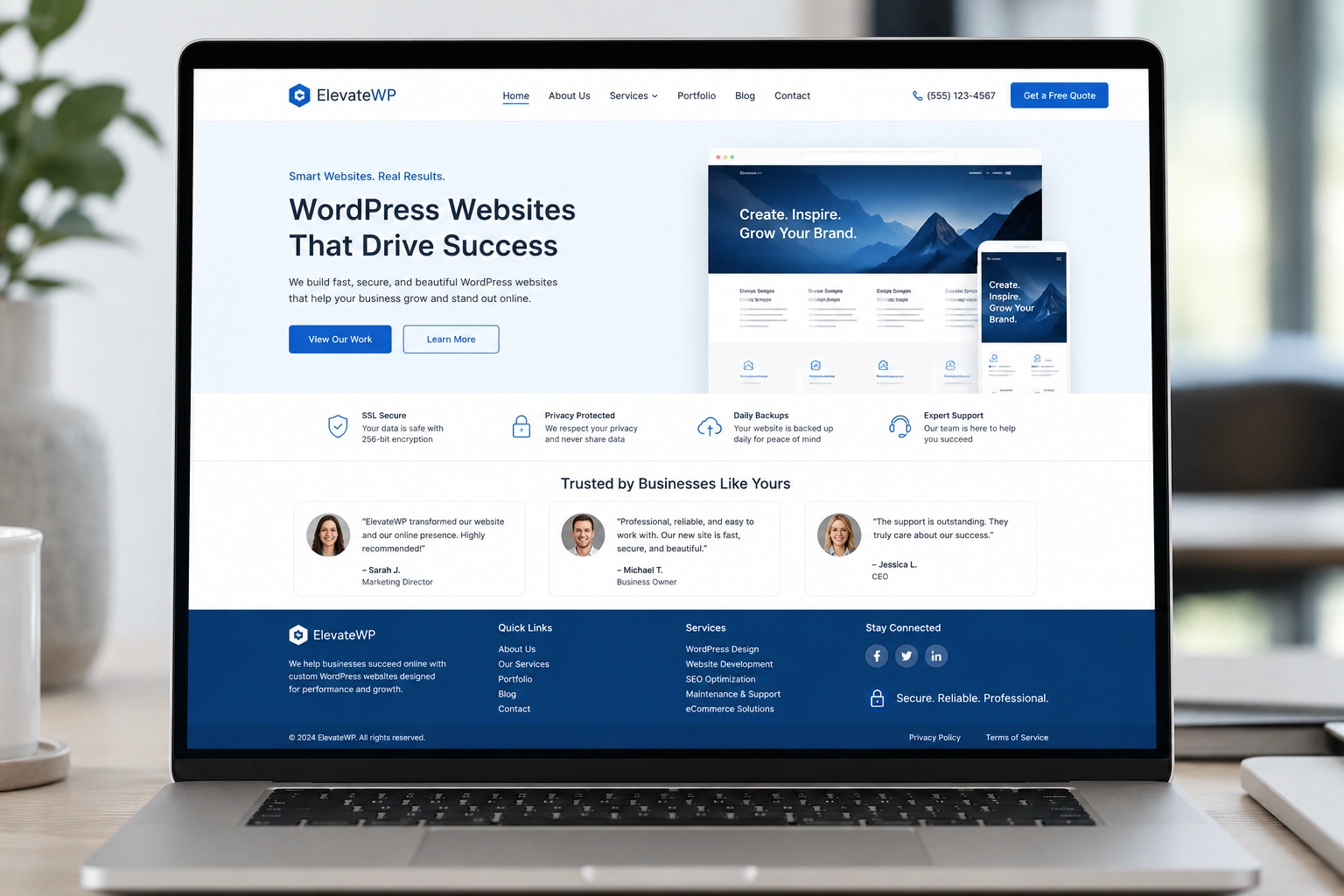
I’ve been building and optimizing WordPress websites for years, and one truth stands out every single time: your site’s design is often the first — and sometimes only — chance to earn someone’s trust.
Visitors decide in seconds whether they feel safe handing over their email, making a purchase, or even just sticking around to read your content. A clunky, outdated, or poorly built WordPress website screams “unprofessional.” A clean, thoughtful one says “you can trust us.”
In this post, I’ll share what I’ve learned from real client projects about why design matters so much for credibility, how it directly impacts business results, and the practical steps any site owner or aspiring WordPress developer can take to get it right.
Why First Impressions on Your WordPress Website Matter More Than You Think
People judge books by their covers, and websites by their design. Stanford research famously found that 75% of users judge a company’s credibility based on its website design.
Another study showed that 94% of first impressions are design-related. That’s not content, not your amazing copy — it’s visuals, layout, speed, and how everything feels.
As a WordPress developer, I’ve seen businesses lose potential clients because their site looked like it was built in 2010. On the flip side, clients who invested in proper design saw higher engagement, better leads, and more sales.
Your WordPress website is often the digital storefront for your brand. If it looks amateurish, visitors assume the business behind it is too.
Core Benefits of Professional WordPress Design for Trust
A well-designed WordPress website does several things simultaneously:
- Establishes professionalism instantly. Clean typography, consistent branding, and thoughtful spacing make visitors feel they’re dealing with experts.
- Improves user experience (UX). Easy navigation, fast load times, and mobile responsiveness reduce frustration. Frustrated users don’t trust — they leave.
- Builds perceived security. Modern design paired with visible security badges, clear privacy policies, and professional layouts reassures visitors their data is safe.
I once redesigned a coaching client’s site. The old version had mismatched fonts, slow loading, and cluttered pages. After a clean custom design with proper structure, bounce rate dropped significantly, and inquiry forms started filling up. The content hadn’t changed much — the design had.
WordPress.org itself emphasizes the power of themes and customization for creating professional experiences that support any business goal.
How Design Impacts Business Results and Monetization
Trust isn’t just a nice feeling — it translates to money.
Well-designed sites see visitors stay longer (up to 84% more time on site in some studies) and generate higher revenue. When people trust your WordPress website, they’re more likely to:
- Sign up for your newsletter
- Buy your products or services
- Share your content
- Recommend you to others
For service-based businesses like mine, a polished site acts as a silent salesperson. Potential clients check my work at shihabmorshed.com and see the quality before they ever email me.
Compare that to platforms like Kajabi or Thinkific, which are great for courses but often lock you into their ecosystem. A self-hosted WordPress website gives you full control and ownership — crucial for long-term trust and branding.
Step-by-Step: Building a Trustworthy WordPress Website
Here’s the practical process I follow as a WordPress developer when creating sites that build confidence:
- Define your goals and audience. Know who you’re speaking to and what action you want them to take. This guides every design decision.
- Choose a solid foundation. Start with a reputable theme or custom build. Focus on speed and mobile-first design from day one.
- Prioritize clean visuals. Use high-quality images, plenty of white space, consistent colors, and readable fonts. Avoid clutter.
- Add trust signals. Include testimonials, client logos, security badges, clear contact info, and an “About” page that feels authentic.
- Optimize performance. Compress images, use caching, and choose good hosting. A slow WordPress website kills trust fast.
- Test everything. Check on multiple devices, run accessibility checks, and get real user feedback.
- Maintain it. Regular updates, security monitoring, and fresh content show you care about the experience.
Following these steps consistently turns a basic site into one that genuinely builds trust.
Common Mistakes That Destroy Trust (And How to Fix Them)
Over the years, I’ve fixed the same issues repeatedly:
- Outdated design: Using old themes with flashy sliders or stock photos that scream “template.” Fix: Go minimal and authentic.
- Poor mobile experience: Non-responsive layouts. Fix: Always test on real phones.
- Hidden or missing contact info: Makes you seem shady. Fix: Prominent footer and header contact.
- Slow loading times: Visitors assume incompetence. Fix: Optimize images and plugins.
- Inconsistent branding: Different fonts and colors everywhere. Fix: Create and stick to a simple style guide.
- Ignoring security: No SSL, outdated plugins. Fix: Use security plugins and keep everything updated.
One client came to me after their site was hacked due to neglected updates. Rebuilding trust with their audience took months. Don’t let that happen.
If you need help avoiding these pitfalls, check out services focused on quality WordPress work like digitalwindit.com.
FAQ: WordPress Website Trust and Design
How quickly do people judge a website’s credibility?
Often in under a second. Design is the biggest factor in that snap judgment.
Can a free WordPress theme build trust?
Yes, if it’s well-customized, fast, and paired with great content and maintenance. But custom work by a skilled WordPress developer usually performs better for serious brands.
Does website design really affect conversions?
Absolutely. Better design leads to longer visits, lower bounce rates, and higher trust — all of which improve conversions.
What’s the biggest trust killer on a WordPress site?
Slow speed, broken links, or an unprofessional look. These make visitors question everything else.
Should I hire a WordPress developer or use a page builder myself?
For beginners, page builders are fine to start. For professional results that scale and build real trust, working with an experienced WordPress developer saves time and delivers better outcomes.
How do I make my existing WordPress website more trustworthy?
Audit your design, add real testimonials, improve speed, ensure mobile-friendliness, and update content regularly.
Building Lasting Trust Starts With Your WordPress Website
A well-designed WordPress website isn’t just about looking pretty — it’s about showing visitors you’re competent, professional, and worthy of their time and money. From first impressions to long-term credibility, design is one of the most powerful tools you have.
Whether you’re just starting or ready to level up, investing in proper design and maintenance pays off in trust and results. If you’re looking for guidance on your own project, feel free to reach out or explore more at shihabmorshed.com.
What’s one thing you’re going to improve on your WordPress website first? Let me know in the comments.