I’ve spent years building and optimizing websites for clients who wanted more than just a pretty design. They needed sites that felt effortless to use—ones where visitors actually stick around, find what they need, and take action. That’s where a Webflow expert makes all the difference.
A good Webflow developer doesn’t just push pixels around. They craft experiences that guide users naturally, reduce frustration, and help businesses grow. In this post, I’ll share what I’ve learned working with Webflow expert, why it stands out for UX, and how you can put these principles to work.
Whether you’re a business owner tired of clunky sites or a designer looking to level up, you’ll walk away with practical insights you can apply right away.
What Makes a Webflow Expert Different for UX
Traditional web development often creates a gap between design and reality. Designers hand off mockups, developers code them, and something gets lost in translation—slow load times, broken mobile views, or confusing navigation.
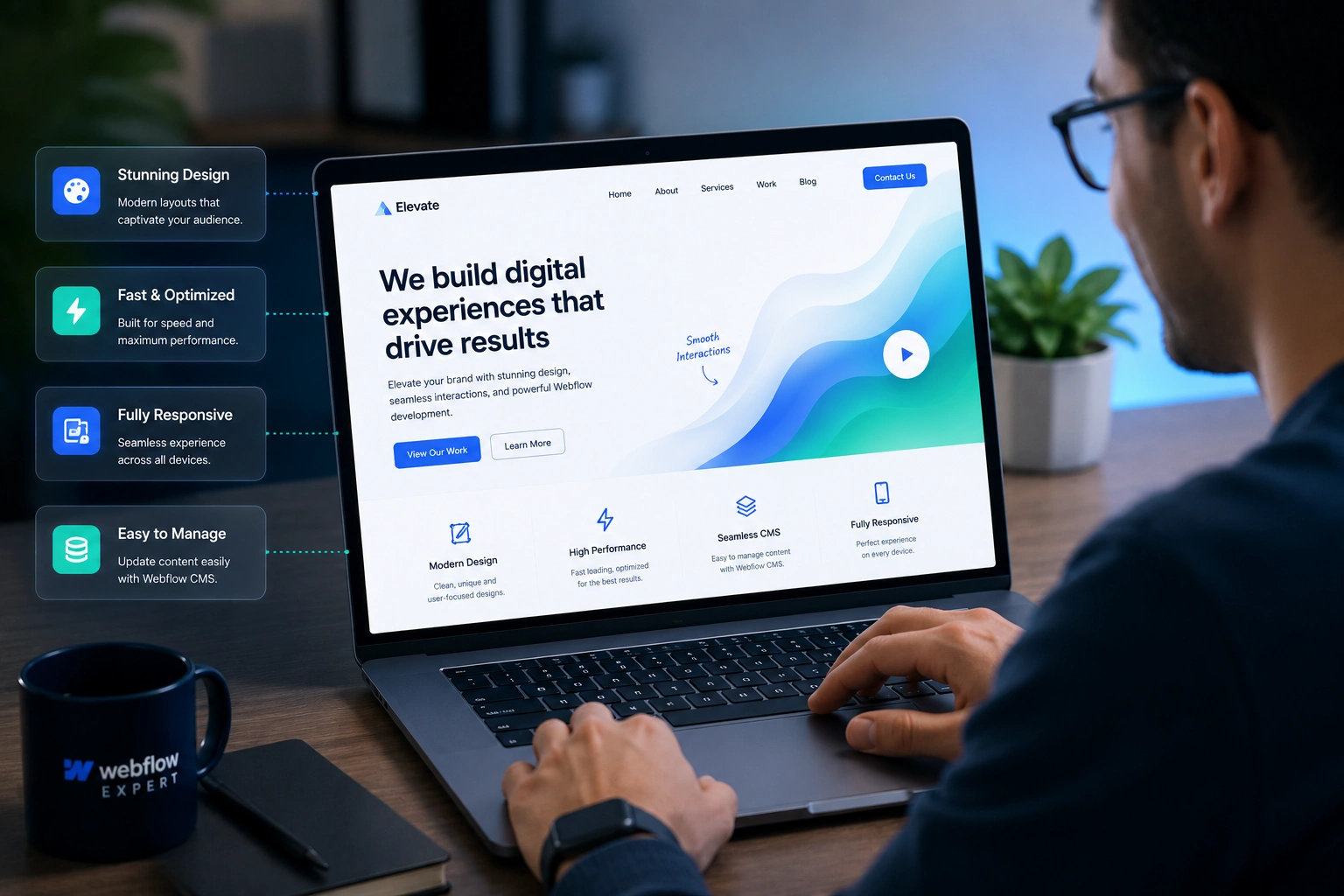
A Webflow agency or expert works visually in the browser. They design and build simultaneously, seeing exactly how everything feels in real time. This eliminates guesswork.
Webflow lets experts create pixel-perfect, responsive designs without fighting code. They can add sophisticated interactions and animations that feel smooth and purposeful, not gimmicky. The result? Sites that load fast, adapt beautifully to any device, and keep users engaged.
From my experience, this integrated approach cuts development time significantly while raising quality. Clients notice the difference immediately—fewer support questions, higher engagement, and better feedback.
Core Benefits of Working with a Webflow Expert
The biggest win is frictionless navigation. A skilled Webflow developer builds intuitive menus, clear calls-to-action, and logical page flows. Users don’t hunt for information; it finds them.
Performance matters too. Webflow sites are optimized out of the box with clean code, fast hosting, and built-in tools for image compression and lazy loading. I’ve seen bounce rates drop noticeably after migrations.
Accessibility isn’t an afterthought. Experts ensure proper contrast, keyboard navigation, ARIA labels, and semantic structure. This opens your site to more people and improves SEO as a bonus.
Responsive design shines here. One project I handled involved a portfolio site that looked stunning on desktop but felt cramped on mobile. After reworking it in Webflow, engagement from phone users jumped over 40%.
Real Impact on Business Results
Better UX directly affects your bottom line. Faster, more enjoyable sites lead to higher conversions, longer sessions, and stronger brand trust.
One client—a small SaaS company—came to me with a slow WordPress site that was losing visitors. We rebuilt it with Webflow. Within months, their conversion rate improved significantly, and they reported easier content updates without developer help.
Webflow powers sites for major brands achieving impressive results like 20% conversion lifts and massive time savings. These aren’t outliers; they’re common when UX is prioritized.
Compared to traditional development, Webflow often delivers faster launches and lower ongoing costs. You avoid plugin bloat and maintenance headaches common with other platforms.
Step-by-Step: How a Webflow Expert Builds Better UX
Here’s the process I typically follow:
- Research and Planning — Start with user personas, competitor analysis, and goals. Map the user journey to spot pain points.
- Wireframing and Prototyping — Create low-fidelity layouts, then build interactive prototypes in Webflow to test flows early.
- Visual Design with Interactions — Design in the Webflow canvas. Add purposeful animations—like hover effects or scroll triggers—that guide attention without overwhelming.
- Optimization and Testing — Ensure mobile responsiveness, speed, and accessibility. Run user tests and iterate based on real feedback.
- Launch and Monitor — Publish, set up analytics, and track behavior. Make quick tweaks as needed.
This methodical approach prevents costly rewrites later.
Common Mistakes and How to Avoid Them
Even experienced teams slip up. One frequent issue is overusing animations. Motion should support the story, not distract. I always ask: Does this help the user or just look cool?
Another pitfall is ignoring mobile users. Desktop looks great, but phones are where most traffic comes from. Test thoroughly on real devices.
Poor information architecture confuses visitors. Work with a Webflow expert who understands hierarchy and clear labeling.
Finally, skipping ongoing optimization. UX isn’t set-it-and-forget-it. Regular audits catch issues before they hurt conversions.
If you’re handling this in-house, start small: audit your current navigation and heatmaps, then prioritize fixes.
Frequently Asked Questions
What exactly does a Webflow expert do differently from a regular web designer?
They combine design, development, and UX strategy in one tool. This leads to faster delivery and fewer handoff problems.
Is Webflow good for complex websites or just simple ones?
It handles both beautifully. With CMS collections, custom interactions, and e-commerce options, it’s versatile for growing businesses.
How much does hiring a Webflow agency cost?
It varies by project scope, but you often save long-term through faster launches and easier maintenance compared to custom coding.
Can I update the site myself after launch?
Yes. Webflow’s visual editor empowers non-technical users to make changes safely, which is a huge advantage over traditional setups.
Does better UX from Webflow improve SEO?
Absolutely. Faster load times, mobile-friendliness, and great content structure all help search rankings.
How do I know if I need a Webflow developer?
If your current site feels slow, hard to update, or isn’t converting well, it’s worth exploring.
Wrapping Up: Invest in Better Experiences
A Webflow expert does more than build websites—they create digital spaces where users feel understood and guided. The payoff shows in happier visitors, stronger results, and less stress for you.
If you’re ready to elevate your site’s user experience, visit my site or check out what we’re doing at Digital Wind IT. Let’s build something that works as great as it looks.
Ready to improve your website? Reach out and let’s discuss your project.