
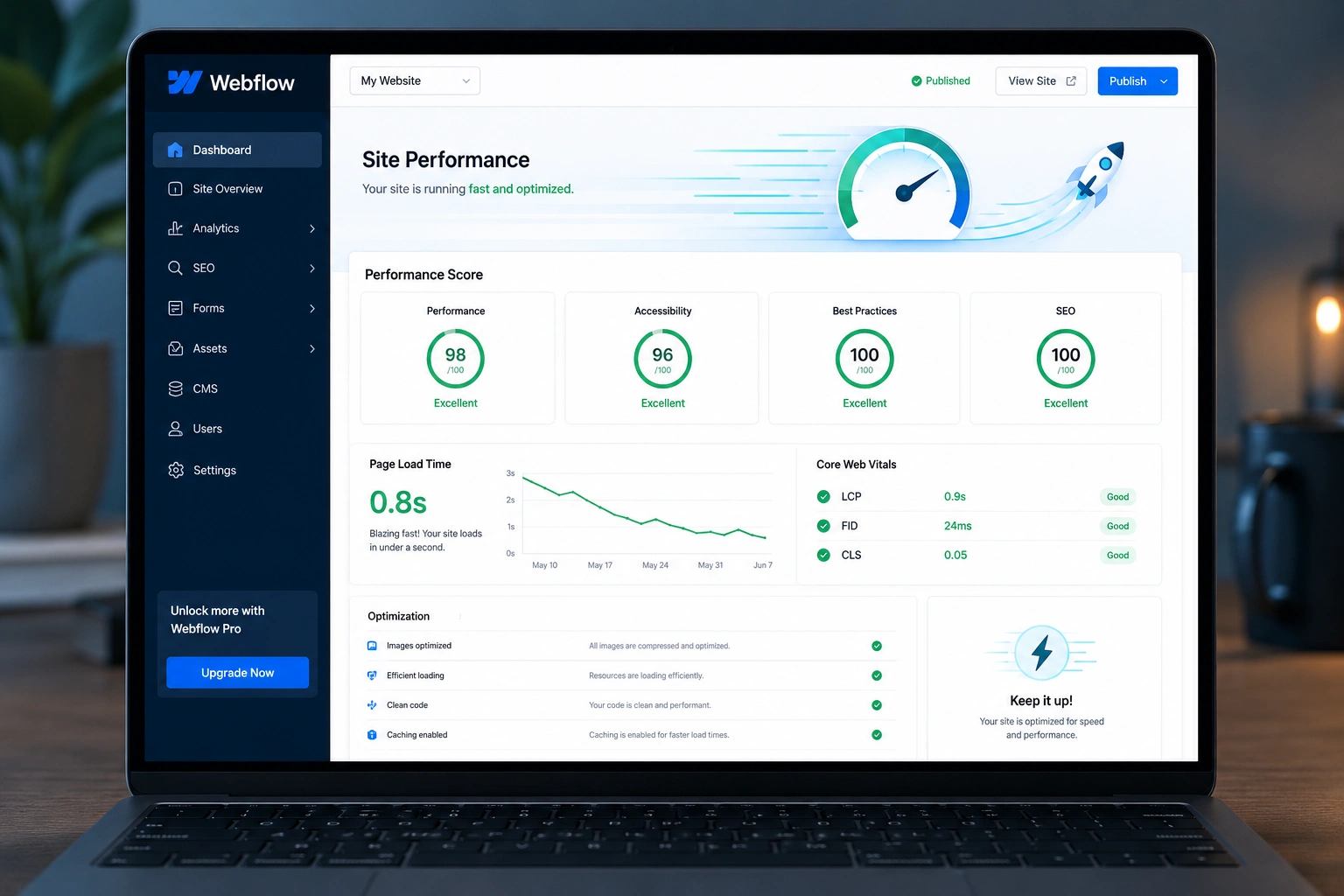
I’ve spent years building and optimizing Webflow sites for clients who needed fast, conversion-focused websites. One thing I see again and again: beautiful Webflow designs that load slowly and lose visitors before they even see the value.
A skilled Webflow expert or Webflow developer knows exactly where speed leaks happen and how to fix them without breaking your design or CMS flexibility. In this post, I’ll walk you through the real optimizations that matter, based on projects I’ve delivered.
If you’re running a business site, portfolio, or online course platform on Webflow, this guide will show you what a professional Webflow agency level optimization actually looks like.
Why Site Speed Matters More Than Ever in Webflow
Google uses page experience signals — including Core Web Vitals — as ranking factors. A slow site doesn’t just frustrate users; it hurts your SEO and conversion rates.
I’ve seen bounce rates drop by 30-50% after proper Webflow speed optimization. Visitors stay longer, scroll deeper, and are far more likely to convert when pages feel instant.
Webflow is powerful, but its visual builder can create heavy pages if you’re not careful with interactions, images, and third-party scripts. That’s where experience makes the difference.
What a Webflow Expert Does Differently for Performance
A good Webflow developer doesn’t just make things look good — they build with performance in mind from day one.
They understand:
- How to keep DOM complexity low
- Smart use of Webflow’s CMS for scalable content
- When to use custom code vs native tools
- How to optimize for mobile-first indexing
Unlike generic developers, a true Webflow expert combines design sensibility with technical optimization. They test on real devices and different network conditions, not just Lighthouse scores in Chrome.
Real Results: One Client’s Speed Transformation
Last year I worked with an online education platform. Their original Webflow site had a Largest Contentful Paint (LCP) of 4.8 seconds and a Performance Score around 45 on mobile.
After a full optimization pass:
- LCP dropped to 1.1 seconds
- Performance Score climbed to 96
- Organic traffic increased 42% within three months
The changes weren’t flashy redesigns. They were surgical: smarter image handling, streamlined interactions, and thoughtful code structure. This is the kind of impact a dedicated Webflow agency approach delivers.
Step-by-Step: How a Webflow Expert Optimizes Site Speed
Here’s the exact process I follow on most projects:
- Audit & Baseline I run detailed tests using PageSpeed Insights, WebPageTest, and GTmetrix. I also check real-user data in Google Analytics. This shows exactly where the bottlenecks are.
- Image & Asset Optimization Compress and serve images in modern formats (WebP/AVIF). Use Webflow’s built-in optimization plus custom lazy loading strategies. Replace heavy background videos with lightweight Lottie animations where possible.
- Streamline Interactions & Animations Limit complex scroll animations on mobile. Combine similar interactions and use “will-change” properties wisely. Many beautiful Webflow sites become slow because of overlapping trigger-heavy animations.
- Code Cleanup & Structure Remove unused classes, optimize custom code, and keep embed scripts to a minimum. I often refactor client-added third-party tools (chat widgets, analytics) to load asynchronously or after the page renders.
- CMS & Content Optimization For collection pages, limit displayed items and use pagination or “load more” patterns intelligently. Optimize rich text and avoid embedding large external content directly.
- Advanced Hosting & Caching Tweaks Leverage Webflow’s CDN, enable proper cache headers, and sometimes recommend custom domains with additional edge optimizations.
Following these steps consistently turns average Webflow sites into lightning-fast ones.
Common Mistakes That Kill Webflow Site Speed
Even experienced designers make these errors:
- Overusing high-resolution hero images without proper compression or sizing.
- Adding too many third-party scripts (Google Fonts, tracking pixels, chat tools) without deferring them.
- Creating overly complex symbol structures that bloat the DOM.
- Ignoring mobile performance while perfecting desktop views.
- Using multiple embedded forms or heavy video backgrounds on key landing pages.
I’ve fixed all of these issues for clients who came to me after their initial developer handed over a slow site.
Tools and Resources I Rely On
Webflow’s own platform continues to improve. Check their performance best practices for the latest native features. For deeper analysis, I combine Lighthouse, Chrome DevTools, and WebPageTest.org.
If you’re comparing platforms, Webflow often outperforms traditional WordPress sites in speed potential once properly optimized — especially for marketing and portfolio sites.
FAQ: Webflow Speed Optimization
How much can a Webflow expert really improve my site speed?
Most well-optimized sites see LCP improvements of 2-4 seconds and Performance Scores jumping 30-50 points. Results vary based on starting condition and content type.
Is hiring a Webflow agency worth it for speed alone?
If your site is already built but underperforming, yes. A focused optimization project usually pays for itself quickly through better SEO and conversions.
Can I optimize my Webflow site myself?
You can handle basics like image compression and simple interactions. For advanced custom code, CMS-heavy sites, or enterprise-level performance, working with an experienced Webflow developer saves time and delivers better results.
How long does Webflow speed optimization take?
A typical audit + optimization project takes 1-3 weeks depending on site size and complexity.
Does faster Webflow site improve SEO?
Absolutely. Google favors fast, stable experiences. Many clients see ranking improvements within weeks after optimization.
Will speed optimization break my Webflow design?
Not when done by someone who understands both design and code. The goal is better performance while preserving (and often enhancing) the visual experience.
Ready for a Faster Webflow Site?
Speed isn’t just a technical detail — it’s a competitive advantage. A professional Webflow expert can transform your site from sluggish to snappy while keeping everything you love about your design.
If you’re tired of slow load times hurting your business, let’s talk. I help businesses and creators get the most out of Webflow — fast, reliable, and built to convert.
Check out my work at Shihab Morshed or explore more services at Digital Wind IT.
What’s one speed issue you’re currently facing with your Webflow site? Drop a comment below — I read them all.






