I’ve spent years building and optimizing websites, including many in Webflow expert. What started as excitement over its visual builder quickly showed me a hard truth: the platform is powerful, but going it alone often leaves sites underperforming.
If you launched a Webflow site thinking the no-code tools would handle everything long-term, you’re not alone. Many beginners and intermediate users hit walls with performance, scalability, and conversions. That’s where a Webflow expert or Webflow developer makes the difference. In this post, I’ll share practical reasons why hiring one keeps your site competitive, plus steps you can take right now.
The Growing Complexity of Webflow Sites
Webflow gives designers incredible control without writing every line of code. But as your site grows—with custom interactions, CMS collections, e-commerce, or advanced animations—the details matter more.
I’ve seen beautiful designs tank in Google rankings or load slowly on mobile because of overlooked optimizations. A skilled Webflow agency or expert handles the technical backbone while preserving your vision. They know how to structure classes properly, optimize images and fonts, and implement clean interactions that don’t bloat the code.
Without that expertise, small issues compound: poor responsive behavior, bloated custom code, or SEO gaps that hurt visibility. In today’s fast-moving digital world, these problems directly impact traffic and revenue.
Performance and User Experience Advantages
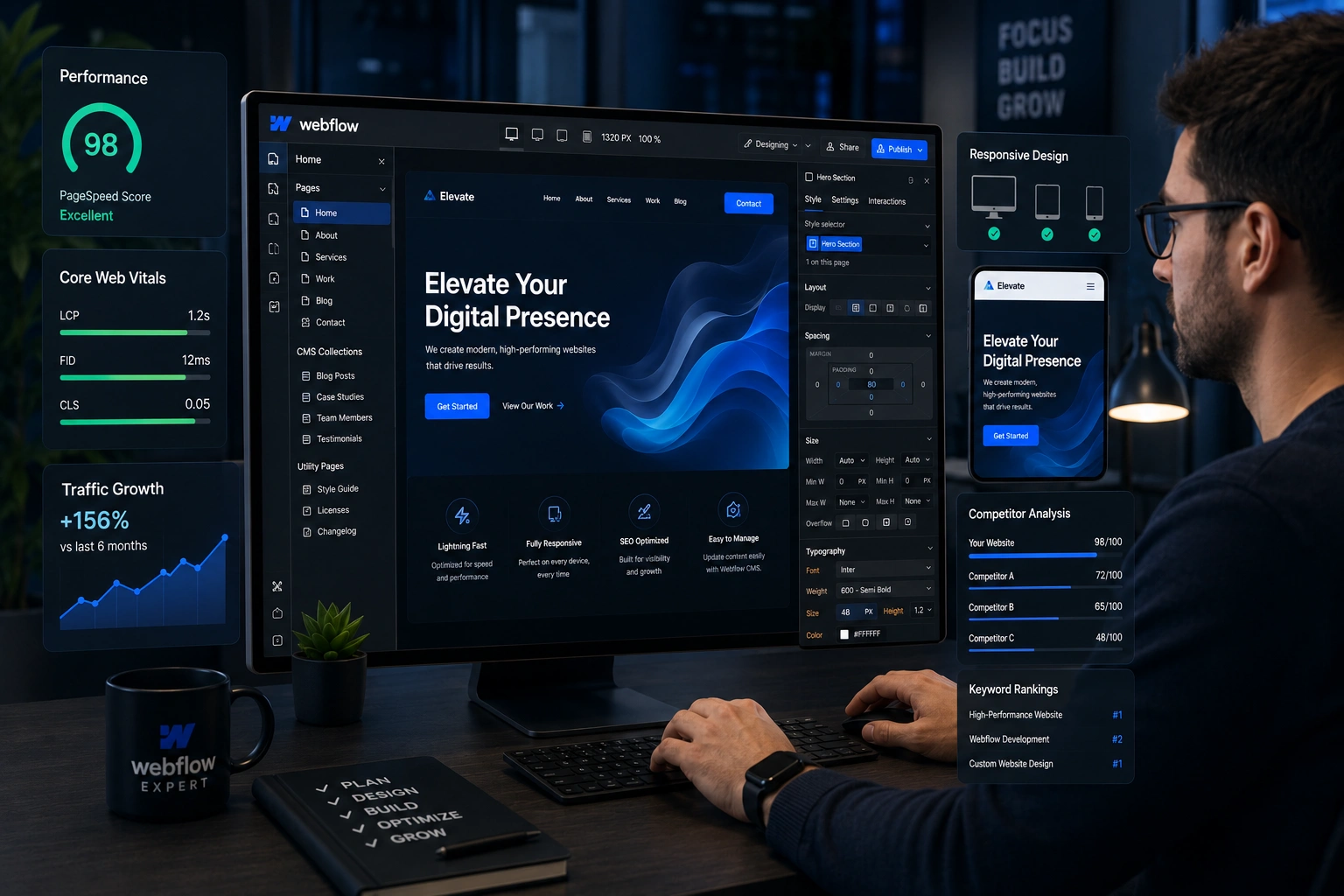
Speed wins. Sites built or optimized by a Webflow expert consistently deliver better Core Web Vitals. From my experience, professional builds often achieve higher PageSpeed scores because experts compress assets, use efficient interactions, and avoid common bloat.
One comparison stands out: DIY or template-heavy Webflow sites versus expert-refined ones. The latter frequently see 20-35% better conversion rates and 30-50% faster time-to-market for updates. Maintenance costs drop around 40% too, since the site is built for long-term efficiency.
Users notice the difference immediately—snappier navigation, smoother animations, and layouts that adapt perfectly across devices. This builds trust and keeps visitors engaged longer.
Business Impact: Conversions, SEO, and Scalability
Your website isn’t just a brochure; it’s a growth engine. A Webflow developer who understands business goals can turn a static site into a lead-generating machine.
In one real-world project I worked on, a client’s existing Webflow site looked great but converted poorly. After a thorough audit and rebuild focusing on user flows, clear CTAs, and optimized landing pages, conversions jumped significantly. The Webflow agency approach ensured seamless integrations with tools like analytics and CRMs.
Data backs this up. Professional Webflow implementations help sites rank better because of clean semantic code, proper heading structures, and fast load times—all signals Google loves. Plus, experts future-proof your site for updates, making scaling easier as your business grows.
For comparison, platforms like WordPress power many sites but often require more plugins and maintenance. Webflow’s clean output gives a natural edge when handled by someone who knows the platform deeply.
Step-by-Step: How to Work Effectively with a Webflow Expert
Hiring help doesn’t mean losing control. Here’s a practical process I recommend:
- Define clear goals — List what you want: better speed, new features, redesign, or ongoing maintenance. Be specific about your target audience and KPIs.
- Review portfolios and case studies — Look for experience matching your industry. Check live sites for performance using tools like PageSpeed Insights.
- Start with an audit — Many Webflow experts offer a site review first. This reveals quick wins and long-term needs without full commitment.
- Collaborate on design and functionality — Use Webflow’s visual tools together. Provide feedback on prototypes, but trust their technical decisions for best results.
- Plan for handoff and training — Ensure you (or your team) know how to update content via the CMS. Good experts document everything.
- Set up ongoing support — Competitive sites need regular optimization. Discuss retainers for updates, SEO tweaks, and new features.
This structured approach minimizes risks and maximizes value.
Common Mistakes and Troubleshooting Webflow Sites
Many issues I troubleshoot stem from DIY builds. Here are frequent pitfalls:
- Overusing combo classes or ignoring global styles, leading to maintenance nightmares.
- Neglecting image optimization and lazy loading, which kills load times.
- Poor heading hierarchy and missing alt text, hurting SEO.
- Non-responsive elements that break on mobile.
- Too many custom interactions without performance testing.
If your site feels slow, run it through Google PageSpeed Insights. Common fixes include compressing assets, simplifying animations, and cleaning up unused classes. A Webflow developer can spot and resolve these faster than trial-and-error.
Trying to fix everything yourself often leads to more problems. Knowing when to bring in an expert saves time and frustration.
FAQ: Webflow Experts and Your Site
Do I really need a Webflow expert if the platform is no-code?
Yes, for competitive results. No-code lowers the barrier, but advanced performance, SEO, and custom features benefit hugely from professional experience.
How much does hiring a Webflow agency cost?
It varies by scope. Audits and smaller optimizations can start affordably, while full builds or ongoing support represent an investment that usually pays back through better results.
What’s the difference between a freelancer and a Webflow agency?
Freelancers offer flexibility for specific tasks. Agencies provide teams for larger projects, including design, development, and strategy. Choose based on your needs.
Can a Webflow expert help with SEO?
Absolutely. They implement technical SEO best practices, optimize for speed, and structure content for better rankings.
How long does it take to see results after working with an expert?
Quick wins like speed improvements appear immediately. Full SEO and conversion gains often show within weeks to months.
Is Webflow still worth it in 2026?
Yes. Its growth and features make it ideal for modern sites, especially with expert guidance.
Ready to Make Your Webflow Site Truly Competitive?
Building in Webflow is a smart choice, but staying ahead requires more than templates and tutorials. A Webflow expert or Webflow developer brings the experience to optimize performance, boost conversions, and keep your site scalable.
If you’re tired of fighting technical issues or want your site to work harder for your business, let’s talk. Check out my services at https://shihabmorshed.com/ or explore more at https://digitalwindit.com/. I help businesses turn good Webflow sites into great ones that drive real results.