I’ve worked with dozens of Shopify dropshipping stores over the years, and one truth keeps hitting home: if your store doesn’t perform well on mobile, you’re leaving serious money on the table. As a Shopify Expert providing hands-on Shopify support, I’ve fixed stores where mobile traffic made up 70-80% of visitors but conversions barely reached double digits. Fixing the mobile experience changed everything.
Most shoppers today browse and buy on their phones. Google uses mobile-first indexing, meaning it primarily looks at your mobile site for rankings. A clunky desktop-first store frustrates users and hurts visibility.
In this post, I’ll share why mobile matters for your Shopify store, real impacts I’ve seen, and exactly how to make yours better—without fluff or overcomplicated code. A Shopify expert can help you build, optimize, and grow your store.
What “Mobile-Friendly” Really Means for Shopify Stores
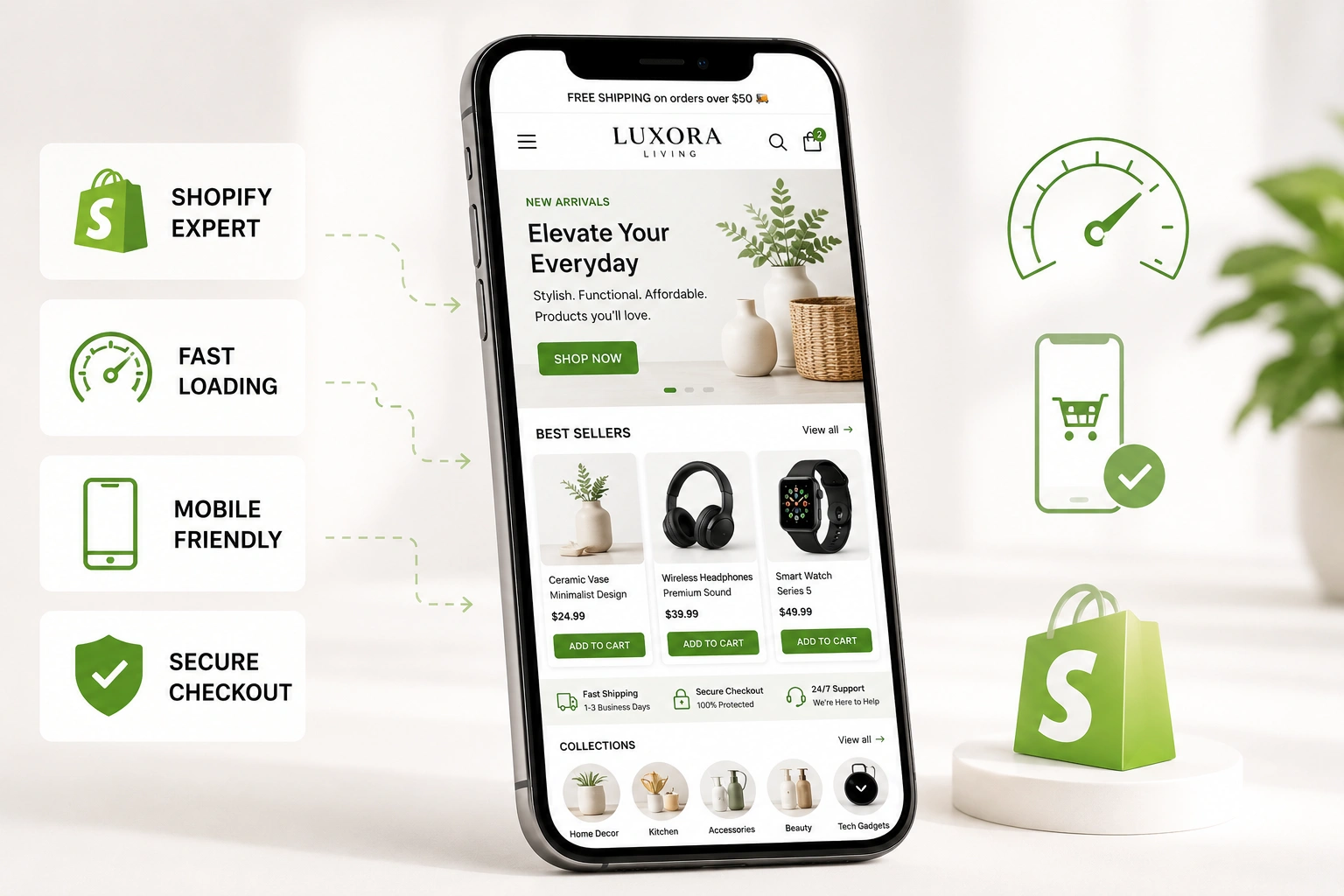
A mobile-friendly Shopify store isn’t just about shrinking your desktop layout. It adapts smoothly to any screen size with responsive design. Text stays readable, buttons are easy to tap, pages load fast, and checkout feels effortless.
Shopify’s own themes are built responsive, but many customizations, heavy apps, or large images break that. I’ve audited stores where product images took forever to load on 4G, or the “Add to Cart” button got buried.
Shopify Expert tip: Always preview in the theme editor’s mobile view, but test on real devices too. What looks okay in preview can still feel off on an older Android phone.
The Business Impact: Mobile Traffic and Sales
Here’s the data that convinced even skeptical store owners I’ve worked with. Over 75% of Shopify traffic now comes from mobile devices. In many dropshipping niches, it’s closer to 80-90%.
One client ran a fashion accessories dropshipping store. Before optimization, mobile bounce rate hovered around 65%, and mobile conversion was under 1%. After focused fixes, mobile conversions jumped over 40% in one redesign case I studied—similar to what others report.
That’s not theory. Slower mobile experiences directly kill sales. Every extra second of load time can tank conversions significantly. For Shopify dropshipping, where impulse buys and quick decisions matter, a smooth mobile flow separates winners from stores that struggle.
Why Mobile Optimization Boosts SEO and Trust
Google’s mobile-first indexing means poor mobile performance hurts your entire search visibility. A responsive, fast Shopify store ranks better for mobile searches—the majority of queries.
Beyond SEO, user trust matters. A store that zooms awkwardly or has tiny text screams unprofessional. Customers compare you instantly to competitors who got it right. In my Shopify support work, fixing mobile issues often reduces refunds and increases repeat visits.
Step-by-Step: How to Make Your Shopify Store Mobile-Friendly
Here’s the practical checklist I use with clients. Follow these in order for quick wins.
- Choose or audit your theme — Pick a mobile-first Shopify theme like Dawn. If you’re on an older one, test responsiveness thoroughly.
- Optimize images — Compress product photos and use responsive formats. Large images are the top speed killer I fix.
- Simplify navigation — Use hamburger menus, limit top-level categories, and make search prominent. Thumb-friendly taps are essential.
- Speed up your store — Remove unnecessary apps, enable lazy loading, and check Core Web Vitals in Google tools.
- Streamline checkout — Reduce steps, offer guest checkout, and ensure forms work well on mobile keyboards.
- Test relentlessly — Use Shopify’s preview, Google’s Mobile-Friendly Test, and real phones. Ask a few customers for feedback.
These steps usually take a weekend for a motivated owner or a short project with Shopify Expert help.
Common Mistakes and Troubleshooting Mobile Issues
Even experienced store owners trip on these. That’s why hiring a Shopify expert is essential for your store. Here are the ones I see most in Shopify dropshipping setups:
- Fixed-width elements — Custom CSS with pixel widths that don’t flex on small screens. Fix by switching to percentages or viewport units.
- Too many pop-ups and heavy scripts — Exit-intent pop-ups that cover the whole mobile screen frustrate users.
- Ignoring touch targets — Buttons too small or too close together. Aim for at least 44×44 pixels.
- Slow product pages — High-res images without optimization or too many reviews loading at once.
One real-world example: A client’s electronics accessories store had a beautiful desktop design but terrible mobile speed due to unoptimized hero sliders. We replaced the slider with a simple static image and sticky add-to-cart button. Mobile load time dropped dramatically, and sales followed.
FAQ: Mobile-Friendly Shopify Stores
How do I check if my Shopify store is mobile-friendly?
Use Google’s Mobile-Friendly Test tool and Shopify’s built-in theme editor preview. Also review Google Analytics for mobile bounce rates.
Does Shopify automatically make stores mobile responsive?
Most official themes are responsive, but custom code, apps, and images can break it. Always test.
Will mobile optimization improve my Shopify dropshipping sales?
Yes. With most traffic from phones, better UX directly lifts conversions and reduces cart abandonment.
How much does hiring a Shopify Expert cost for mobile fixes?
It varies, but basic audits and optimizations often pay for themselves quickly through increased sales. Visit Shihab Morshed or Digital Wind IT for support options.
What’s the fastest way to speed up my mobile Shopify store?
Compress images, reduce apps, and use a lightweight theme. Tools like Shopify’s speed reports help pinpoint issues.
Is mobile optimization different for dropshipping vs regular stores?
Core principles are the same, but dropshipping often benefits more from fast, clean mobile experiences that build trust quickly with new visitors. Partner with a Shopify expert to maximize your store’s performance.
Ready to Make Your Shopify Store Mobile-First?
A mobile-friendly Shopify store isn’t optional anymore—it’s table stakes for serious Shopify dropshipping success. As a Shopify Expert who’s helped many owners turn struggling stores around, I can tell you the stores that win prioritize mobile from day one.
Start with the steps above. Test your site today, make the easy fixes, and you’ll likely see better engagement and sales soon. Need personalized Shopify support? Feel free to reach out—I’m happy to help your store perform better on every device.