
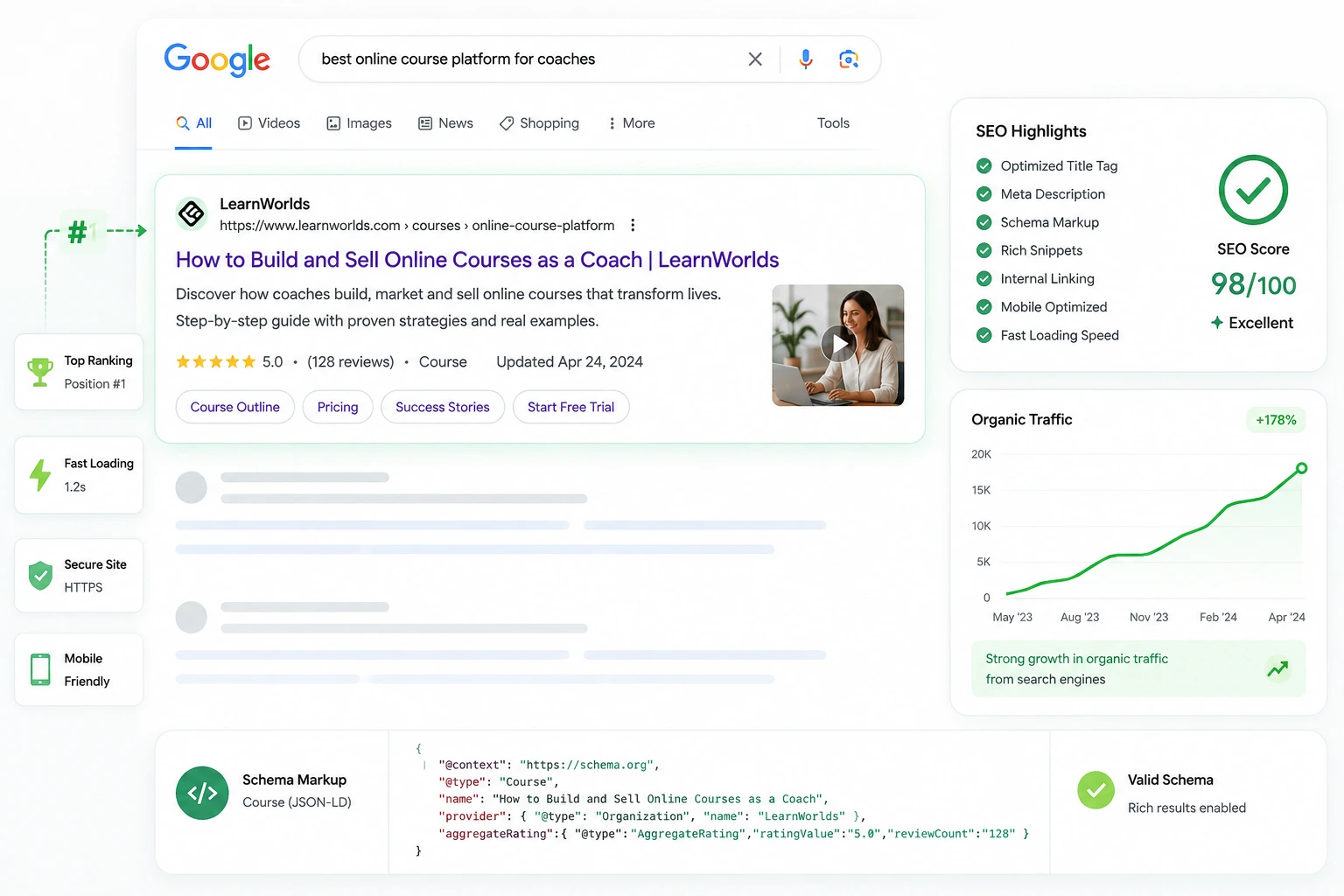
Ranking your online academy in search results is one of the best ways to get steady, free traffic. I’ve optimized LearnWorlds sites for creators who started with almost no visibility and ended up with consistent enrollments from Google searches.
LearnWorlds is a strong online class platform for SEO because it includes built-in tools like automatic sitemaps, schema markup, customizable meta tags, clean URLs, and a drag-and-drop Site Builder. It also has AI assistance for generating optimized titles, descriptions, and more. Combine these with solid on-page practices, and you can rank course pages and your school site effectively.
In this guide, I’ll share practical SEO tips tailored to LearnWorlds—focusing on what actually moves the needle for course creators in 2026.
Why LearnWorlds Is SEO-Friendly for Course Creators
LearnWorlds handles much of the technical heavy lifting: auto-generated sitemaps submitted to search engines, built-in schema for rich snippets (like course details in results), mobile-responsive designs, and fast-loading infrastructure when optimized properly.
You get full control over custom domains, page slugs, meta titles/descriptions, ALT text, headings, and a blog for content marketing. This setup helps both your public pages (homepage, sales funnels) and course landing pages rank well.
Many creators overlook these features at first, but using them consistently builds authority and brings targeted students searching for topics like “beginner photography course” or “business mindset training.”
Essential On-Page SEO Setup in LearnWorlds
Start with basics that impact every page:
- Verify your site in Google Search Console and integrate Google Analytics (via Settings > Integrations).
- Submit your auto-generated sitemap (LearnWorlds creates it automatically—find instructions in their help center).
- Optimize site-wide: Go to Website > Design > Edit Website > Site > Site SEO for global title, description, and keywords.
For individual pages (homepage, about, sales pages): Edit Page > Page SEO to set custom title (50-60 chars, keyword front-loaded), description (150-160 chars, compelling), and keywords.
These steps ensure search engines understand and index your site quickly.
Optimizing Course Pages for Search Visibility
Course pages often drive the most traffic. In the course General tab:
- Turn off “Automatically extract Course SEO” and manually add optimized title, description, keywords, and image.
- Use the live preview to see how it appears in Google.
- Customize the slug (URL) to include main keywords (e.g., /beginner-social-media-marketing-course).
- Add a strong, keyword-rich headline and benefit-focused description.
Include schema-friendly elements like course duration, instructor name, and ratings if applicable—LearnWorlds adds much of this automatically for better rich results.
Image and Speed Optimization Tips
Images are a common bottleneck:
- Compress before upload (tools like TinyPNG) to under 100-200KB; use JPEG for photos, PNG for graphics.
- Always add descriptive ALT text with keywords (e.g., “student completing online marketing course on LearnWorlds”).
- For social sharing, set Open Graph images (1200×630 px) in page SEO.
Speed ties into this—faster sites rank better. LearnWorlds uses CDN, but manual compression and lean pages (limit heavy widgets) help hit good Core Web Vitals scores.
Content and Blog Strategy for Long-Term SEO
Build authority with content:
- Create an SEO-optimized blog in Site Builder > Website > Blog. Target keywords with medium search volume/low competition.
- Structure posts: keyword in title/first paragraph, H2/H3 subheads, short paragraphs, bullets, internal links.
- Link blog posts to course pages naturally to pass authority.
Regular, valuable posts signal expertise to Google and attract backlinks over time.
Step-by-Step: Quick SEO Setup Checklist for LearnWorlds
- Sign up/verify domain and upload logo/favicon.
- Integrate Analytics/Search Console and submit sitemap.
- Optimize site SEO (global title/description).
- For key pages: Edit SEO title, description, keywords; preview live.
- For courses: Manual SEO in General tab—title, desc, slug, image.
- Compress/upload images with ALT text.
- Build 3-5 blog posts targeting course-related searches.
- Test mobile speed (PageSpeed Insights) and fix issues.
- Monitor rankings in Search Console; adjust based on data.
Do this during launch and revisit quarterly.
Real-World Example and Data Insight
A coaching client optimized her LearnWorlds site: custom slugs with keywords, manual course meta (turned off auto-extract), blog posts linking to flagship course, compressed images. Within 4 months, organic traffic tripled—several course pages ranked top 5 for niche terms like “mindset coaching for entrepreneurs.”
Insight: LearnWorlds users benefit from automatic schema and sitemaps—many see quicker indexing than on platforms without these. Combined with content, it outperforms basic hosts where technical SEO requires plugins.
Common Mistakes and Troubleshooting
- Relying on auto-extract for courses — Often generic; manual always wins.
- Ignoring slugs — Default URLs hurt readability/rankings. Fix: Edit to keyword-rich.
- No ALT text or huge images — Kills speed/mobile SEO. Fix: Pre-compress and describe.
- Duplicate content — Avoid copying descriptions. Fix: Unique for each page.
- No blog — Misses long-tail traffic. Fix: Post consistently.
- Forgetting mobile — Test everything; fix layout shifts.
Audit regularly with free tools.
Frequently Asked Questions
Is LearnWorlds good for SEO in 2026?
Yes—auto sitemaps, schema, AI metadata help, plus full control over titles, URLs, and content.
How do I submit my LearnWorlds sitemap?
LearnWorlds generates it automatically; submit via Google Search Console (instructions in help center).
Should I turn off auto-extract Course SEO?
Recommended—manual lets you add targeted keywords for better rankings.
Can I optimize blog posts on LearnWorlds?
Fully—add meta tags, keywords, internal links, and structure for on-page SEO.
How important is site speed for LearnWorlds SEO?
Critical—compress images, keep pages lean; impacts Core Web Vitals and rankings.
Where can I find official LearnWorlds SEO guides?
Check their detailed article: LearnWorlds SEO Optimization.
Rank Higher and Grow with LearnWorlds SEO
Applying these SEO tips turns your LearnWorlds course website into a traffic magnet. Focus on meta optimization, clean URLs, fast images, and consistent content—you’ll attract students searching exactly for what you teach.
Start with the checklist above; even small tweaks compound over time. If you’re ready to create course online and make online courses that get found, LearnWorlds gives you the edge.Need help auditing your site or planning content? Visithttps://shihabmorshed.com/ for more creator resources. What’s your current biggest SEO hurdle? Share below—happy to give targeted advice.






