
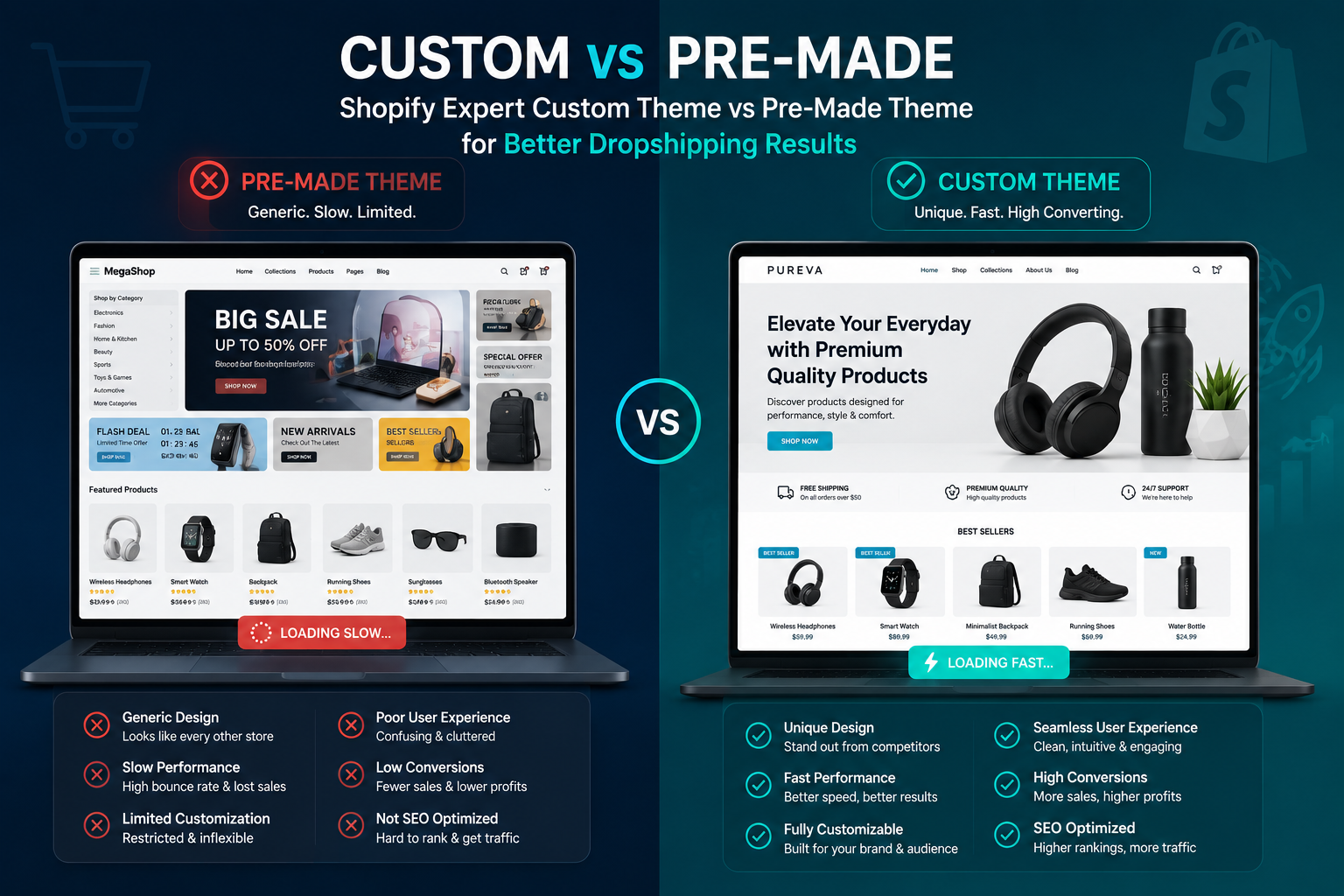
Over the years helping store owners with Shopify dropshipping, I’ve seen the same pattern repeat. Someone launches with a beautiful pre-made theme, gets a few sales, then hits a wall. Pages load slowly on mobile, checkout feels clunky, and standing out from competitors becomes impossible. That’s when they call a Shopify Expert.
A custom Shopify theme isn’t about flashy design for its own sake. It’s about building a store that actually works harder for your business. In this post, I’ll walk through the real benefits I’ve experienced firsthand, when pre-made themes fall short, and how to decide what’s right for your store.
What Makes a Custom Shopify Theme Different from Pre-Made Ones
Pre-made themes from the Shopify Theme Store are convenient. They look good out of the box and let you launch quickly. But they’re built for everyone, which means they’re rarely perfect for anyone.
A custom theme, built or heavily tailored by a Shopify Expert, starts from your specific needs. It uses clean, purpose-built code instead of carrying extra bloat from features you’ll never use. This difference shows up immediately in speed, flexibility, and how customers interact with your store.
I’ve worked on stores where switching to a custom approach cut load times by over 40%. That’s not theory — it’s measurable in real Shopify dropshipping results.
Key Benefits of Choosing a Custom Shopify Theme
Superior Performance and Speed
Pre-made themes often include dozens of unused sections and scripts. A custom build strips that away. Faster sites rank better and convert higher. Google’s own data shows that every extra second of load time can hurt conversions significantly.
For Shopify dropshipping especially, where impulse buys matter, speed is everything. Customers won’t wait for product images to load or filters to respond.
True Brand Uniqueness and Better User Experience
Most competitors in your niche use similar premium themes. A custom theme lets you create a shopping experience that feels native to your brand. Navigation flows exactly how your customers think, product pages highlight what actually sells, and trust signals sit where they matter most.
I once helped a fashion dropshipping store move from a popular theme to custom. Their bounce rate dropped noticeably because the layout guided people through the buying journey instead of fighting it.
Scalability and Long-Term Shopify Support
Pre-made themes can break when you add advanced functionality or update Shopify’s platform. Custom themes built with best practices scale cleanly. When you need new features later — whether it’s better inventory sync, subscription options, or advanced analytics — they integrate without hacks.
This is where ongoing Shopify support from an expert pays off. Instead of fighting theme limitations, you evolve the store deliberately.
Better SEO and Conversion Potential
Custom themes allow precise control over schema markup, heading structure, and page speed optimizations. They’re also easier to make fully accessible and mobile-first from the ground up.
Many stores I’ve optimized saw conversion lifts of 15-30% after proper customization — not because of magic, but because the theme stopped getting in the way of sales.
Real-World Example: From Generic to High-Converting Store
One client came to me running a home goods Shopify dropshipping store on a popular premium theme. Sales were decent but plateaued. The theme had beautiful images but confusing navigation and slow mobile performance.
We built a custom theme focused on their bestsellers, simplified checkout flow, and fast-loading product grids. Within three months, average order value increased and organic traffic grew because the site performed better for both users and search engines. The investment paid for itself quickly through higher revenue.
Step-by-Step: How a Shopify Expert Builds Your Custom Theme
Here’s the practical process I typically follow:
- Discovery & Planning — We map your brand, target customers, best products, and growth goals. This includes competitor analysis and user journey mapping.
- Design & Wireframing — Create mobile-first designs that prioritize conversions. Focus on what matters: fast product discovery and easy checkout.
- Development — Build using Shopify’s best practices — clean Liquid, minimal JavaScript, and optimized assets. I always start from a solid base like Dawn but customize heavily.
- Testing & Optimization — Rigorous speed testing, cross-device checks, and conversion audits. We fix issues before launch.
- Launch & Handover — Deploy with training so you can manage content easily. Include documentation for future Shopify support.
- Ongoing Iteration — Monitor performance and make data-driven improvements over time.
This structured approach avoids common pitfalls and delivers a store that grows with you.
Common Mistakes and Troubleshooting When Switching Themes
Many store owners rush into customization without a plan. Here are pitfalls I see regularly:
- Over-customizing a pre-made theme — Heavy edits to premium themes create technical debt and make updates painful.
- Ignoring performance — Adding too many apps and sections kills speed.
- Poor mobile experience — Always test on real devices, not just browser resize.
- Skipping version control — Use proper development workflows so changes are trackable.
- Choosing the wrong partner — Not every developer understands both design and Shopify dropshipping realities.
If you’re troubleshooting a sluggish store now, start by auditing your current theme’s unused code and image sizes. Simple fixes can deliver quick wins before going fully custom.
For deeper guidance on building your online presence, check my personal site or explore full digital solutions at Digital Wind IT.
Frequently Asked Questions
Is a custom Shopify theme worth it for beginners?
For true beginners focused on validating a Shopify dropshipping idea, start with a high-quality free or premium theme. Once you have product-market fit, invest in custom work. A Shopify Expert can also customize an existing theme as a middle ground.
How much does custom Shopify theme development cost?
It varies widely based on complexity. Simple customizations start lower, while full builds with advanced functionality cost more. The real question is ROI — many stores recoup the investment through better conversions within months.
Can I still update my custom theme easily?
Yes, when built properly with sections and blocks. Good Shopify support includes clear documentation so you or your team can make content changes without breaking anything.
Will a custom theme improve my SEO?
Absolutely. Faster load times, better structure, and unique content opportunities all help. However, SEO is a full strategy — theme is just one important piece.
How long does it take to build a custom Shopify theme?
Typically 4-8 weeks depending on scope, including testing. Rushing the process usually leads to problems later.
Do I need ongoing Shopify support after launch?
Most growing stores benefit from it. Platform updates, app integrations, and performance monitoring work best with an expert who knows your store.
Ready to Build a Store That Actually Works for You?
Choosing a custom Shopify theme through an experienced Shopify Expert is one of the smartest long-term decisions for serious Shopify dropshipping businesses. It gives you speed, uniqueness, scalability, and the Shopify support structure needed to grow without constant headaches.
If your current store feels limiting or you’re planning a new one that needs to stand out, let’s talk. Visit Digital Wind IT to explore how we can build something that drives real results for your brand.






