
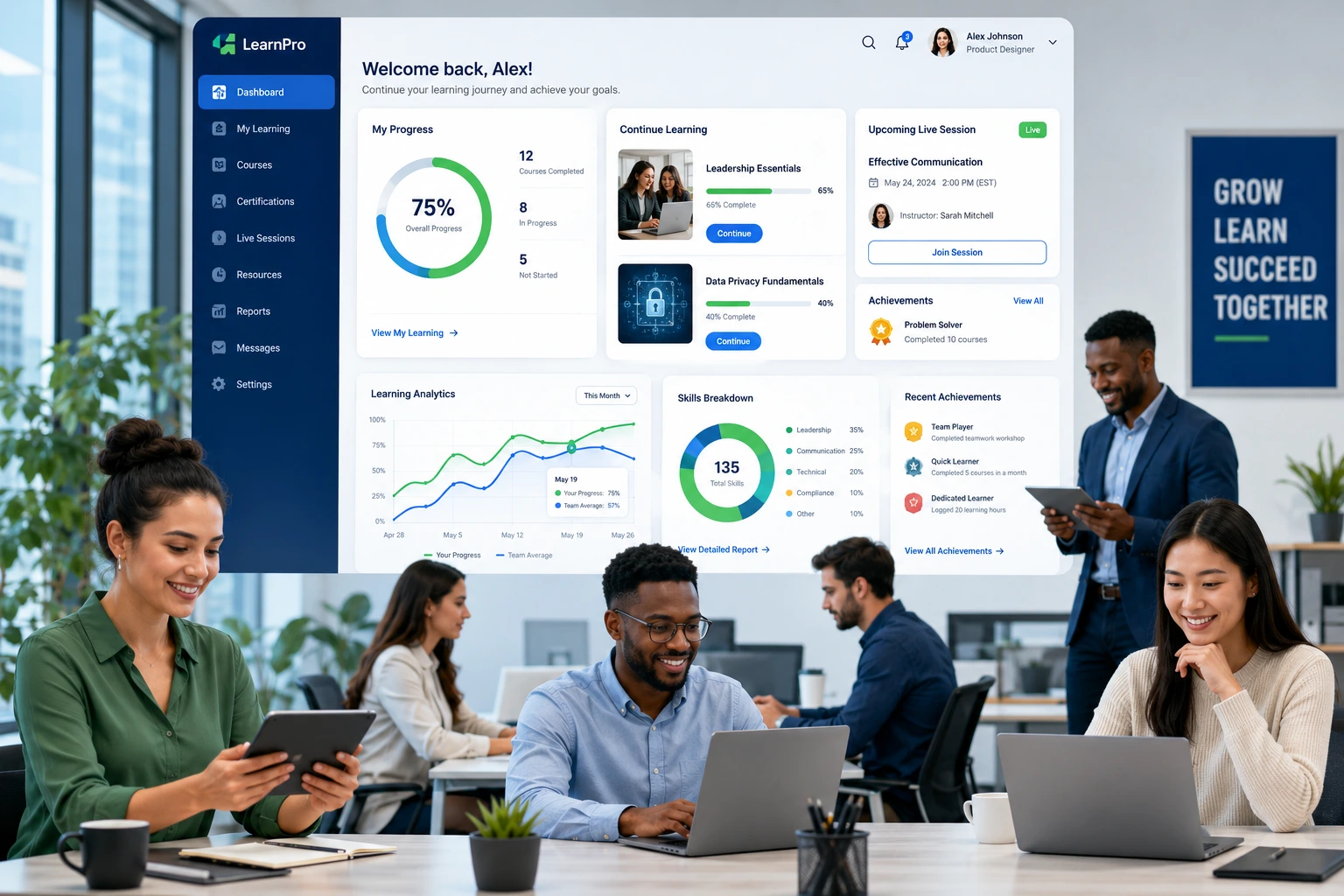
I’ve spent years helping businesses build digital tools that actually solve problems instead of creating new ones. One of the clearest patterns I’ve seen is how companies struggle with employee training when they rely on generic platforms. A custom learning management system changes that completely.
If you’re still using spreadsheets, shared drives, or off-the-shelf tools that don’t quite fit, you’re probably losing time, money, and talent. A tailored LMS (learning management systems) or learning content management system gives you control over content, tracking, and outcomes in ways that generic solutions never will.
In this post, I’ll walk through why a custom LMS often delivers better results for employee training, what real implementation looks like, and how to avoid common pitfalls. Whether you’re a growing startup or an established company, the right system can transform how your team learns and performs.
What Is a Custom LMS and Why “Custom” Matters
A learning management system is software for creating, delivering, and tracking training materials. Most people know the big platforms. But a custom LMS is built or heavily adapted around your specific business processes, branding, compliance needs, and team structure.
Off-the-shelf tools work fine for simple needs. But as your company grows, you run into limitations—clunky integrations, rigid templates, or features you don’t need but still pay for. Custom development lets you align training directly with goals like onboarding speed, skill gaps in specific departments, or industry regulations.
From my experience helping clients at Digital Wind IT, the biggest difference shows up in adoption. When the system feels made for your team, people actually use it instead of complaining about it.
Key Benefits of a Custom LMS for Employee Training
Custom learning management systems deliver advantages that generic tools struggle to match:
- Personalized Learning Paths: Employees get relevant content based on role, experience level, or performance data. No more forcing everyone through the same generic modules.
- Better Engagement and Retention: Tailored content with your branding, real scenarios from your work, and interactive elements keeps people interested.
- Seamless Integration: Connect directly with your HR tools, CRM, or project management systems for automatic progress tracking and reporting.
- Cost Efficiency Long-Term: While upfront investment is higher, you avoid recurring per-user fees and wasted time on workarounds.
- Compliance and Reporting: Custom fields and automated certificates make audits straightforward, especially in regulated industries.
One client saw completion rates jump after switching to a custom setup because the training finally matched how their teams actually worked.
How a Custom LMS Impacts Business Results
Strong training correlates with real outcomes. Companies with effective learning programs often see higher productivity, lower turnover, and faster onboarding.
In my work, I’ve noticed that businesses using tailored learning content management systems reduce time-to-productivity for new hires significantly. Instead of months of shadowing and inconsistent coaching, structured modules with assessments get people contributing faster.
Data backs this up too. Organizations investing thoughtfully in training frequently report improved retention and measurable skill gains. A well-designed LMS also creates a culture of continuous learning, which helps when technology or market conditions change.
Comparison Insight: Off-the-shelf LMS platforms like those from Thinkific or LearnWorlds are excellent for creators or simpler needs. But for internal corporate training with unique workflows, custom often wins on flexibility and total ownership.
Step-by-Step: How to Implement a Custom LMS
Here’s a practical process I’ve used successfully:
- Define Clear Objectives — Identify specific pain points (slow onboarding, compliance issues, skill gaps) and success metrics (completion rates, time saved, performance improvements).
- Audit Current Training — Map existing materials, processes, and tools. Decide what to migrate versus rebuild.
- Choose the Right Approach — Decide between building from scratch, extending an open-source base, or heavily customizing a solid platform. For many mid-sized businesses, the latter offers the best balance.
- Design User Experience — Involve actual employees in feedback. The interface must be intuitive or adoption will suffer.
- Develop and Integrate — Build core features, add your content, and connect with existing systems.
- Test, Launch, and Train — Run a pilot with one department, gather feedback, then roll out company-wide with proper support.
- Measure and Iterate — Use built-in analytics to track results and refine content over time.
This structured approach prevents the chaos I’ve seen when companies rush into a big platform without planning.
Common Mistakes and How to Avoid Them
Even good intentions can backfire. Here are pitfalls I’ve observed:
- Over-customizing everything at once — Start with core needs and add features iteratively.
- Ignoring user adoption — The best system fails if people don’t use it. Provide training and quick wins.
- Poor mobile experience — Your field or remote teams need access anywhere.
- Forgetting ongoing content updates — Training materials get stale fast. Plan for regular maintenance.
- Choosing the wrong development partner — Work with teams experienced in both education and business systems. Check my services for relevant expertise.
Fixing these early saves major headaches later.
FAQ: Custom LMS for Employee Training
What is the main difference between a custom LMS and regular learning management systems?
Custom versions are tailored to your exact processes, branding, and integrations, while standard platforms use templates and shared features.
How much does a custom LMS cost?
It varies widely based on scope, but expect higher initial investment than subscriptions. Long-term savings often come from efficiency, no per-user fees, and better results.
Can small businesses benefit from a custom learning management system?
Yes—especially if they have unique training needs or plan to scale. Start with focused features rather than a massive build.
How long does it take to implement?
A phased rollout for mid-sized companies typically takes 3-6 months, depending on complexity.
Is a custom LMS better for compliance training?
Often yes, because you can build exact reporting, certification tracking, and audit trails specific to your industry.
What features should I prioritize first?
Mobile access, progress tracking, content authoring tools, and basic analytics deliver the quickest wins.
Ready to Transform Your Employee Training?
A custom LMS isn’t just another software purchase—it’s an investment in your team’s capabilities and your company’s growth. By moving beyond generic learning management systems to a solution built around your needs, you create training that actually sticks and drives results.
If you’re tired of training that feels like an afterthought, let’s talk about building something that works for your business. Visit Digital Wind IT or reach out through my site to explore custom solutions that fit.
The companies that invest wisely in learning today will have the skilled, adaptable teams needed for tomorrow. Start building yours.






