
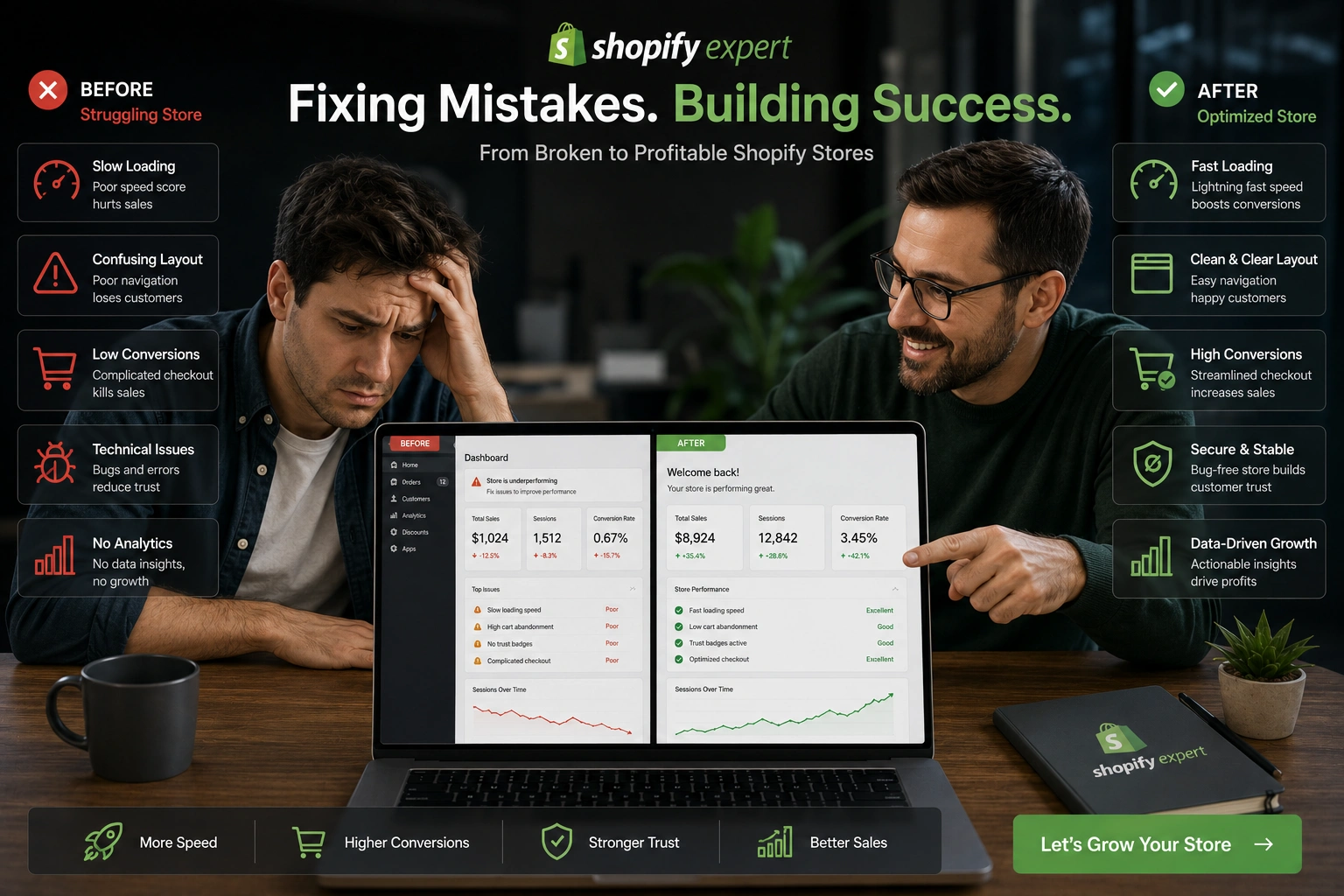
I’ve spent years helping store owners turn struggling Shopify setups into reliable revenue machines. Whether it’s Shopify dropshipping stores chasing quick wins or established brands scaling up, the same handful of mistakes keep popping up.
The good news? Most of these issues are fixable once you know what to look for. As a Shopify Expert, I’ve seen firsthand how addressing these problems can boost conversions, reduce cart abandonment, and finally make the platform work for you instead of against you. In this post, I’ll walk through the five most common Shopify mistakes I fix for clients and exactly how I approach them.
Why Most New Shopify Stores Struggle
Shopify makes starting an online store incredibly easy. That simplicity is also its biggest trap. Beginners often launch without proper Shopify support or guidance, then wonder why sales aren’t coming in.
From slow loading times to confusing navigation, these early mistakes compound quickly. I’ve audited dozens of stores where fixing just two or three core issues doubled conversion rates within weeks. Let’s get into the specifics.
Mistake 1: Poor Theme Customization and Slow Performance
One of the fastest ways to lose visitors is a sluggish, cluttered store. Many people pick a flashy theme and install every recommended app without thinking about speed.
How a Shopify Expert fixes it:
I always start with a performance audit. We strip unnecessary apps, optimize images, and use proper lazy loading. Theme customization should enhance user experience, not overwhelm it. I focus on clean layouts, fast mobile loading, and logical navigation.
In one client’s Shopify dropshipping store, removing bloated apps and properly configuring the theme cut load time from 8 seconds to under 2. Their bounce rate dropped by 45% almost immediately.
Mistake 2: Bad Product Pages and Weak Conversion Optimization
Generic product descriptions copied from suppliers, low-quality images, and missing trust signals kill sales. Customers need clear reasons to buy — not just pretty pictures.
The fix:
I rewrite descriptions to focus on benefits, not features. We add size guides, multiple high-resolution angles, user-generated content, and genuine reviews. I also implement urgency elements like limited stock counters carefully so they feel authentic.
Data from Shopify’s own reports shows well-optimized product pages can improve conversion rates by 20-30%. My experience matches this — one store went from 0.8% to 3.2% conversion after we rebuilt their top 10 product pages.
Mistake 3: Ignoring Proper Checkout and Payment Setup
You’d be surprised how many stores lose sales at checkout. Complicated processes, missing local payment options, or forcing account creation drive customers away.
My approach as a Shopify Expert:
I simplify checkout flows, enable guest checkout, add relevant payment gateways, and reduce form fields. For international stores, we enable currency conversion and localized pricing.
One client in the fashion niche was losing nearly 40% of potential buyers at checkout. After optimizing the flow and adding trusted payment options, their completion rate jumped significantly.
Step-by-Step: How I Optimize a Shopify Store (My Proven Process)
Here’s exactly what I do when a client hires me for Shopify support:
- Full Store Audit – I review speed, SEO, mobile experience, and conversion paths.
- Technical Fixes – Clean code, app consolidation, and security checks.
- Content & UX Overhaul – Better product pages, navigation, and trust elements.
- Conversion Rate Optimization – Strategic placement of CTAs, urgency, and social proof.
- Ongoing Monitoring – Set up analytics and regular performance reviews.
This structured approach prevents random tweaks and delivers measurable results. You can see examples of my work on my personal site.
Mistake 4: Over-Reliance on Apps Without Strategy
Apps are Shopify’s strength, but too many create conflicts, slow your store, and increase monthly costs.
How I fix it:
I conduct an app audit and keep only what truly moves the needle. For most stores, 8-12 well-chosen apps are plenty. The rest get replaced with custom code or native features.
Mistake 5: Neglecting SEO and Long-Term Marketing
Many store owners focus only on paid ads and ignore organic growth. Without proper Shopify SEO, you stay invisible in search.
I implement schema markup, optimize meta tags, create blog content, and build proper site structure. This creates sustainable traffic that doesn’t depend entirely on ad spend.
For more on building a solid digital presence beyond Shopify, check Digital Wind IT.
Real-World Example: From Struggling Dropshipping Store to Consistent Sales
Last year, a Shopify dropshipping client came to me with a store generating under $2K/month despite heavy ad spend. The issues were classic: slow theme, poor product pages, and too many conflicting apps.
After a complete overhaul — including the fixes mentioned above — their monthly revenue crossed $15K within three months, with better margins because we reduced app expenses. The store is now stable and scalable.
Common Shopify Troubleshooting Tips
- Store loading slowly? Check your apps and image sizes first.
- High cart abandonment? Simplify checkout and add trust badges.
- Low organic traffic? Start with basic on-page SEO and consistent blogging.
- Apps conflicting? Disable them one by one to identify the culprit.
If you’re facing these issues, professional Shopify support can save months of trial and error.
FAQ: Common Questions About Shopify Mistakes
How do I know if my Shopify store needs expert help?
If your conversion rate is below 2%, load times exceed 3 seconds, or you’re not seeing growth despite traffic, it’s time to get a professional audit.
Can a Shopify Expert help with dropshipping specifically?
Yes. Shopify dropshipping has unique challenges like supplier integration, product research, and margin optimization that benefit from experienced guidance.
Is it worth hiring a Shopify Expert or can I fix everything myself?
You can handle basics, but complex issues around conversion, speed, and scalability usually deliver faster ROI with expert help.
What’s the biggest mistake most Shopify beginners make?
Treating the platform as “set it and forget it.” Successful stores require ongoing optimization.
How long does it take to see results after fixes?
Technical improvements show within days. Conversion and sales lifts typically appear within 2-4 weeks.
Do I need to switch platforms if Shopify isn’t working?
Rarely. In most cases, proper optimization and strategy make Shopify more than sufficient.
Ready to Fix Your Shopify Store?
The difference between a struggling store and a profitable one often comes down to avoiding these common pitfalls. As a Shopify Expert, I’ve helped many owners move past frustration into sustainable growth.
If you’re tired of guessing and want real results, feel free to reach out. Whether you need full Shopify support, a complete store audit, or help scaling your Shopify dropshipping business, I’m here to help.
Ready to optimize your store? Visit my site to get in touch.






