
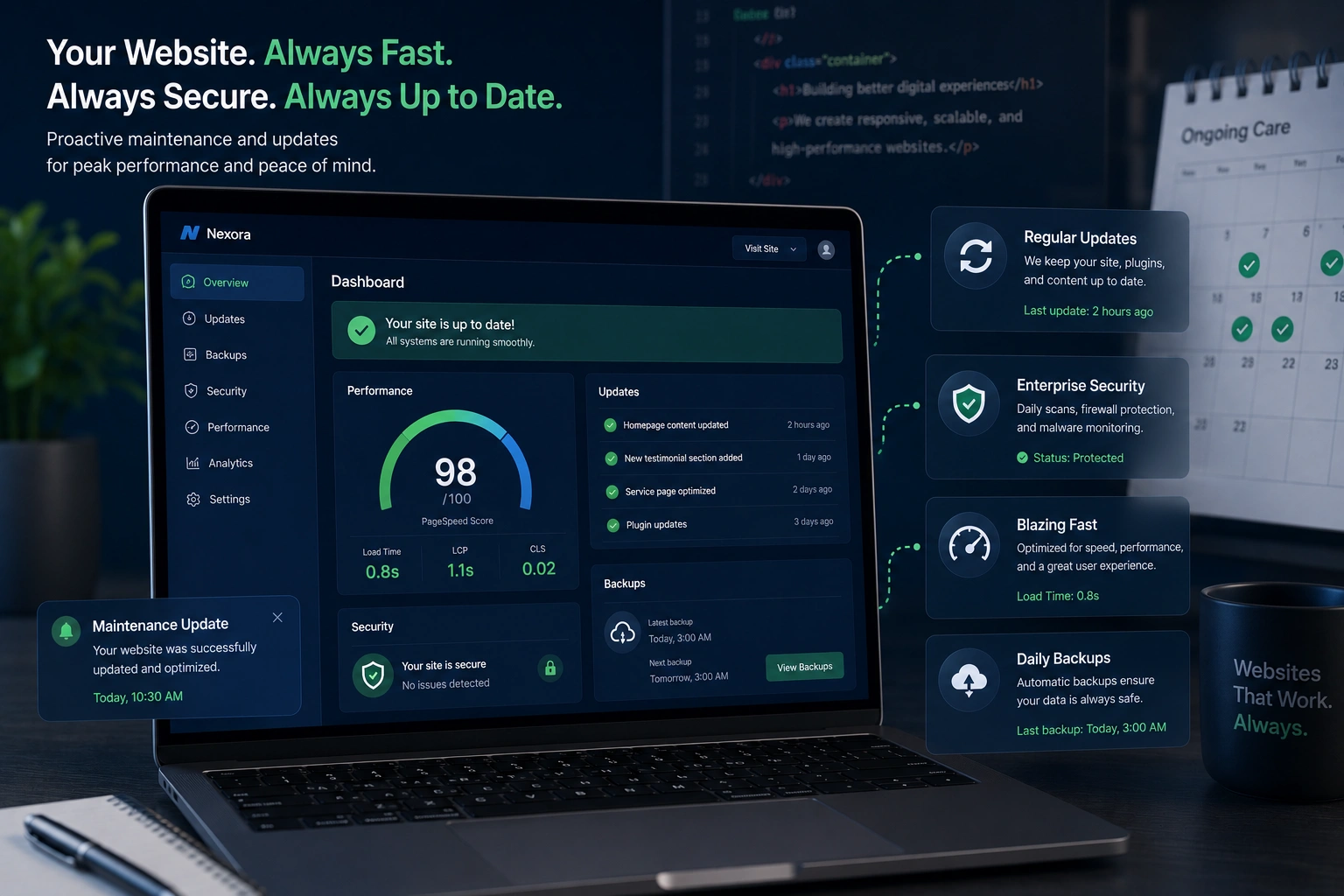
I’ve been building and managing websites for years, and one lesson keeps coming back: a site that launches strong can quietly fall apart without ongoing care. Visitors notice slow loads, broken forms, and outdated info long before you do. That’s why website maintenance and timely updates aren’t optional—they’re essential for staying competitive.
In this post, I’ll walk you through why regular website maintenance matters, what happens when you skip it, and how to build a practical routine. Whether you run a small business site or a growing online presence, these insights come from real projects I’ve handled and recovered from.
The Real Cost of Neglecting Website Maintenance
Many owners treat their website like a one-time purchase. Launch it, forget it, and move on. But the web changes constantly. Browsers update, plugins evolve, and security threats multiply.
Without website updates, your site risks becoming slow, vulnerable, or invisible in search results. I once helped a client whose WordPress site hadn’t been touched in 18 months. It was hacked, ranking dropped, and they lost leads daily. A few targeted website redesign services and ongoing care turned it around.
Responsive web design plays a big role here too. What looked mobile-friendly years ago often breaks on newer devices. Regular checks keep layouts fluid and user-friendly across phones, tablets, and desktops.
How Regular Updates Boost Security, Speed, and SEO
Security is the most urgent reason for website maintenance. Hackers target outdated sites. One unpatched vulnerability can lead to malware, data theft, or ransomware. Regular updates close those doors.
Performance follows closely. Slow sites frustrate users. Google’s Core Web Vitals reward fast, stable experiences. I’ve seen load times drop from 8 seconds to under 2 after simple optimizations like image compression and cache clearing—big wins for bounce rates and conversions.
SEO benefits are direct. Search engines favor fresh, well-maintained sites. Broken links, duplicate content, or outdated info signal neglect. Consistent website updates keep your pages relevant and crawlable.
Responsive web design ties in here as well. Mobile-first indexing means your site must work perfectly on phones. Neglect that, and you lose a huge chunk of traffic.
Business Impact: Why It Affects Your Bottom Line
A neglected site doesn’t just look bad—it hurts revenue. Studies show a large percentage of visitors abandon sites with technical issues. One real-world example from my work: a local service business saw inquiries drop 40% after their contact form broke due to a plugin conflict. After maintenance and minor redesign tweaks, conversions recovered within weeks.
Compare that to sites using professional websites design company support. They stay ahead with proactive fixes, fresh content, and modern features. The difference in trust and sales is noticeable.
For online businesses or course creators using platforms like those from WordPress.org or Webflow.com, maintenance ensures integrations keep working smoothly.
Step-by-Step: Building Your Website Maintenance Routine
Here’s a practical monthly checklist I recommend and use with clients:
- Update core software and plugins — Always back up first. Check for new versions in your CMS dashboard.
- Scan for malware and vulnerabilities — Use reliable security tools to run full scans.
- Test responsiveness and speed — Open your site on multiple devices. Tools like Google PageSpeed Insights help spot issues.
- Review and refresh content — Fix outdated info, broken links, and add new blog posts or offers.
- Check forms, links, and functionality — Submit test inquiries and click every internal link.
- Optimize images and database — Compress files and clean up unnecessary data for better performance.
- Backup everything — Store copies offsite or in the cloud.
Doing this consistently takes far less time than fixing a major breakdown. For many clients, I handle this through ongoing website redesign services packages that include monitoring.
Common Mistakes and How to Avoid Them
Over the years, I’ve seen the same errors repeat. Here are the big ones:
- Ignoring updates until something breaks — Waiting leads to bigger problems. Schedule them.
- Over-relying on hosting providers — They handle servers, not your plugins or content.
- Skipping backups — One hack or update gone wrong and you lose everything. Automate them.
- Using too many plugins — They slow your site and create conflicts. Keep only what you need.
- Neglecting mobile checks — Even with responsive web design, new browser versions can introduce glitches.
Another pitfall: assuming your site is “fine” because it loads for you. Test from different locations and devices regularly.
FAQ: Answering Your Questions About Website Maintenance
How often should I update my website?
Monthly for most sites. High-traffic or e-commerce sites benefit from weekly checks.
Does regular maintenance improve SEO?
Yes. Fresh content, fast speed, and fixed technical issues help search engines trust and rank your pages higher.
Can I handle maintenance myself?
Basic tasks yes, but complex responsive web design tweaks or security issues are safer with a websites design company or experienced freelancer.
What’s the difference between maintenance and redesign?
Maintenance keeps things running smoothly. Website redesign services involve bigger visual or structural changes when your brand or goals evolve.
How much does professional website maintenance cost?
It varies. Small sites might start low, while custom setups with ongoing support cost more. The return usually justifies it quickly through better performance and fewer crises.
Is maintenance important for static or simple sites?
Absolutely. Even basic sites face security risks and compatibility issues over time.
Keep Your Website Working for You
Regular website maintenance and updates protect your investment, improve user experience, and support long-term growth. They turn a static online brochure into a reliable business tool.
If your site feels outdated, slow, or you’re unsure where to start, I can help. Check out my services at Shihab Morshed or explore practical solutions through Digital Wind IT. Let’s make sure your website stays an asset, not a liability.
What’s one maintenance task you’ve been putting off? Drop a comment—I’d love to hear and offer pointers.






