
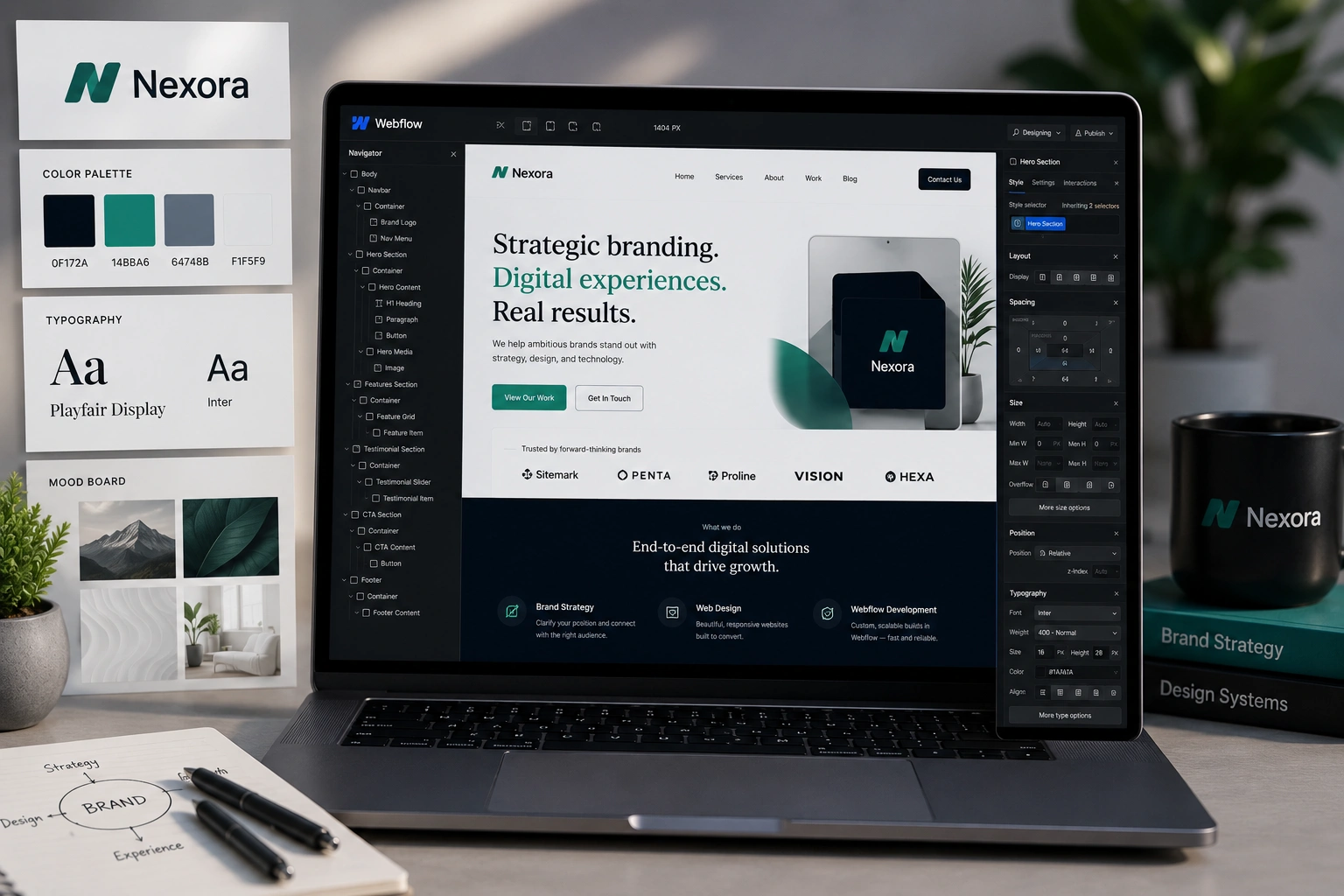
I’ve spent years working as a Webflow developer and helping clients through my agency work turn vague ideas into websites that feel like a natural extension of their brand. Too many sites look generic or, worse, clash with everything else the business stands for. A truly brand-aligned website doesn’t just look pretty — it builds trust, improves conversions, and makes marketing easier.
In this guide, I’ll walk you through exactly how a Webflow expert approaches site creation with branding at the center. Whether you’re a founder doing it yourself or planning to hire help, you’ll get practical steps you can use today.
Why Brand Alignment Matters More Than Ever on Webflow
Your website is often the first deep interaction people have with your business. If the colors, tone, messaging, and experience don’t match your social media, emails, or packaging, visitors get confused and bounce.
Webflow shines here because it gives you pixel-perfect control without fighting a rigid template system. As a Webflow agency professional, I’ve seen brands double their engagement simply by making their site feel “them” instead of like every other template out there.
A strong visual identity — consistent logos, colors, typography, and imagery — helps you stand out. According to Webflow’s own resources on visual identity, aligning these elements across all touchpoints makes your brand more memorable and trustworthy.
Core Benefits of Working with a Webflow Expert for Branding
Hiring or learning from a Webflow developer delivers several real advantages:
- Full design freedom: No theme limitations. You can create unique interactions that reflect your personality.
- Performance and SEO built-in: Clean code means faster load times, which Google loves.
- Scalability: Easy to add CMS collections for blogs, portfolios, or products later.
- Long-term ownership: You control everything without monthly template fees or lock-in.
In my experience, clients who invest in proper brand alignment from day one spend less time fixing things later and see better ROI on their marketing.
For example, one client in the coaching space came to me with a mismatched WordPress site. After rebuilding it in Webflow with a cohesive design system matching their course platform (similar to how platforms like Thinkific or Kajabi maintain strong brand presence), their conversion rate for lead magnets jumped noticeably.
How Webflow Supports Strong Brand Identity
Webflow isn’t just a builder — it’s a platform built for custom work. You can define styles globally, create reusable components, and maintain consistency effortlessly.
Key features I rely on as a Webflow expert:
- Global styles and typography scales
- Component libraries for buttons, cards, and navigation
- Custom code when needed, but mostly visual
- Responsive design controls at every breakpoint
This makes it easier to translate a brand style guide directly into the site without compromises you often face on other platforms like basic WordPress themes.
Step-by-Step: How to Create Your Brand-Aligned Webflow Site
Here’s the exact process I follow with clients. You can adapt it whether you’re building solo or collaborating with a Webflow agency.
- Define Your Brand Foundations Start with values, target audience, personality, and core message. Create a simple brand style guide: primary/secondary colors, fonts, logo variations, imagery style, and tone of voice. Don’t skip this — it’s the foundation everything else rests on.
- Set Up Your Webflow Project Create a new project and import or define your style guide early. Set global colors, typography, and spacing scales right away. This prevents inconsistent styling later.
- Design the Core Structure Map out key pages: Home, About, Services/Portfolio, Contact. Focus on user flow first. Sketch how brand elements appear in navigation, hero sections, and CTAs.
- Build with Components and Consistency Create reusable components for headers, footers, testimonials, etc. Use Webflow’s class system smartly — one change updates everywhere. Test responsiveness at mobile, tablet, and desktop.
- Add Interactions and Content Bring the site to life with subtle animations that match your brand energy (not over-the-top). Populate real content and optimize images for speed.
- Test, Launch, and Maintain Check on real devices, run accessibility and SEO audits, then publish. Set up CMS if needed for future updates.
This structured approach has saved me countless hours on revisions.
Common Mistakes to Avoid as a Webflow Beginner or Client
Even experienced designers trip up. Here are pitfalls I’ve fixed many times:
- Inconsistent branding across pages: Different fonts or color usage breaks trust. Always reference your style guide.
- Over-designing animations: Subtle is better. Too much motion distracts from your message.
- Ignoring mobile experience: A huge portion of traffic is mobile-first. Test thoroughly.
- Poor class organization: Random class names lead to maintenance nightmares. Use a naming convention from the start.
- Skipping SEO basics: Even the best design fails if no one finds it. Optimize meta titles, headings, and alt text.
Another frequent issue is treating Webflow like a simple drag-and-drop tool without planning the design system. This leads to bloated projects that are hard to update.
Frequently Asked Questions
How long does it take a Webflow expert to build a brand-aligned site?
For a standard 5-8 page site, 3-6 weeks depending on complexity and content readiness. Simpler sites can launch faster.
Is Webflow better than WordPress for branding?
Webflow offers more design control and cleaner code, making it superior for custom brand experiences. WordPress works well for blogs but often requires more plugins. See WordPress.org for comparison.
Do I need to hire a Webflow agency or developer?
If you want a truly unique, professional result quickly, yes. Solo builders can succeed with time and learning, but experts accelerate the process and avoid costly mistakes.
How much does a custom Webflow site cost?
Ranges vary widely. Basic brand sites start around a few thousand; complex ones with CMS and integrations cost more. Focus on value over cheapest option.
Can I update the site myself after launch?
Absolutely. Webflow’s editor is intuitive for non-technical users, especially with proper component setup.
How does Webflow help with e-commerce branding?
It integrates well and allows full custom design, unlike more restrictive platforms. Compare to Shopify for different use cases.
Ready to Build a Website That Represents Your Brand?
Creating a brand-aligned website with Webflow isn’t about chasing trends — it’s about making deliberate choices that strengthen your identity and serve your audience. As a Webflow expert who’s helped many businesses get there, I can tell you the results are worth the effort.
If you’re ready to move forward but want professional help, feel free to reach out. Check my work and services at Shihab Morshed or explore more digital solutions at Digital Wind IT. Let’s create something that truly stands for your brand.






