
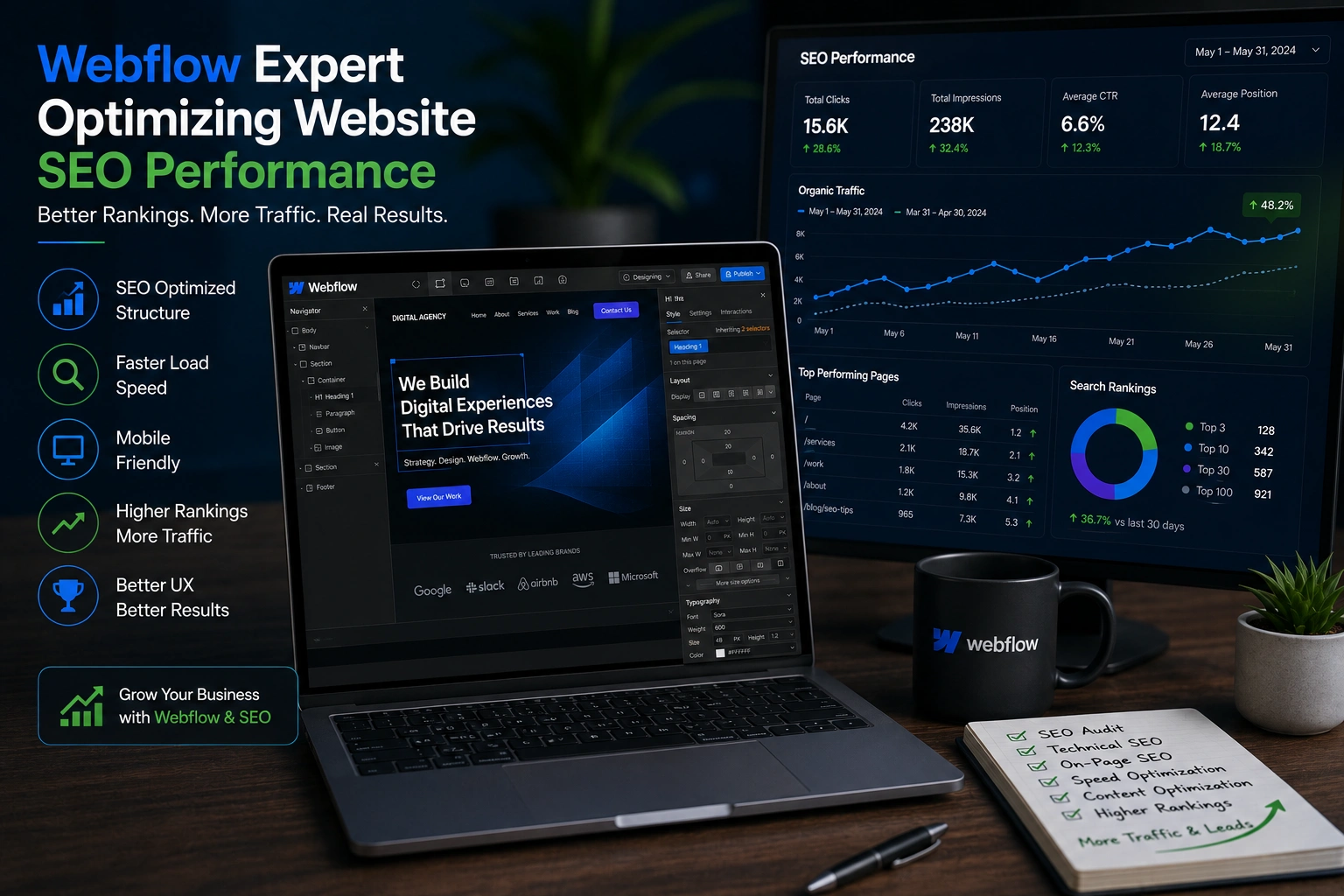
Over the years I’ve helped dozens of clients move from clunky, slow sites to clean, high-performing Webflow builds. One thing stays consistent: most people underestimate how much a skilled Webflow expert can impact search rankings.
It’s not just about pretty designs. A good Webflow developer or Webflow agency understands both the visual side and the technical foundation that search engines love. In this post, I’ll share seven practical ways they can level up your SEO—drawn from real projects I’ve worked on.
If you’re running a personal brand, service business, or online course and want sustainable organic traffic, read on.
Why Webflow SEO Needs a Specialist
Webflow gives you excellent tools out of the box—clean semantic code, fast hosting, and built-in SEO settings. But using them effectively takes experience. Many DIY users miss subtle optimizations that make a big difference in rankings.
I’ve seen sites go from page 3 to top 3 after a proper Webflow SEO overhaul. The difference usually comes down to technical details most beginners overlook.
1. Lightning-Fast Load Times and Core Web Vitals
Site speed is a confirmed ranking factor. Webflow experts know how to squeeze every millisecond out of your pages.
They handle image optimization (WebP + proper sizing), lazy loading, minified code, and smart use of the CDN. More importantly, they avoid unnecessary custom code that bloats things.
In one project for a client similar to those using platforms like Thinkific, we improved Largest Contentful Paint by over 40% just by refining animations and asset delivery. Google loved it, and so did visitors.
2. Proper On-Page Structure and Semantic Markup
Search engines reward clear hierarchy. A Webflow developer sets up logical heading structures (one H1, sensible H2/H3), schema markup, and clean URLs without even thinking about it.
They also optimize meta titles and descriptions for every page and collection item—something that’s easy to mess up at scale in Webflow CMS.
This structured approach helps you win featured snippets and rich results more often.
3. Technical SEO Foundations Done Right
From XML sitemaps and robots.txt to 301 redirects and canonical tags, a Webflow agency makes sure nothing blocks crawlers.
They implement proper schema (FAQ, HowTo, Organization) that helps AI overviews and traditional search. Webflow’s visual interface makes this accessible, but knowing what to implement when is where expertise shines.
4. Mobile Experience and Responsive Design Mastery
Google uses mobile-first indexing. Webflow experts build with breakpoints thoughtfully so every device delivers a great experience without layout shifts or hidden content.
This directly improves user signals like dwell time and bounce rate—factors that influence rankings.
5. Strategic Internal Linking and Site Architecture
Good architecture helps both users and crawlers discover content. A specialist plans logical silos, creates contextual internal links, and keeps the site shallow (ideally no more than 3 clicks deep).
In practice, this means better topical authority and faster indexing of new pages.
6. Content Optimization That Actually Works
Beyond keywords, a Webflow expert helps structure content for readability and search intent. They use Webflow’s CMS to create dynamic, SEO-friendly templates that scale—perfect for blogs, course libraries, or service pages.
I always recommend pairing this with real user research rather than generic keyword lists.
7. Ongoing Monitoring, Testing, and Iteration
SEO isn’t set-it-and-forget-it. Experienced teams set up proper Google Search Console tracking, run regular audits, and make data-driven tweaks.
They also stay current with platform updates. Webflow keeps improving its SEO tools, and a good partner makes sure you benefit from them.
Real-World Example: From Stagnant to Growing Traffic
A service business I worked with had a beautiful but underperforming site on another builder. After migrating to Webflow and applying these optimizations, organic traffic grew 180% in six months. Key changes? Better page speed, proper schema on service pages, and a cleaner URL structure. Their leads became more qualified too.
Webflow vs Other Platforms: A Quick Comparison
Compared to WordPress, Webflow often wins on clean code and hosting speed out of the box. While WordPress has powerful plugins, it can introduce bloat if not managed carefully. Webflow’s native tools reduce many common technical headaches.
For creators using platforms like LearnWorlds or Kajabi for courses, embedding or linking to a Webflow marketing site optimized by an expert creates a powerful combination.
Step-by-Step: How to Work With a Webflow Expert for SEO
- Audit First — Share your current site and goals. A good expert starts with a technical + content audit.
- Set Clear KPIs — Decide what matters: traffic, leads, or rankings for specific keywords.
- Migration or Build — Plan the new structure with SEO in mind from day one.
- On-Page & Technical Implementation — Let them handle meta, schema, speed, etc.
- Content Strategy Alignment — Create or optimize pages around searcher intent.
- Launch & Monitor — Submit sitemap, monitor performance, and iterate monthly.
Common Mistakes to Avoid (And How Experts Fix Them)
- Ignoring alt text on images or using generic ones.
- Bloated custom code from copied snippets.
- Poor CMS collection setup that creates duplicate content issues.
- Forgetting to update old pages after site changes.
- Over-relying on animations that hurt mobile performance.
A Webflow developer catches these early and prevents them.
FAQ
What does a Webflow expert actually do for SEO?
They combine design skills with technical SEO knowledge—optimizing code, structure, speed, and content presentation so search engines understand and rank your site better.
Is Webflow good for SEO in 2026?
Yes. With clean code, fast hosting, and strong built-in tools, Webflow performs very well when optimized properly by someone who knows the platform.
How much does hiring a Webflow agency cost?
It varies widely. Many start with project-based audits or builds, then move to retainers for ongoing optimization. Focus on value and results rather than cheapest hourly rate.
Can I do Webflow SEO myself?
You can handle basics, but complex sites benefit hugely from expert help—especially technical setup, schema, and long-term strategy.
How long until I see results?
Technical improvements can show in weeks. Content and authority building usually take 3–6 months for noticeable ranking gains.
Ready to Take Your Site to the Next Level?
Working with the right Webflow expert isn’t just about a nicer website—it’s about building a sustainable asset that attracts clients while you sleep. If you’re tired of fighting technical issues and want a site that ranks and converts, let’s talk.
Check out my personal site or Digital Wind IT services for more on how I help businesses like yours.
For the official Webflow perspective on SEO tools, visit webflow.com.
What’s one SEO challenge you’re facing with your current site? Drop a comment—I read them all.






