
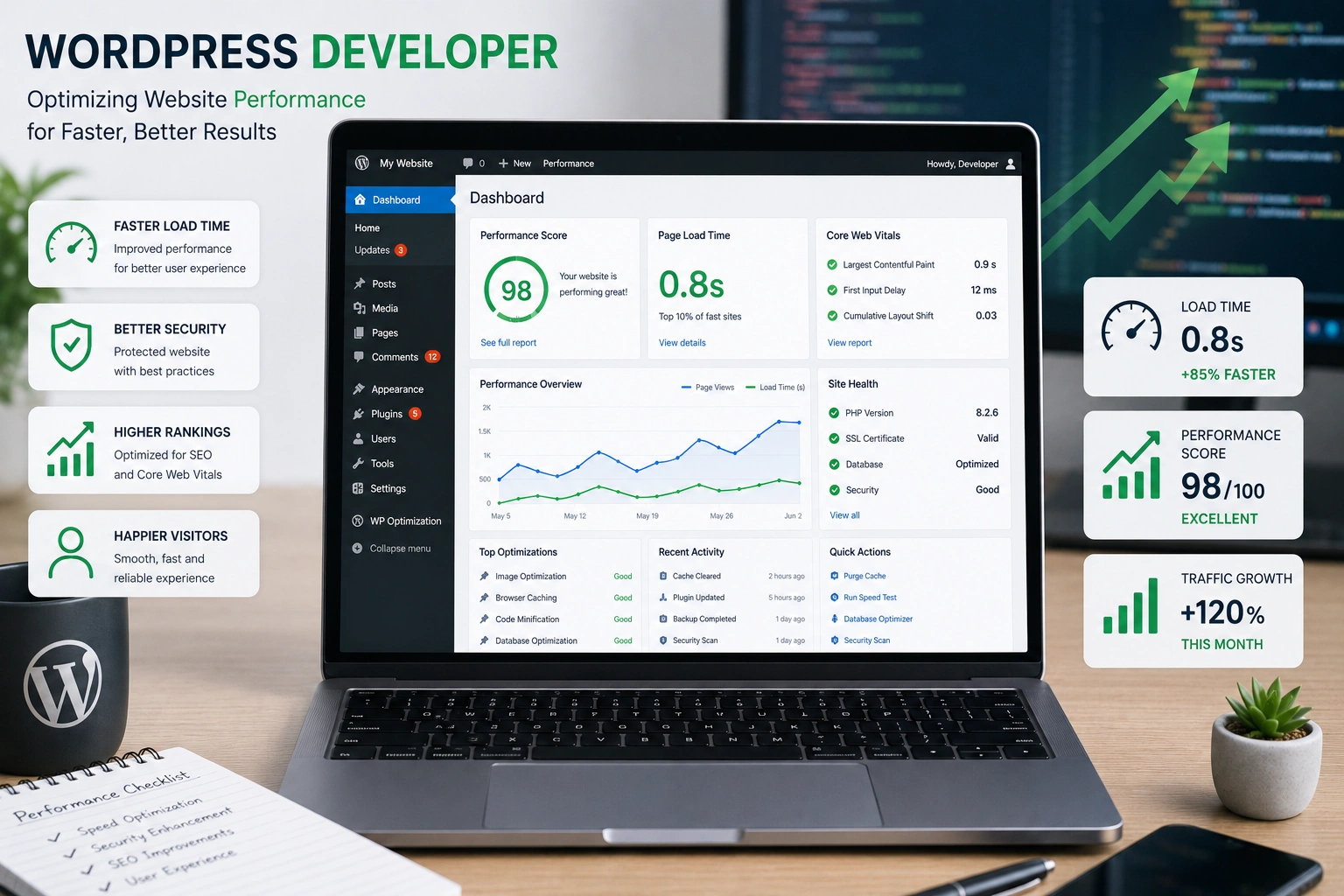
I’ve spent years building and fixing WordPress websites for clients across different niches. One thing I’ve learned the hard way: even a beautifully designed site can fail if it loads slowly. Visitors bounce, Google ranks you lower, and your business suffers.
A good WordPress developer does more than install themes and plugins. They dig into the code, server settings, and user experience to make your site fast, reliable, and scalable. In this post, I’ll share practical insights from real projects on how expert help transforms WordPress website performance.
Why Your WordPress Website Speed Matters More Than Ever
Page speed isn’t just a nice-to-have—it’s a business necessity. Studies show that a one-second delay in load time can reduce conversions by 7%. Sites loading in one second convert three times better than those taking five seconds.
For WordPress websites, this issue hits harder because of the dynamic nature of the platform. Every page pull involves PHP execution, database queries, and asset loading. Without proper optimization, small problems compound into major slowdowns.
I’ve seen sites drop from decent traffic to struggling after a few plugin additions or unoptimized images. The fix? A targeted approach by someone who knows the platform inside out.
What a Skilled WordPress Developer Brings to the Table
A professional WordPress developer goes beyond surface-level tweaks. They audit your entire setup—hosting, theme, plugins, database, and custom code.
Key areas they improve:
- Server-side performance: Choosing the right hosting and configuring it properly.
- Code optimization: Cleaning bloat from themes and plugins.
- Asset delivery: Modern techniques for images, CSS, and JavaScript.
- Caching strategies: Making pages load instantly for repeat visitors.
Unlike DIY attempts with random plugins, developers ensure changes work together without breaking functionality or security.
Real Impact on Business Results
Faster sites directly affect your bottom line. In one project for a local service business, their WordPress website loaded in over 6 seconds initially. After optimization, we brought it under 2 seconds. Organic traffic increased noticeably within weeks, and lead forms saw higher completion rates.
Data backs this up. Optimized WordPress websites often see 20%+ traffic lifts. Mobile users, who make up most traffic, stick around longer when pages respond quickly.
For online courses or membership sites, speed improvements can mean the difference between a visitor exploring your content and leaving in frustration.
Step-by-Step: How a WordPress Developer Optimizes Your Site
Here’s a typical process I follow when taking on a performance project:
- Full Audit — Use tools like Google PageSpeed Insights, GTmetrix, and Query Monitor to identify bottlenecks. We check TTFB, Largest Contentful Paint, and real user metrics.
- Hosting Review — Many slow sites run on cheap shared hosting. Moving to optimized WordPress hosting or adding proper resources makes an immediate difference.
- Theme and Plugin Cleanup — Deactivate and test unnecessary plugins. Replace heavy page builders with lighter code where possible. Ensure the active theme is lightweight or custom-developed.
- Image and Asset Optimization — Compress images, convert to WebP, implement lazy loading, and serve from a CDN. This often shaves seconds off load times since images make up 50-70% of page weight.
- Caching Implementation — Set up browser caching, page caching, and object caching. For many sites, this is the single biggest win.
- Code and Database Optimization — Minify files, remove unused CSS/JS, optimize database tables, and clean up revisions and transients.
- Ongoing Monitoring — Set up performance tracking so issues get caught early.
This structured approach ensures lasting results rather than temporary gains.
Common Mistakes and Troubleshooting Performance Issues
Many site owners make the same errors. Here are the ones I see most often:
- Plugin overload: Installing 30+ plugins without auditing their impact. Every plugin adds overhead.
- Unoptimized images: Uploading huge files straight from cameras or phones.
- Ignoring updates: Running old PHP versions or outdated WordPress core/themes.
- Poor hosting choices: Prioritizing price over performance.
- Custom code without optimization: Adding heavy JavaScript or inefficient database queries.
Troubleshooting tips: Start with a staging site. Deactivate all plugins except one caching plugin and switch to a default theme (like Twenty Twenty-Four from WordPress.org). If speed improves dramatically, add plugins back one by one to identify the culprit.
For database issues, tools like WP-Optimize or manual queries help. Always back up before major changes.
When to Hire a Professional WordPress Developer
DIY optimization works for simple sites, but complex WordPress websites with custom features, e-commerce, or high traffic benefit from expert eyes. A developer spots issues that automated tools miss, like inefficient custom functions or server misconfigurations.
If your site feels sluggish, scores poorly on Core Web Vitals, or you’re planning a redesign, professional help pays for itself quickly through better user experience and SEO.
At Digital Wind IT, we specialize in these exact improvements. My own site at Shihab Morshed follows the same principles we apply for clients.
FAQ: WordPress Performance Questions
How much can a WordPress developer improve my site speed?
Most audits show 50-80% load time reductions. Results depend on the starting point, but sub-2-second loads are achievable for most sites.
Do I need to rebuild my entire WordPress website?
Usually not. Targeted optimizations on the existing setup deliver big gains without a full redesign.
What’s the best caching plugin for WordPress?
It varies by hosting, but solid options include WP Rocket or site-specific solutions. Developers choose and configure based on your setup.
How does performance affect SEO?
Google uses Core Web Vitals as ranking factors. Faster sites get preferential treatment in search results.
Can I maintain good performance long-term?
Yes, with regular maintenance, monitoring, and avoiding bloat. A developer can set up systems for ongoing health.
Is hiring a developer worth it for small sites?
For growing businesses, yes. The time saved and results gained often outweigh the investment.
Ready to Make Your WordPress Website Faster?
A skilled WordPress developer turns a slow, frustrating site into a fast, professional asset that works for your business. The improvements go beyond speed—they create better experiences that build trust and drive results.
If your WordPress website isn’t performing like it should, let’s talk. Reach out through my site or Digital Wind IT to discuss your specific needs. Small changes today can lead to significant growth tomorrow.






