
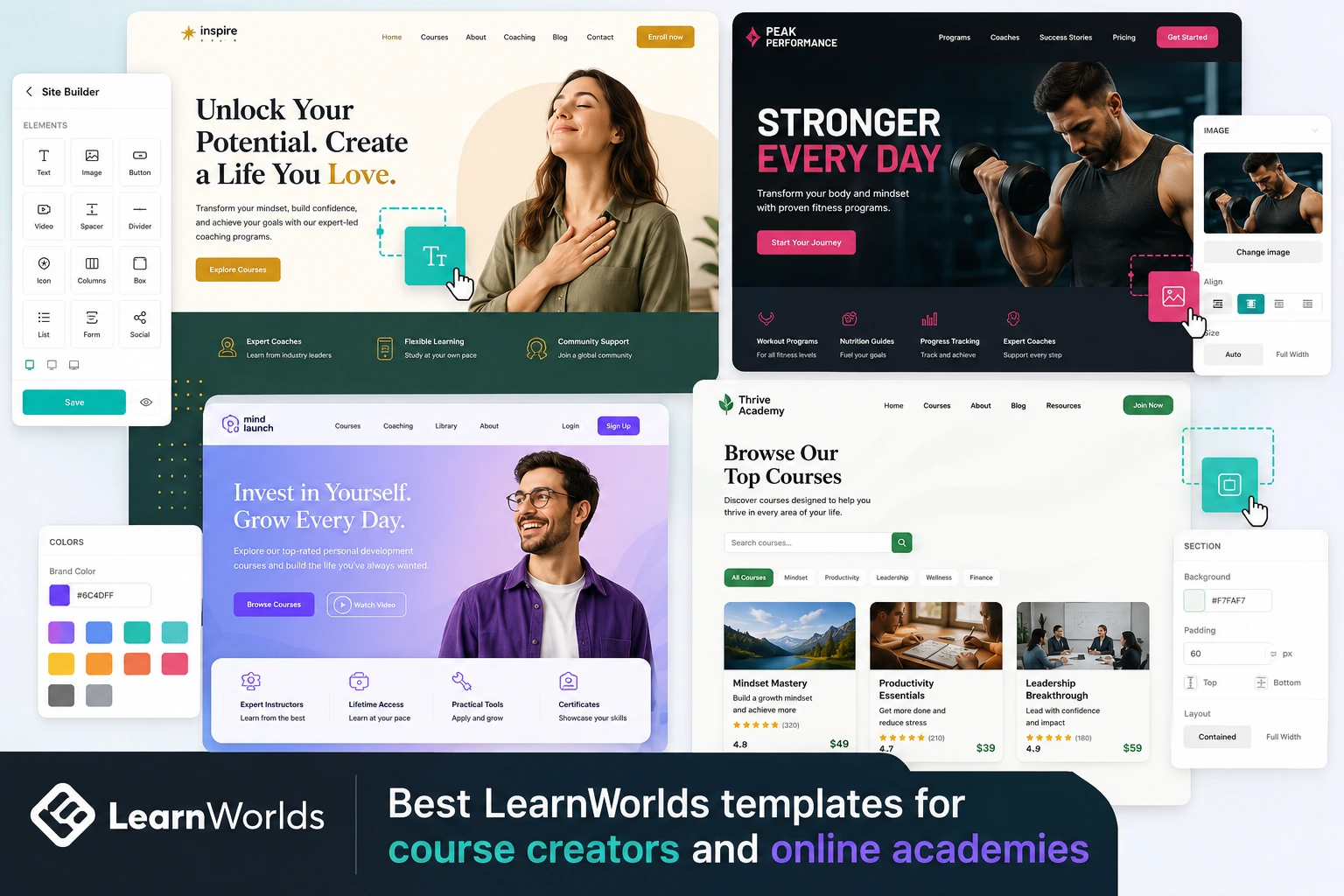
Picking the right starting point saves hours when launching an online academy. I’ve set up LearnWorlds schools for coaches, trainers, and experts, and the template choice makes a huge difference in how fast you go live and how professional it looks from day one.
LearnWorlds offers over 50 professionally designed, ready-to-go website templates (called Site Flavors) tailored to different industries. These aren’t generic placeholders—they’re built with course creators in mind, featuring strong sales pages, course catalogs, testimonials, and CTAs that convert visitors into students.
Whether you’re making online courses in coaching, fitness, personal development, or business, starting with a fitting template lets you focus on content and sales instead of design from scratch. In this guide, I’ll highlight the best ones for course creators, based on what works well in real setups and current platform options.
Why LearnWorlds Templates Are Great for Course Creators
These templates come pre-optimized for e-learning: clean layouts, mobile responsiveness, built-in sections for course previews, pricing tables, instructor bios, and integration with the course player.
You get full customization via the drag-and-drop Site Builder—no coding required for basics. Change colors, fonts, images, add widgets (testimonials, countdowns, forms), and apply your branding. Higher plans allow full white-label removal too.
Starting with a relevant template cuts launch time dramatically—many creators go from signup to live school in days instead of weeks.
Top Categories of LearnWorlds Templates for Creators
LearnWorlds organizes templates by industry, making it easy to find matches:
- Coaching & Personal Development — Modern, motivational designs with strong hero sections for transformation stories, client results, and program overviews.
- Fitness & Health — Energetic layouts with program showcases, before/after sections, class schedules, and high-impact imagery.
- Professional & Business — Sleek, corporate-feel templates ideal for leadership, marketing, or skill-based courses.
- Creative & Art/Design — Stylish, visual-heavy options for photography, graphic design, or creative skill courses.
- Education & Training — Structured for broader academies, with emphasis on course catalogs and learning paths.
All templates support core course creator needs: sales funnels, membership pages, and student dashboards.
Recommended Best Templates for Different Niches
Here are standout picks I’ve seen perform well:
- Coaching Templates — Look for ones with large testimonial carousels and program benefit sections. Great for life/business coaches—focus on trust-building elements.
- Fitness Templates — High-energy hero videos or images, progress trackers, and bundle pricing displays. Perfect for workout programs or nutrition courses.
- Personal Development Templates — Clean, minimalist designs with mindset-focused imagery and long-form sales copy areas.
- Professional Templates — Corporate-style with clear navigation for course categories, instructor credentials, and corporate training vibes.
Pro tip: Filter by industry during signup or in Website → Design → Manage Site Flavors. Preview several—most creators switch 2-3 times before settling.
Step-by-Step: Choosing and Customizing a Template
- Sign up for the free trial at LearnWorlds—you’ll pick a template during onboarding.
- Browse categories (coaching, fitness, etc.) and preview templates—click through pages like homepage, courses, about.
- Select one close to your niche and vision—don’t worry about perfection; everything is editable.
- Go to Website → Design → Edit Website — drag/drop sections, swap images, update text.
- Apply global styles in Theme Explorer — set colors, fonts, buttons to match your brand.
- Add course-specific pages — insert catalog widgets, sales sections, or custom landing pages.
- Preview on mobile/desktop, then publish.
- Test as a student — sign up with a test account to ensure smooth flow.
This process usually takes 4-8 hours for a solid setup.
Real-World Example and Insight
A mindset coach I advised started with a personal development template. It had a strong hero with a transformation headline, testimonial grid, and program cards. She customized colors to her brand, added her course previews, and included a free lead magnet section.
Launch took under a week; first-month sign-ups were strong because the site looked established and trustworthy right away. She later added reusable sections for consistency across pages.
Insight: Templates with built-in sales-focused sections (testimonials, benefits, CTAs) convert better than plain designs—many creators report faster enrollments when starting from industry-matched ones rather than blank slates.
Common Mistakes and Fixes When Using Templates
- Choosing purely on looks — Pick based on structure (e.g., good catalog display) over aesthetics. Fix: Preview full site flow.
- Not customizing enough — Generic feel hurts trust. Fix: Swap all placeholder text/images early.
- Overloading sections — Slows speed. Fix: Keep pages lean; use templates’ pre-optimized layouts.
- Ignoring mobile — Most traffic is mobile. Fix: Always preview and adjust.
- Sticking to first choice — Experiment. Fix: Import/export flavors to test multiples.
- Forgetting global elements — Inconsistent branding. Fix: Edit headers/footers globally.
Avoid these for a polished result.
Frequently Asked Questions
How many templates does LearnWorlds offer?
Over 50 professionally designed, industry-specific ones—updated regularly for modern looks.
Are LearnWorlds templates fully customizable?
Yes—drag-and-drop Site Builder, Theme Explorer for styles, and custom code options let you change almost everything.
Which template is best for beginners creating courses online?
Start with coaching or professional categories—they’re clean, conversion-focused, and easy to adapt.
Can I switch templates after launch?
Yes—manage Site Flavors to import/export and switch without losing content.
Do templates include course pages or just the website?
Mainly public-facing sites (homepage, sales, catalog), but they integrate seamlessly with your courses and player.
Where can I see all LearnWorlds templates?
During signup or in your dashboard: Website → Design → Manage Site Flavors. Download their lookbook for inspiration: LearnWorlds Website Templates Lookbook.
Pick the Right Template and Launch Faster with LearnWorlds
The best LearnWorlds templates for course creators are those that match your niche, highlight your offers, and convert visitors quickly. With 50+ options across coaching, fitness, professional, and more, you can find a strong starting point that feels custom-made.
Choose one today, tweak it to your brand, and get your academy live sooner. The right template handles the design heavy lifting so you focus on what matters—creating and selling great courses.Need help picking one for your niche or customizing strategy? Visithttps://shihabmorshed.com/ for more guides. Which niche are you in? Drop it below—I can suggest specific template styles.






